The Step-by-Step Guide to Building Local Landing Pages That Drive More Calls and Leads
The Step-by-Step Guide to Building Local Landing Pages That Drive More Calls and Leads
Last Updated:
Table of Content
Case Studies



Micaliah Farris
Micaliah Farris
Micaliah Farris
SEO
SEO
SEO
10 Min Read
10 Min
10 Min Read
You'll get more calls when your local SEO landing page meets four criteria: it targets one service at one location, has a working tap-to-dial phone number in the first screen the visitor sees, proves you actually perform that service in that area, and tracks the call back to the page that generated it.
Most location-based landing pages meet the first criterian and silently fail the last three. They rank, they collect traffic, and nobody can explain where the leads went. Below is how to build one in seven steps — plus what causes Google to ignore entire batches of location pages.
What Is a Local SEO Landing Page?
A local SEO landing page captures searches like "emergency plumber in Pearland" and converts that visitor into a call or booking. It is not a service page, and it does not replace your Google Business Profile.
Local landing page | Service page | Google Business Profile | |
|---|---|---|---|
Targets | One service, one location | One service, all locations | Your business as an entity |
Searcher intent | Ready to act now | Comparing and researching | Hours, reviews, directions |
Primary goal | Call or booking | Education, then enquiry | Call, directions, website click |
You control it? | Fully | Fully | Partially |
That difference in purpose changes how you write. A service page can teach and persuade. A location page is speaking to a homeowner standing in a flooded kitchen. Your listings and your pages also have to agree with each other, which is why consistent business information across every local directory underlies all of it.
Step 1: Decide Which Locations Are Worth a Page
Work out which cities or service areas deserve your time first. Building a page for every zip code in the metro is how teams end up with forty pages and four leads. Use three sources:
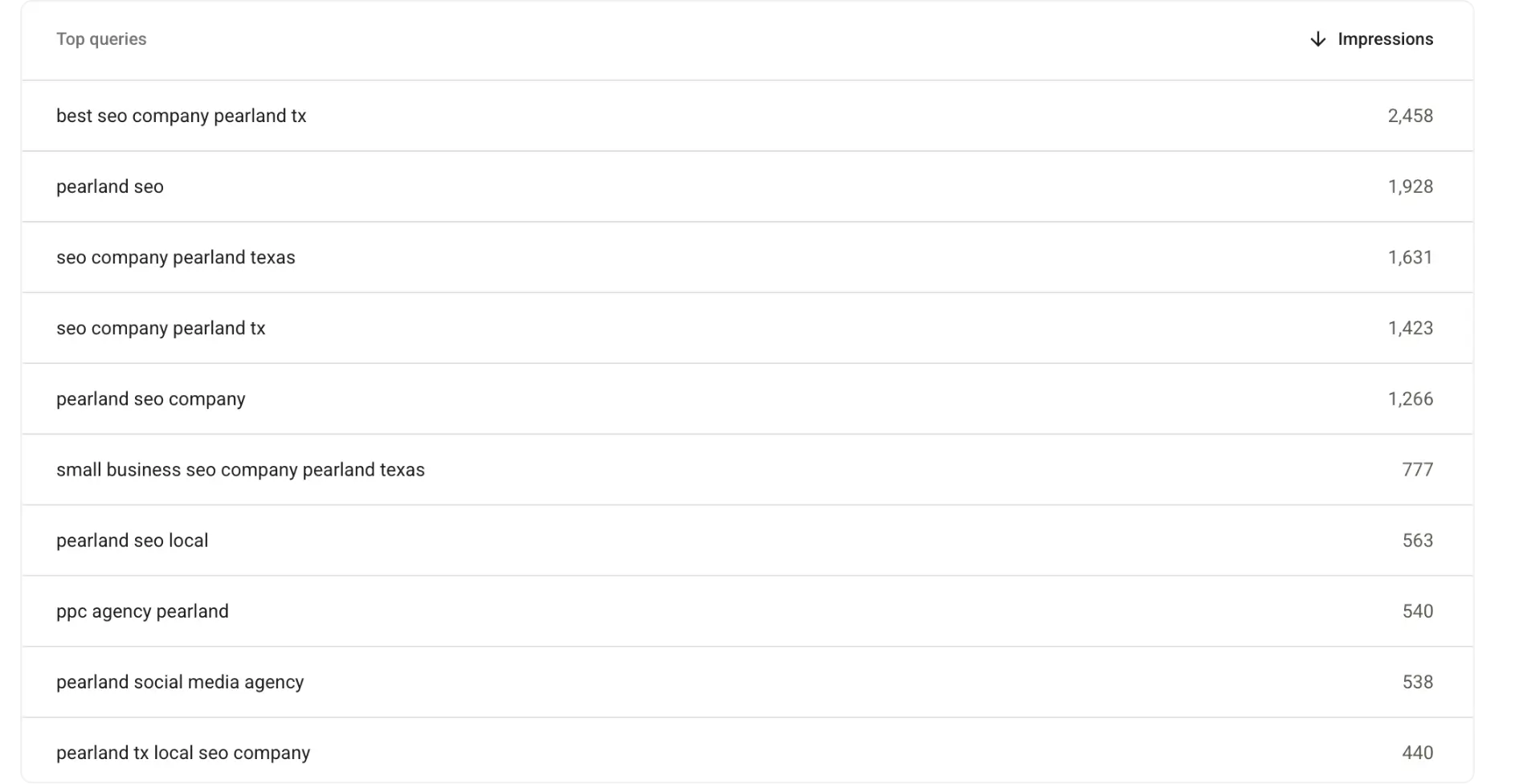
Google Search Console shows which location searches already generate impressions. Here's our own Search Console, filtered to Pearland — plenty of impressions for '’seo company pearland tx’' queries. Apply the same lens to your business: an impression for a city you don't have a page for is your next build.
GA4 city and region reports show where sessions and key events actually originate.
Google Business Profile insights show who calls, who requests directions, and who clicks through.
If you're a service-area business rather than a storefront, set your service area in your Google Business Profile first, you can't rank well in a city you won't drive to. New to any of this? Start with how Google ranks nearby businesses.
Step 2: Give Every Page One Keyword and One Conversion Goal
Every page gets one primary keyword and one conversion goal. The keyword should mirror how people actually search — usually "service + city" or "service + near me." Pages offering four equally weighted choices convert worse than pages offering one.
Build the title tag as primary service + city + differentiator. "Emergency Plumber in Pearland | Same-Day Service" performs far better than "Plumbing Services | Company Name" because it answers the query inside the results page itself — preview exactly how it will render before you commit. For the wider picture, see our guide to local SEO that drives calls, visits and sales.
Step 3: Build the Above-the-Fold Call Capture Area
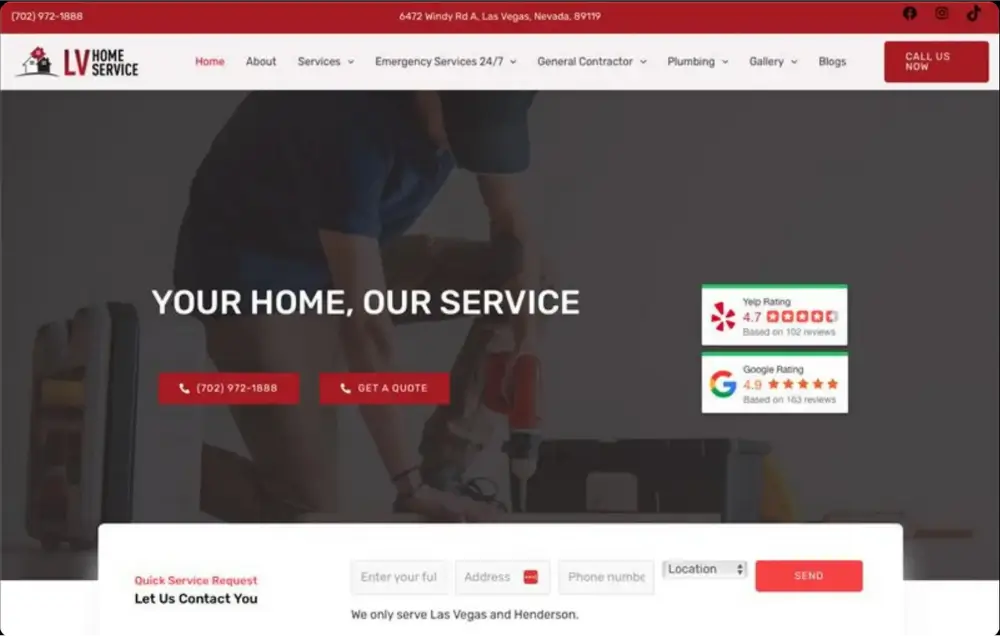
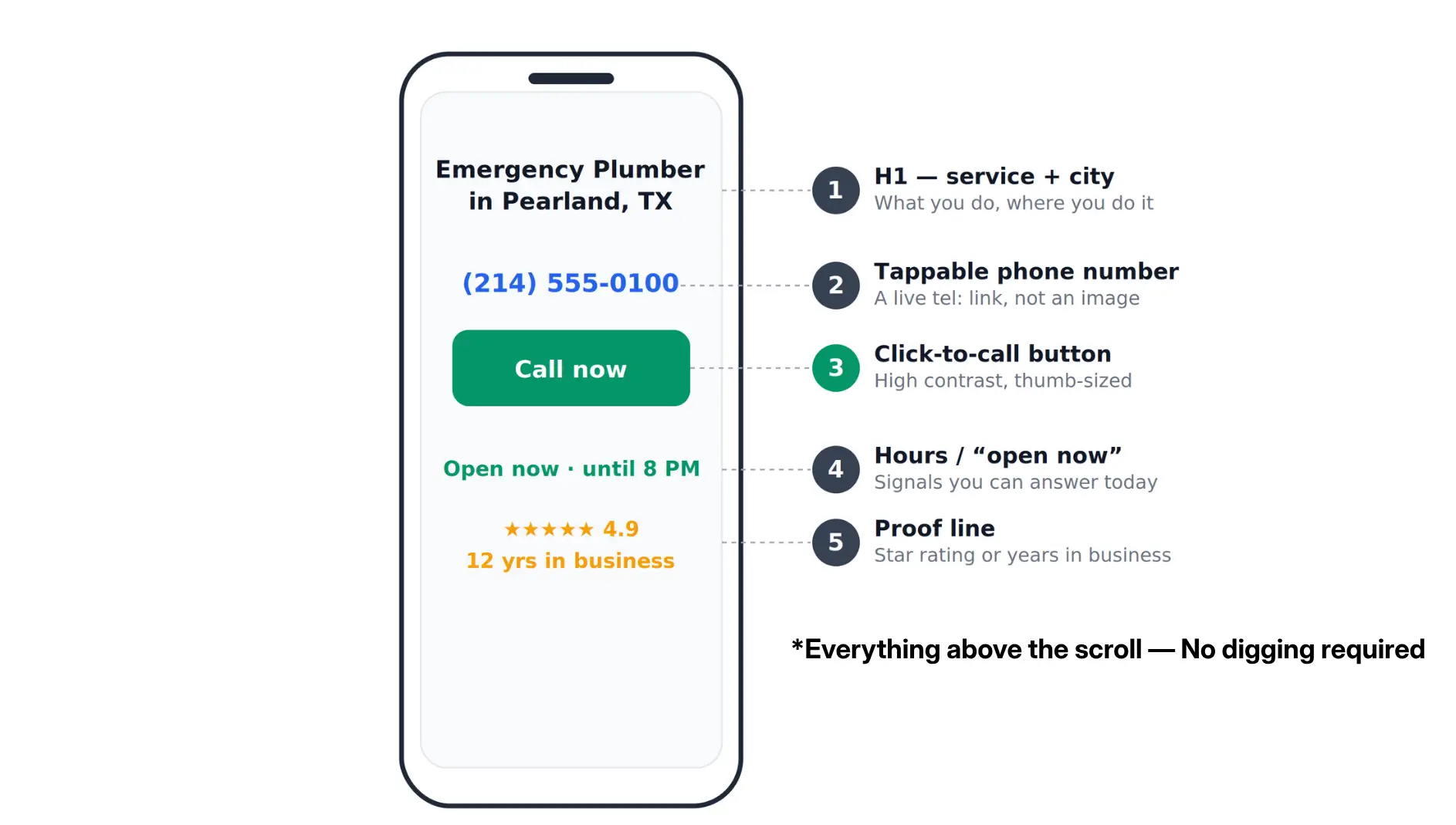
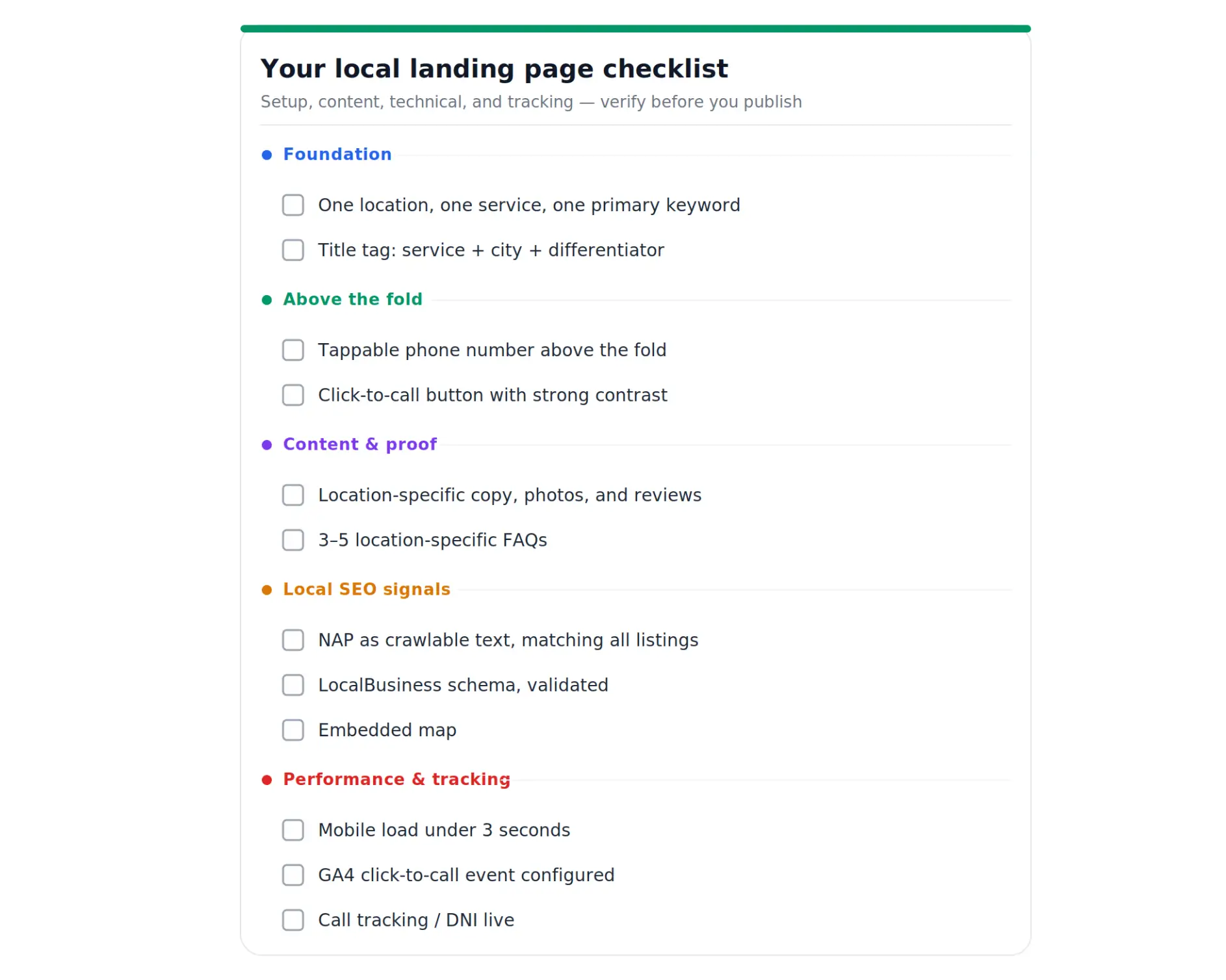
This is where you win or lose the call. Everything a ready-to-buy visitor needs must appear above the fold on a phone:
An H1 that names the service and the city
A live, tappable phone number — never embedded in an image
A click-to-call button with strong contrast against its background
Hours of operation, or "open now" status
One line of proof: star rating, years in business, or local jobs completed.
Repeat the CTA after your reviews and again after your service descriptions and make it local. "Get a Free Quote" is acceptable. "Get a Free Plumbing Quote in Pearland" is better because it mirrors the exact search that brought them there. Getting that first screen right is what conversion-focused web design is for.
Step 4: Add Proof Only a Local Business Could Write
The test: if you deleted the city name, would the page still make sense? If yes, it isn't local enough.
Real local proof looks like:
The specific neighborhoods and landmarks you serve in that city
Photos of your team, your vans, or completed jobs in that area — not stock photography
Reviews from customers in or near that city, with first name, location, and star rating
Conditions unique to that market: clay soil, hurricane season, older housing stock, permit timelines
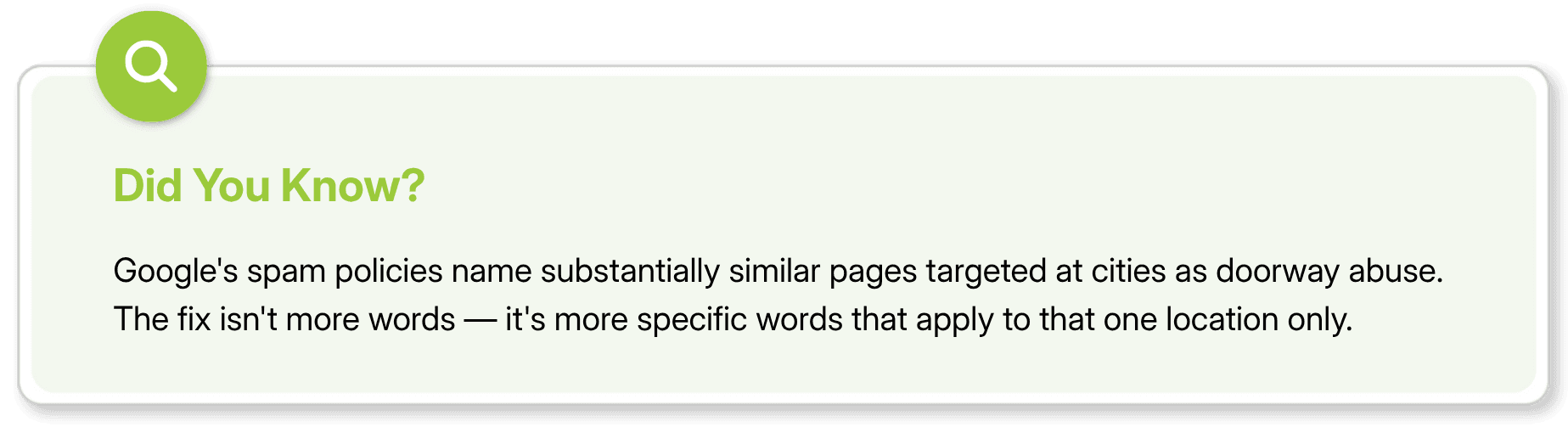
Add three to five FAQs written for that location as well. Questions about a particular place are strong contenders for featured snippets and AI overview citations because they answer something no generic page can.
Specificity compounds. One dental practice used localized pages plus review cleanup to reach first-page rankings in two months.
Step 5: Lock Down NAP Consistency and Add Schema
NAP means name, address, and phone number, and it must match letter-for-letter everywhere your business appears, the page, your Google Business Profile, directories, and social accounts. "Street" versus "St." is enough to create a mismatch. Keep it as crawlable text near your CTA or in the footer, never inside an image.
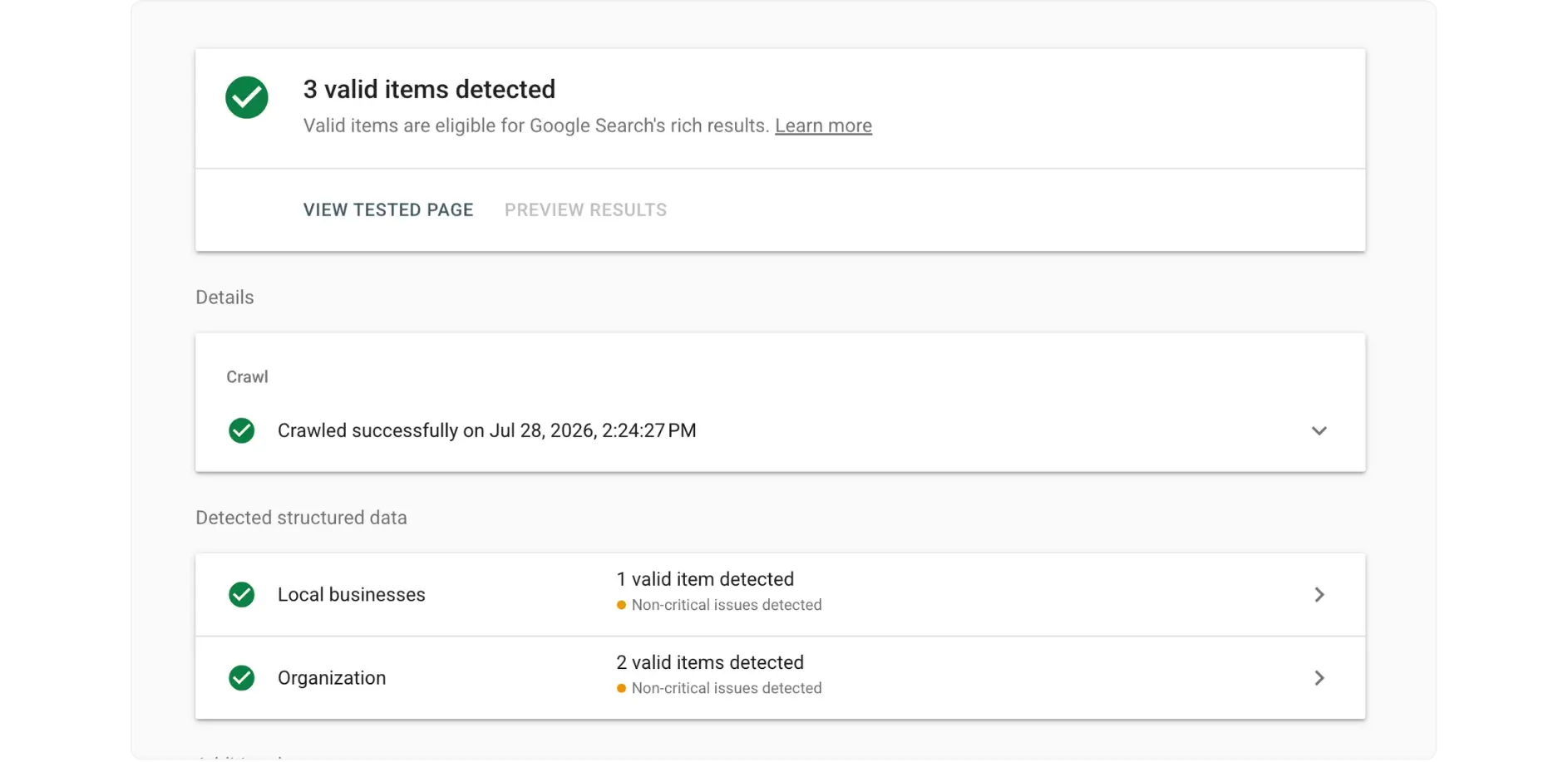
Then add LocalBusiness schema as JSON-LD, covering name, address, phone, hours, and service area. Structured data tells Google and AI tools exactly what your business does and where it operates, improving your chances of appearing in map features and AI summaries. Generate it with Schema.org, then validate with the Rich Results Test before launch.
Step 6: Make It Fast and Thumb-Friendly
Local search is almost entirely mobile and converts quickly, usually same-day. Any page taking four seconds to load on a mid-range phone has already lost. Practical landing page optimization for mobile:
Compress and lazy-load images; defer scripts you don't need on first paint
Keep tap targets large enough to hit without zooming
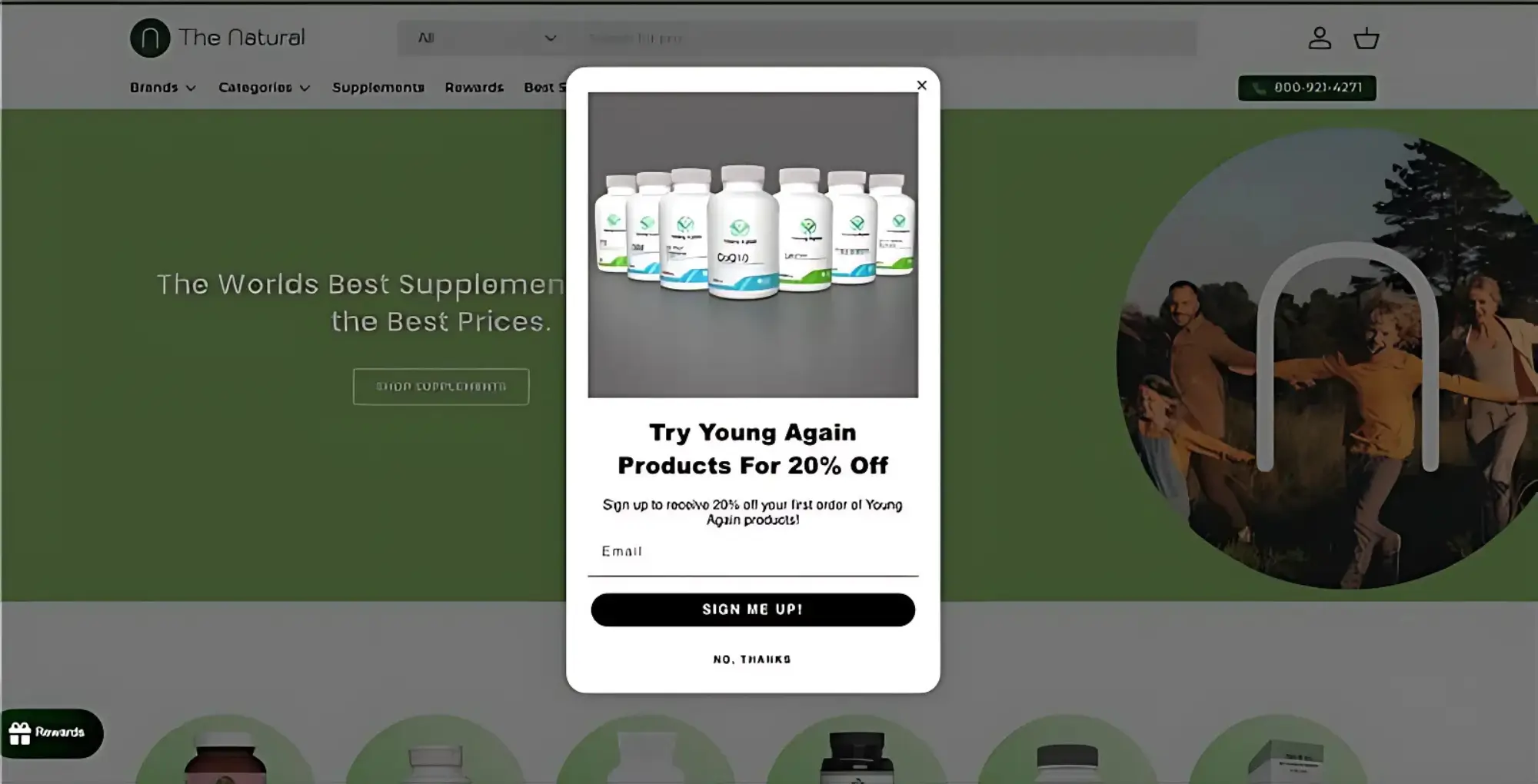
Get rid of full-screen pop-ups on mobile
Keep forms to three fields: name, phone, one qualifying question
Check load times before handoff, not after — our free page speed checker will flag the worst offenders in seconds.
Step 7: Track the Calls So You Can Prove the Page Worked
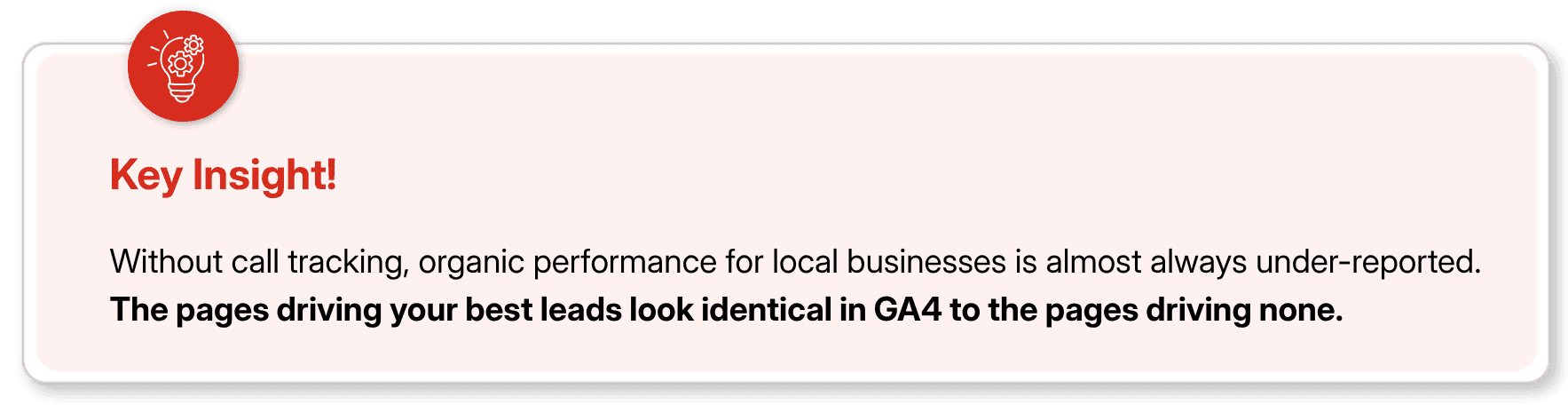
Phone calls are invisible conversions by default. Someone lands on your Pearland page, taps to call, books a $4,000 job — and your analytics records a bounce. Fix it with two layers:
Click-to-call event tracking in GA4. Fire an event whenever someone taps the phone link. It costs nothing and gives you page-level call intent immediately.
Dynamic number insertion (DNI) through a call tracking platform. DNI swaps the displayed number based on how the visitor arrived, letting you tie a call back to the exact page, keyword, and session.
One important note: keep one canonical business number as your public NAP across listings and your Google Business Profile. DNI should swap numbers on the website only, so citation consistency stays intact.
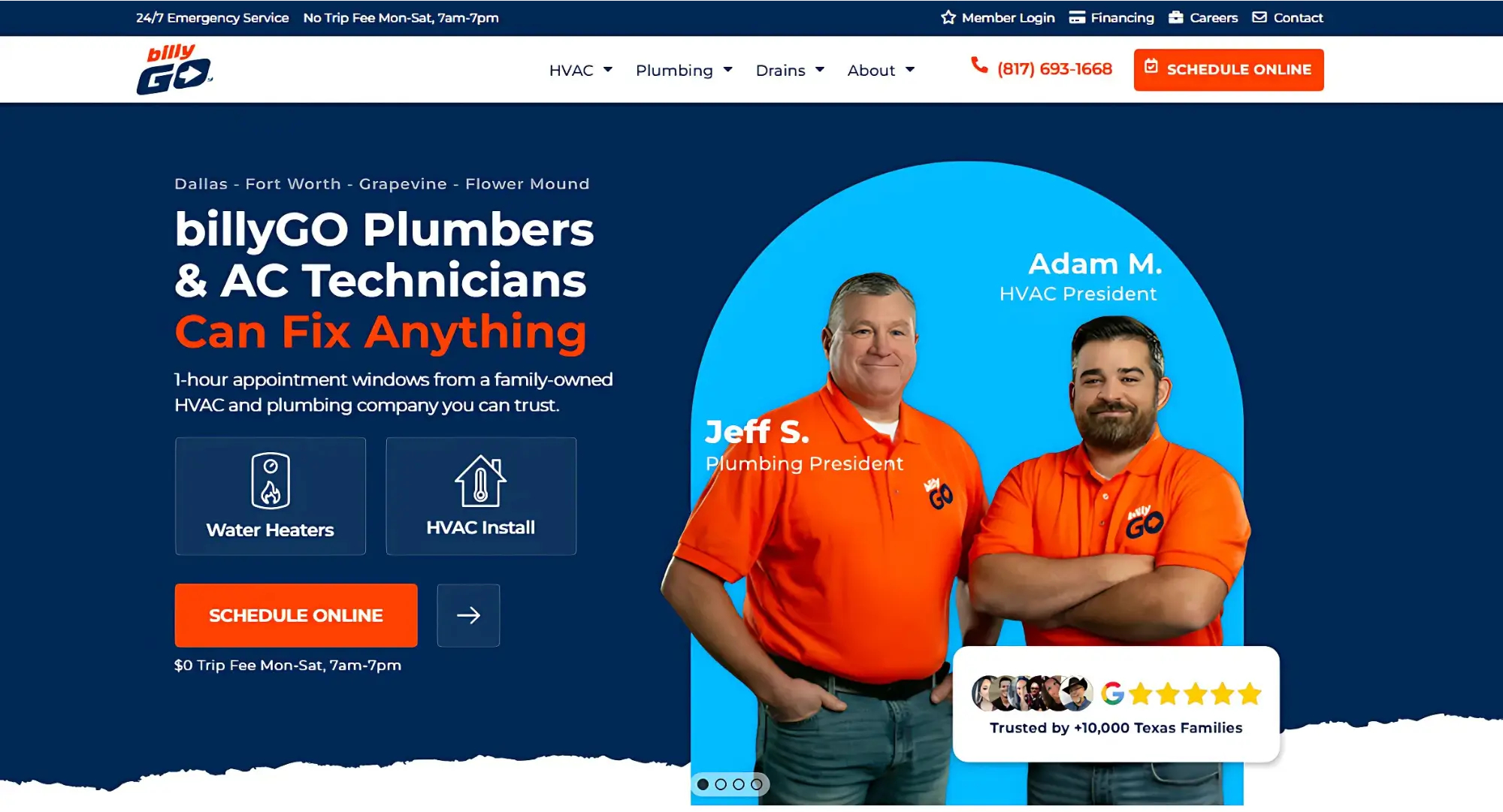
The payoff is measurable. One Dallas HVAC company took local calls from 1,457 to 4,269 over eight months after tightening its local pages and Google Business Profile.
Final Thoughts
The biggest threat in scaling location pages isn't effort. It's getting all of them ignored.
Google's spam policies define doorway abuse as pages targeted at cities that funnel users to one destination, or substantially similar pages sitting closer to search results than a real hierarchy. The related scaled content abuse policy covers generating many pages primarily to manipulate rankings, and Google has been explicit that this applies whether a human or an AI wrote them.
One page per city you legitimately serve is fine. It crosses the line when the pages are near-duplicates with the city name swapped. Run the test again: remove the city name. If the page still reads perfectly, it's a template, not a landing page. Google's spam policies documentation is worth reading before any large rollout.
Local landing pages usually fail for one of three reasons: a buried or unclickable phone number, generic content that could describe any city, or no way to measure whether the page actually produced leads.
FAQs
How many local landing pages do I really need?

As many as you can make genuinely unique. Ten quality local pages will outperform fifty generic templates. Start with the locations already producing impressions in Search Console.
Can I reuse the same content across location pages?
No. Swapping the city name across near-identical pages is exactly what Google's doorway and scaled content policies target. Most of each page should be information that applies only to that location.
Do I need a physical business address?
Not always. Service-area businesses can rank without publishing a street address, but you need a defined service area in your Google Business Profile and consistent name and phone details everywhere else.
Where should the phone number go?
In at least three places: above the fold as tappable text, again near your reviews, and once more in the footer. Never embed it in an image — neither search engines nor screen readers can read it.
How long before a local landing page ranks?
Typically four to twelve weeks, depending on how competitive the metro is. Pages with real local proof, schema markup, and internal links tend to move faster.
You'll get more calls when your local SEO landing page meets four criteria: it targets one service at one location, has a working tap-to-dial phone number in the first screen the visitor sees, proves you actually perform that service in that area, and tracks the call back to the page that generated it.
Most location-based landing pages meet the first criterian and silently fail the last three. They rank, they collect traffic, and nobody can explain where the leads went. Below is how to build one in seven steps — plus what causes Google to ignore entire batches of location pages.
What Is a Local SEO Landing Page?
A local SEO landing page captures searches like "emergency plumber in Pearland" and converts that visitor into a call or booking. It is not a service page, and it does not replace your Google Business Profile.
Local landing page | Service page | Google Business Profile | |
|---|---|---|---|
Targets | One service, one location | One service, all locations | Your business as an entity |
Searcher intent | Ready to act now | Comparing and researching | Hours, reviews, directions |
Primary goal | Call or booking | Education, then enquiry | Call, directions, website click |
You control it? | Fully | Fully | Partially |
That difference in purpose changes how you write. A service page can teach and persuade. A location page is speaking to a homeowner standing in a flooded kitchen. Your listings and your pages also have to agree with each other, which is why consistent business information across every local directory underlies all of it.
Step 1: Decide Which Locations Are Worth a Page
Work out which cities or service areas deserve your time first. Building a page for every zip code in the metro is how teams end up with forty pages and four leads. Use three sources:
Google Search Console shows which location searches already generate impressions. Here's our own Search Console, filtered to Pearland — plenty of impressions for '’seo company pearland tx’' queries. Apply the same lens to your business: an impression for a city you don't have a page for is your next build.
GA4 city and region reports show where sessions and key events actually originate.
Google Business Profile insights show who calls, who requests directions, and who clicks through.
If you're a service-area business rather than a storefront, set your service area in your Google Business Profile first, you can't rank well in a city you won't drive to. New to any of this? Start with how Google ranks nearby businesses.
Step 2: Give Every Page One Keyword and One Conversion Goal
Every page gets one primary keyword and one conversion goal. The keyword should mirror how people actually search — usually "service + city" or "service + near me." Pages offering four equally weighted choices convert worse than pages offering one.
Build the title tag as primary service + city + differentiator. "Emergency Plumber in Pearland | Same-Day Service" performs far better than "Plumbing Services | Company Name" because it answers the query inside the results page itself — preview exactly how it will render before you commit. For the wider picture, see our guide to local SEO that drives calls, visits and sales.
Step 3: Build the Above-the-Fold Call Capture Area
This is where you win or lose the call. Everything a ready-to-buy visitor needs must appear above the fold on a phone:
An H1 that names the service and the city
A live, tappable phone number — never embedded in an image
A click-to-call button with strong contrast against its background
Hours of operation, or "open now" status
One line of proof: star rating, years in business, or local jobs completed.
Repeat the CTA after your reviews and again after your service descriptions and make it local. "Get a Free Quote" is acceptable. "Get a Free Plumbing Quote in Pearland" is better because it mirrors the exact search that brought them there. Getting that first screen right is what conversion-focused web design is for.
Step 4: Add Proof Only a Local Business Could Write
The test: if you deleted the city name, would the page still make sense? If yes, it isn't local enough.
Real local proof looks like:
The specific neighborhoods and landmarks you serve in that city
Photos of your team, your vans, or completed jobs in that area — not stock photography
Reviews from customers in or near that city, with first name, location, and star rating
Conditions unique to that market: clay soil, hurricane season, older housing stock, permit timelines
Add three to five FAQs written for that location as well. Questions about a particular place are strong contenders for featured snippets and AI overview citations because they answer something no generic page can.
Specificity compounds. One dental practice used localized pages plus review cleanup to reach first-page rankings in two months.
Step 5: Lock Down NAP Consistency and Add Schema
NAP means name, address, and phone number, and it must match letter-for-letter everywhere your business appears, the page, your Google Business Profile, directories, and social accounts. "Street" versus "St." is enough to create a mismatch. Keep it as crawlable text near your CTA or in the footer, never inside an image.
Then add LocalBusiness schema as JSON-LD, covering name, address, phone, hours, and service area. Structured data tells Google and AI tools exactly what your business does and where it operates, improving your chances of appearing in map features and AI summaries. Generate it with Schema.org, then validate with the Rich Results Test before launch.
Step 6: Make It Fast and Thumb-Friendly
Local search is almost entirely mobile and converts quickly, usually same-day. Any page taking four seconds to load on a mid-range phone has already lost. Practical landing page optimization for mobile:
Compress and lazy-load images; defer scripts you don't need on first paint
Keep tap targets large enough to hit without zooming
Get rid of full-screen pop-ups on mobile
Keep forms to three fields: name, phone, one qualifying question
Check load times before handoff, not after — our free page speed checker will flag the worst offenders in seconds.
Step 7: Track the Calls So You Can Prove the Page Worked
Phone calls are invisible conversions by default. Someone lands on your Pearland page, taps to call, books a $4,000 job — and your analytics records a bounce. Fix it with two layers:
Click-to-call event tracking in GA4. Fire an event whenever someone taps the phone link. It costs nothing and gives you page-level call intent immediately.
Dynamic number insertion (DNI) through a call tracking platform. DNI swaps the displayed number based on how the visitor arrived, letting you tie a call back to the exact page, keyword, and session.
One important note: keep one canonical business number as your public NAP across listings and your Google Business Profile. DNI should swap numbers on the website only, so citation consistency stays intact.
The payoff is measurable. One Dallas HVAC company took local calls from 1,457 to 4,269 over eight months after tightening its local pages and Google Business Profile.
Final Thoughts
The biggest threat in scaling location pages isn't effort. It's getting all of them ignored.
Google's spam policies define doorway abuse as pages targeted at cities that funnel users to one destination, or substantially similar pages sitting closer to search results than a real hierarchy. The related scaled content abuse policy covers generating many pages primarily to manipulate rankings, and Google has been explicit that this applies whether a human or an AI wrote them.
One page per city you legitimately serve is fine. It crosses the line when the pages are near-duplicates with the city name swapped. Run the test again: remove the city name. If the page still reads perfectly, it's a template, not a landing page. Google's spam policies documentation is worth reading before any large rollout.
Local landing pages usually fail for one of three reasons: a buried or unclickable phone number, generic content that could describe any city, or no way to measure whether the page actually produced leads.
FAQs
How many local landing pages do I really need?
As many as you can make genuinely unique. Ten quality local pages will outperform fifty generic templates. Start with the locations already producing impressions in Search Console.
Can I reuse the same content across location pages?
No. Swapping the city name across near-identical pages is exactly what Google's doorway and scaled content policies target. Most of each page should be information that applies only to that location.
Do I need a physical business address?
Not always. Service-area businesses can rank without publishing a street address, but you need a defined service area in your Google Business Profile and consistent name and phone details everywhere else.
Where should the phone number go?
In at least three places: above the fold as tappable text, again near your reviews, and once more in the footer. Never embed it in an image — neither search engines nor screen readers can read it.
How long before a local landing page ranks?
Typically four to twelve weeks, depending on how competitive the metro is. Pages with real local proof, schema markup, and internal links tend to move faster.



Summarize with AI



Want to Skyrocket Revenue? Get a Free Audit Today!
Want to Skyrocket Revenue? Get a Free Audit Today!



4.9/5 Ratings!


Don’t miss our revenue growth tips!
Get expert marketing tips—straight to your inbox, like thousands of happy clients.
Don’t miss our revenue growth tips!
Get expert marketing tips—straight to your inbox, like thousands of happy clients.
Don’t miss our revenue growth tips!
Don’t miss our revenue growth tips!
Get expert marketing tips—straight to your inbox, like thousands of happy clients.
Relevant Blogs on Organic SEO
Relevant Blogs on Organic SEO
Unlock data-driven insights in Organic SEO—explore our featured blogs and skyrocket your revenue before your competitors do.
Unlock data-driven insights in Organic SEO—explore our featured blogs and skyrocket your revenue before your competitors do.

SEO
Sep 21, 2026
5 Min Read
Audience-First SEO: How to Rank by Putting Readers First
SEO
Sep 21, 2026
5 Min Read
Audience-First SEO: How to Rank by Putting Readers First
SEO
Sep 21, 2026
5 Min Read
Audience-First SEO: How to Rank by Putting Readers First

SEO
Sep 19, 2026
5 Min Read
How to Add SEO Keywords to Your Website: Where and How
SEO
Sep 19, 2026
5 Min Read
How to Add SEO Keywords to Your Website: Where and How
SEO
Sep 19, 2026
5 Min Read
How to Add SEO Keywords to Your Website: Where and How

SEO
Sep 18, 2026
5 Min Read
How XML Sitemaps Help Search Engines Discover New Pages
SEO
Sep 18, 2026
5 Min Read
How XML Sitemaps Help Search Engines Discover New Pages
SEO
Sep 18, 2026
5 Min Read
How XML Sitemaps Help Search Engines Discover New Pages























Ready to speak with an expert?
Data-Driven Marketing Agency That Elevates ROI
1100+
Websites Designed & Optimized to Convert
$280M+
Client Revenue Driven & Growing Strong
Discover how to skyrocket
your revenue today!
Trusted by 1000+ Owners!
Ready to speak with an expert?
Data-Driven Marketing Agency That Elevates ROI
1100+
Websites Designed & Optimized to Convert
$280M+
Client Revenue Driven & Growing Strong
Discover how to skyrocket
your revenue today!
Trusted by 1000+ Owners!
Want to skyrocket revenue?
4.9/5 Ratings!
Ready to speak with an expert?
Data-Driven Marketing Agency That Elevates ROI
1100+
Websites Designed & Optimized to Convert
$280M+
Client Revenue Driven & Growing Strong
Discover how to skyrocket
your revenue today!
Trusted by 1000+ Owners!
Call
Meet