Google Gemini Is Now Using Business Profiles: What Businesses Should Do Next
Google Gemini Is Now Using Business Profiles: What Businesses Should Do Next
Last Updated:
Table of Content
Case Studies





Lucky Soni
Lucky Soni
Lucky Soni
SEO
SEO
SEO
12 Min Read
10 Min
12 Min Read
If you have a Google Business Profile, then something has changed, and it's something you should be paying attention to.
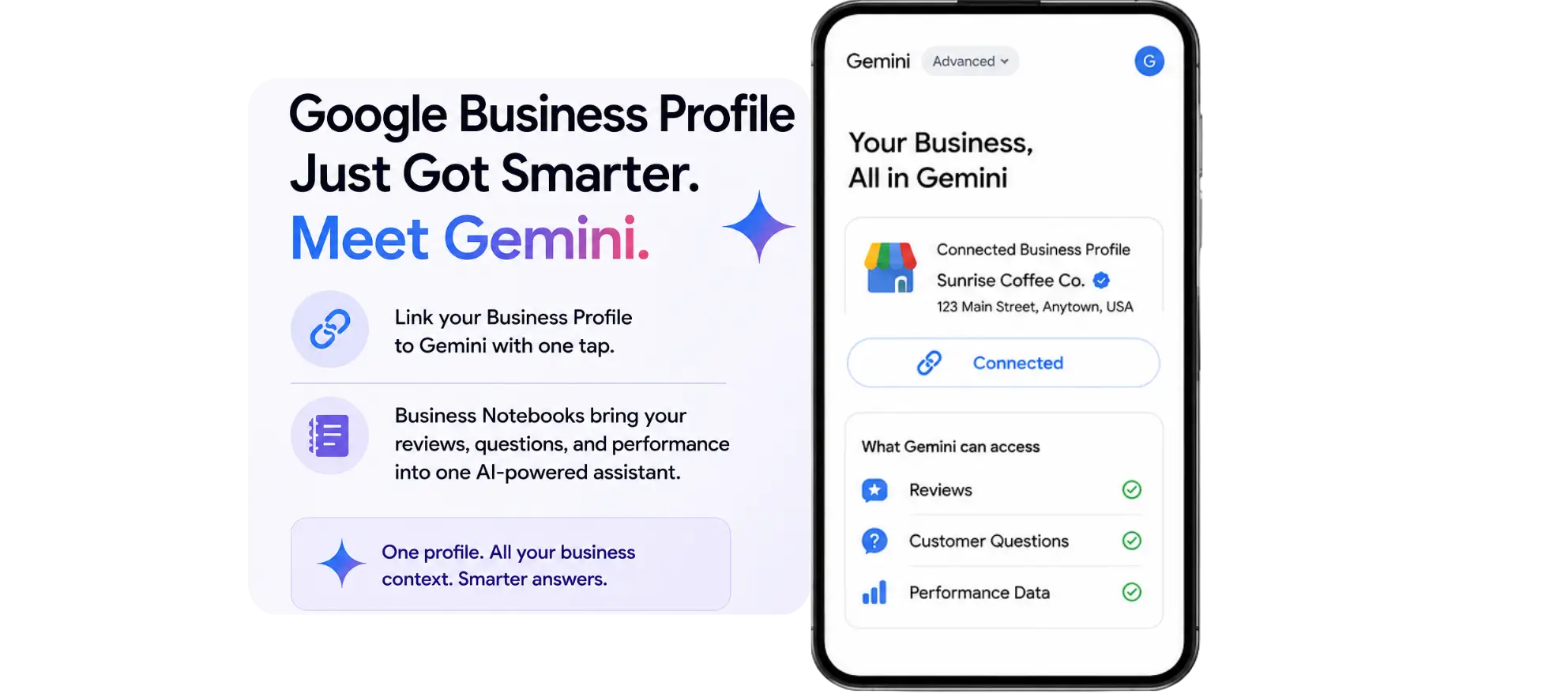
Google mentioned that it will introduce a new feature called Business Notebooks that will connect directly to the Google Business Profile in the Gemini app. Customers can now tap a single button to connect to Gemini, allowing the AI to read reviews, customer questions and performance data, starting this month, and helping business owners discover their greatest strengths and areas for improvement.
That's a significant change. Rather than having multiple dashboards for reviews, hours, and posts, Gemini is evolving into an integrated AI assistant that comprehends your business and can handle all aspects from a single interface. The most important thing to keep in mind is that your business profile is becoming an important data source for Google's AI. The better Gemini understands your business, whether by profile, review, or words, the more likely it is to represent it well.
What Google Just Announced
At Google for Brazil, Google announced these changes. The Business Profile connection and Business Notebooks started rolling out worldwide in June 2026, except in the EEA and UK.
The Business Profile Connection
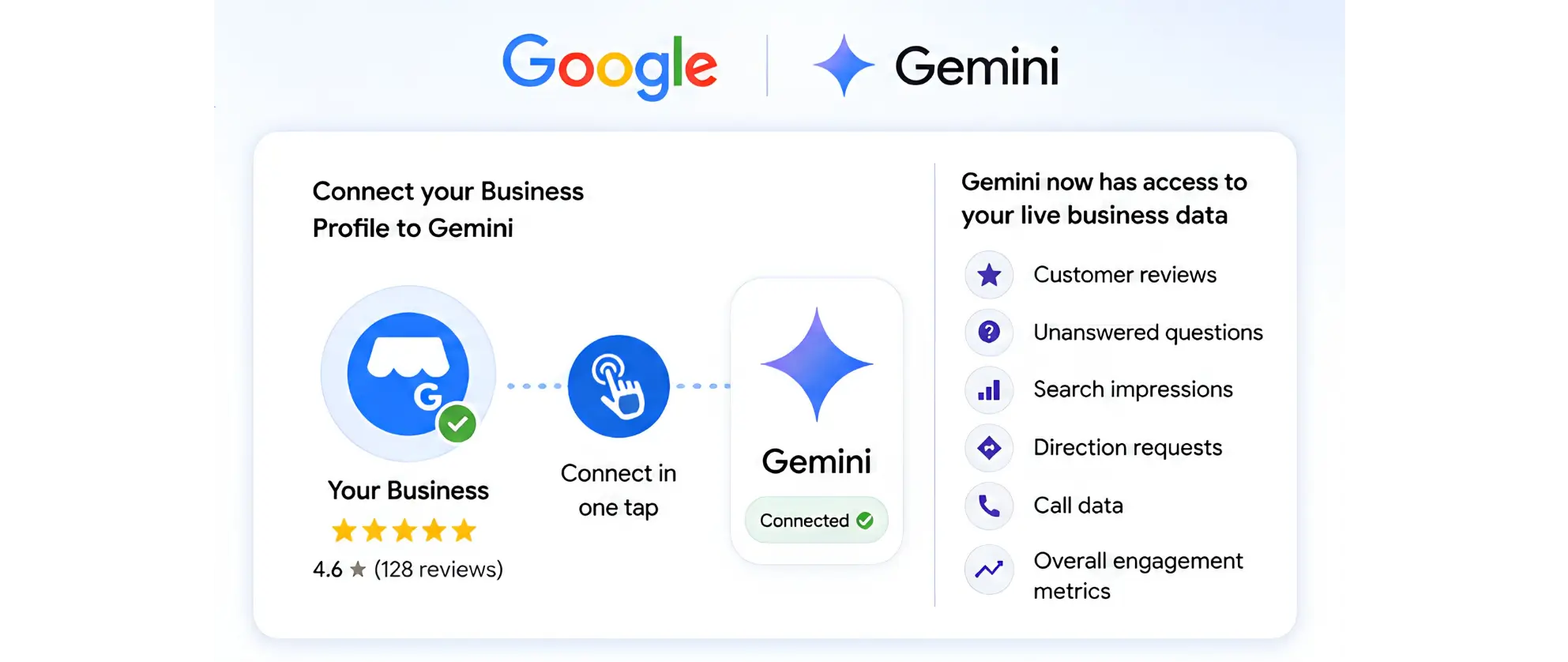
After the business owner links their profile to Gemini, the AI uses the real-time data linked to their profile, including customer reviews, questions that have not been addressed, search impressions, direction requests, call data, and others.
According to Vishnu Sivaji, Senior Director for the Gemini app at Google, the new Business Profile integration is designed to make Gemini a business partner that understands your company's context and can provide more personalized assistance.
In words and action: You can:
Query and receive a summary of impressions, calls, and direction requests, without having to log into a separate analytics view.
Take out a recent review and let Gemini write a reply that includes the customer's feedback. Inform Gemini about your operating hours, create a seasonal post or find out what information is missing from your profile.
The connection happens in a single tap, and the rollout is gradual. Not every eligible business will see it immediately.
Business Notebooks
Inside Gemini, Business Notebooks are a long-lasting workspace that contains your chats, uploaded sources, your Business Profile connection, and your website. The context is not limited to a chat session, it's carried over the chats and therefore you don't need to re-establish your context for your business every time you open the app.
As you open a notebook, Gemini brings up alerts, such as an unanswered customer question, a field that's missing from a profile, or a holiday hour that hasn't been scheduled. It can also recommend operational changes such as pricing or positioning indicators derived from the local competitive environment.
The Notebook concept is important because it transforms Gemini from a reactive service (ask and it will respond) into a proactive service (it points out what needs to be done before you ask). That's another tool, more of an operations assistance tool than a search tool.
How This Builds on Earlier Gemini Work
This announcement doesn't come out of nowhere. Google has been incrementally expanding how it is involved in Business Profile management.
The first step was enforcement: Gemini is used to spot suspicious profile edits and identify fake reviews to keep Google trustful in its local listings system. That work was out of sight and out of mind for business owners.
This new phase is all about management and the active running and optimizing of a local presence, with Gemini now in the mix. The path forward is obvious: Google is turning Gemini into the core method for business owners to engage with Google, instead of with lots of different dashboards and tools.
Why This Matters More Than It Might Seem
This appears to be a convenience enhancement at a surface level. The subtext is where local search is going, and what businesses must do to stay relevant within local search.
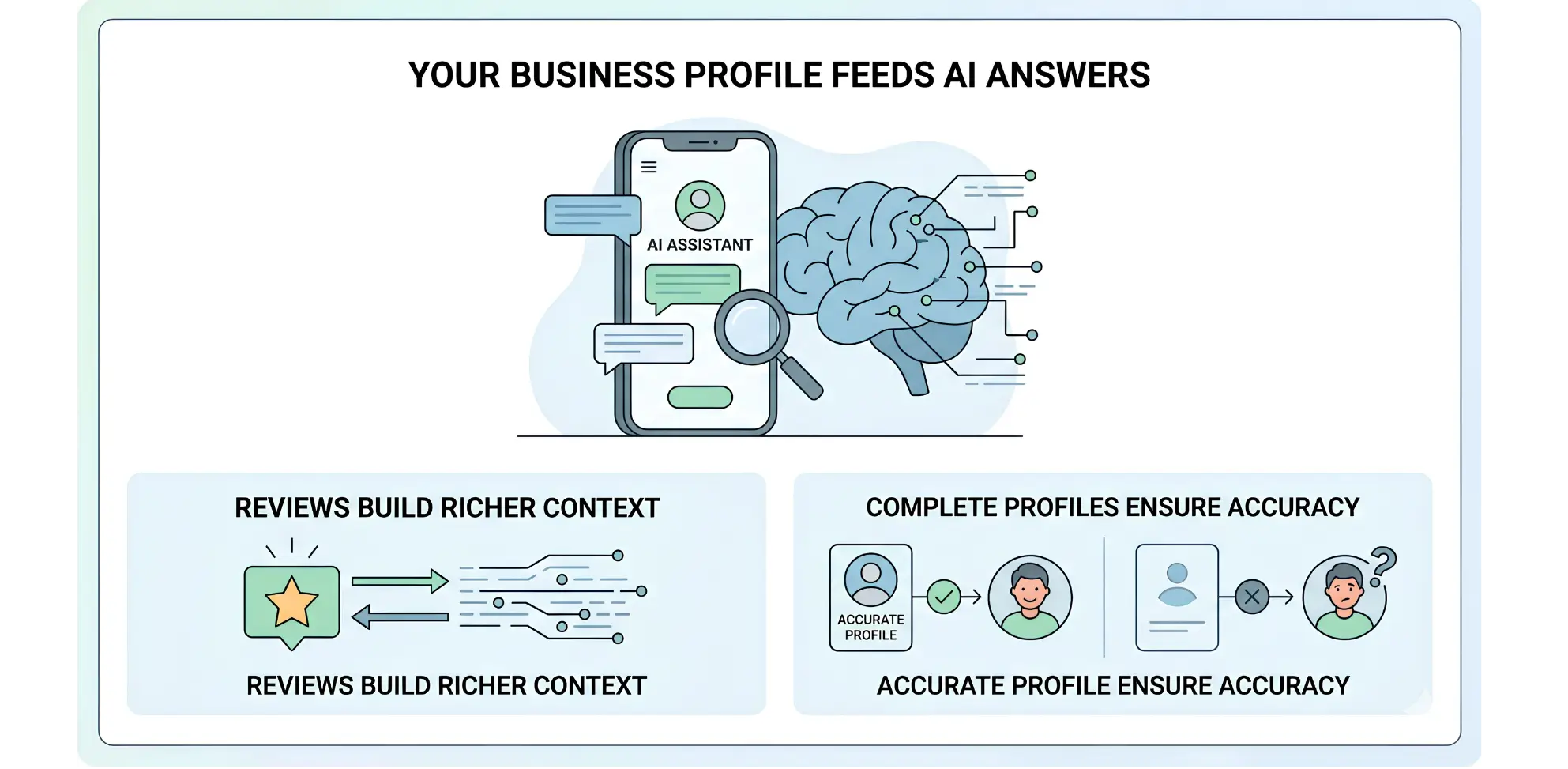
Your Business Profile Now Feeds an AI Assistant:
As more and more customers look for a business like yours on Google, they're likely to find AI-driven summaries instead of just a list of links. AI Overviews, AI Mode, and local AI summaries are all based on Google's structured data about businesses, which includes Business Profile data.
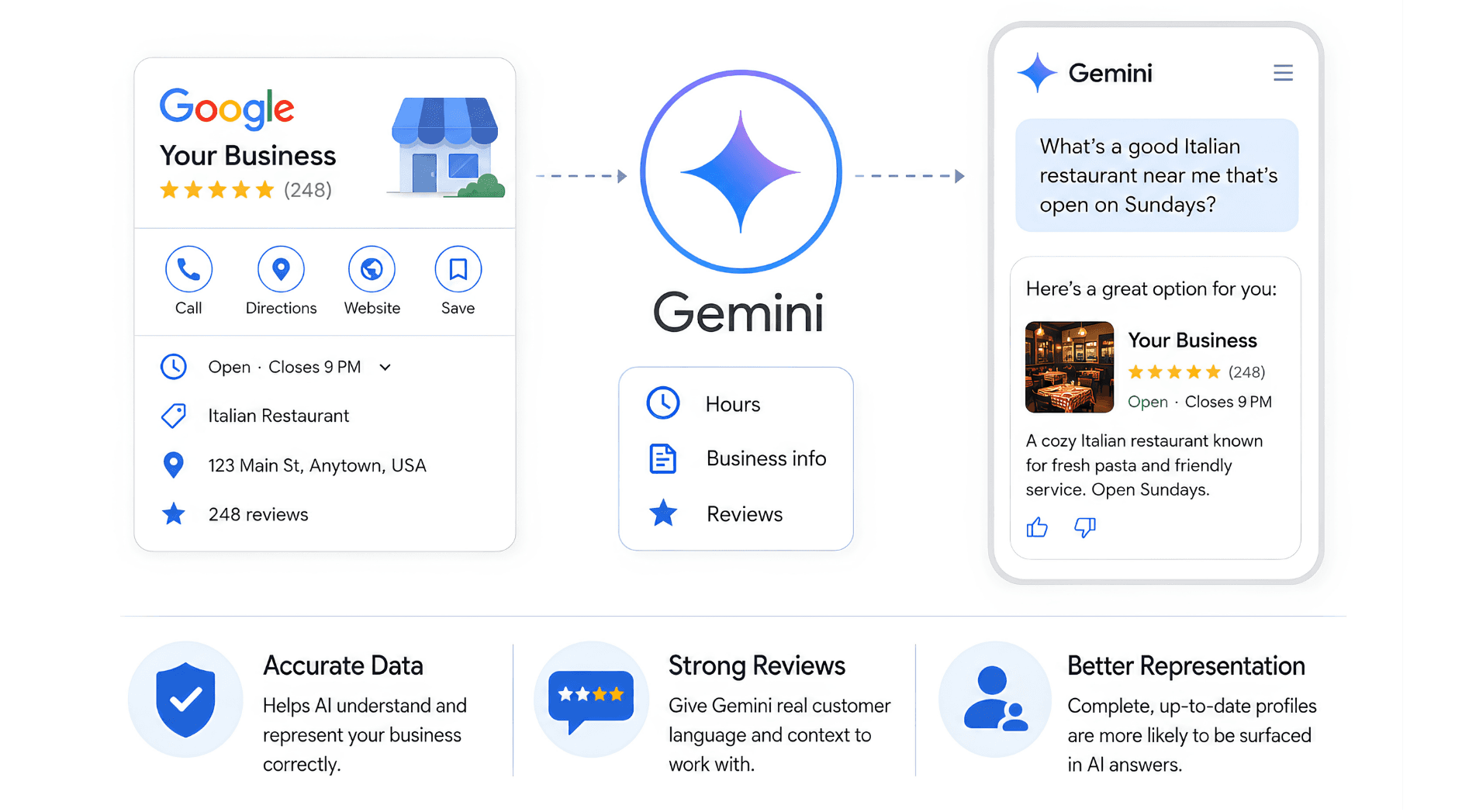
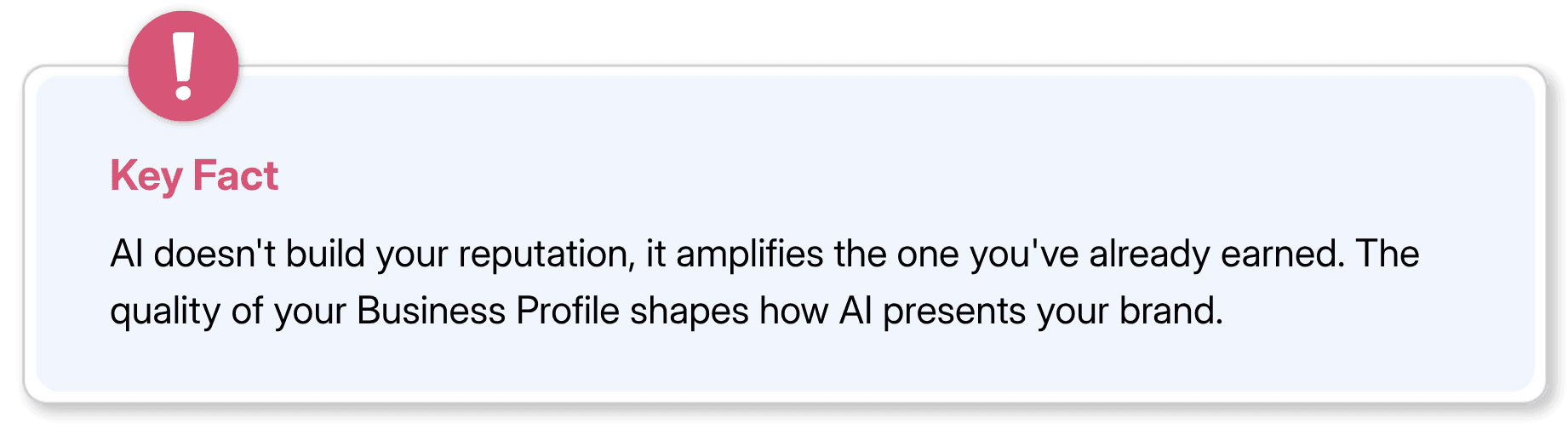
This is made explicit with the integration of Gemini. The information in the profile, which helps you manage your listing, is also the information Google's AI uses to answer customer queries. This is not only going to be a better data source to be referenced and cited by AI, it's also going to be a better profile that ranks better in traditional local search.
This won't be an easy thing for the businesses that have neglected their Google profile to overlook. If the AI is the first experience your customer has, it means that your business's representation depends on the quality of your data.
The Review Signal Is Becoming More Consequential:
Reviews have been a part of local search all along. They affect the rankings, create social proof and affect customer decisions. Their task is growing as Gemini can now read, summarize and respond to reviews directly from the Business Profile connection.
The material you review will be context for Gemini. It can analyze performance, draft answers or make suggestions, based on the actual language customers use to describe your business. When a review repeatedly talks about the same service, attribute, or pain point, this is how Gemini learns how you think about and experience you.
It's not only about the rating of the reviews, but also how fresh and high-quality they are. Two hundred reviews, from the last three years, on a variety of services and results, provide a great amount more context for Gemini to work with than 20, all from two years ago, with the result being: “Great service.”
Gemini Is Becoming a Customer-Facing Risk Surface
There's one dimension to consider: Gemini is not just a profile management tool. It's also one of the tools your potential customers may come across when looking up local businesses.
When answering local queries, Google's AI Mode and AI Overviews rely on Business Profile information. When Gemini is asked 'What's a good Italian restaurant near me that's open on Sundays?', the response it provides will include reference to profiles. Comprehensive, accurate and timely profiles are more likely to be represented accurately. Outdated profiles or profiles that are incomplete may lead to incorrect business information being displayed, omitted, or shown.
This isn't hypothetical. Google Search already features local summaries for specifics such as ‘dentists near me’ and ‘best coffee shops downtown' and, of course, can continue to do so in the future. The more Google surfaces Gemini is on, the greater influence your Google Business Profile has on what AI can say about you to customers you haven't reached out to.
What Businesses Should Do Right Now
Don't wait until the entire rollout to get started! Most of the steps listed below should have been taken in any case, but the Gemini integration is more important and more critical.
1. Conduct a Thorough Business Profile Audit
Gemini can only work with the information that exists in your profile. If your hours are wrong, your description is thin, or your service categories are outdated, that's what the AI will have to draw on when generating suggestions or customer-facing replies.
Work through every field:
Business name — must be the same as it is mentioned everywhere you do business. No keyword stuffing, no city names injected.
Address — should be correct and in the same format as it is posted on your website and other listings.
Phone number — consistent, current and direct throughout the web. Hours (including any regular hours, holiday hours or special hours for events or temporary closure). This is one of the most common fields that might need to be updated regularly.
Primary and secondary categories – your primary category has the greatest weight. Be sure that it clearly outlines what you offer and not merely a keyword.
Business description – Only 750 characters. The typical business is using fewer than 200. Write a description that tells what you do, who you serve and why you are someone that deserves to be chosen. Don't use a list of keywords, write for a first-time customer. If your profile allows for service lists, complete them with services and products. These can help Gemini answer questions about what your business does.
Characteristics — such as wheelchair accessible, women owned, outdoor seating, or accepts credit cards. These are present in search results and in the summaries generated by AI.
Photos — Exterior, Interior, product/service photos, current logo. Google suggests that you change pictures regularly. Bad or old photos give a bad impression and do not offer good visual context.
Website URL – ensure that it leads to a live page that's mobile friendly and matches the description on your profile.
If your profile has NAP gaps in any of these areas, fill them before the integration goes live for your account.
2. Build a Review Response Habit — Before Gemini Does It for You
Business Notebooks will bring to light questions from customers that have not yet been answered, indicating that Google thinks that response rate is worthy of a flag. The way reviews work is the same.
To get a point of reference right off the bat, any writing assignment that is more than two or three weeks old should not be left unanswered until Gemini prepares responses. That's not only complaints, it's positive reviews as well.
For negative reviews, a few principles:
Don't get defensive. The answer is intended for future readers as well as reviewer.
Recognize the particular problem they identified. A blanket excuse comes across as unfeeling.
Provide a way to solve, a person to contact, an email contact or a phone number to indicate that you listen to feedback.
Keep it brief. Long responses that are defensive make the situation even worse.
Moving forward, if Gemini drafts a reply for you, consider it a first draft, not a final draft. Read it before posting! Every published response will have your business's name associated with it.
3. Align Your Website and Profile Signals
Business Notebooks are based upon your profile and your website. This will be done when building Gemini's understanding of your business, and when creating suggestions.
Specific things to align:
Service descriptions – what you advertise on your site should be the same as (or at least not run counter to) your Business Profile.
Contact information — Consistency in contact information, (name, address, phone number), is an old principle in local SEO. Especially more, since Artificial Intelligence is consuming this data.
Geographic service area — If you are providing geographic services, whether you service a specific area, city or zip code, then be sure to state this clearly in your profile and on your website.
Business hours — If your website lists business hours on the contact page or in the footer, ensure that it is the same hours as your Business Profile.
One way to check for inconsistencies, look up your business name on Google and compare the information that appears in the Business Profile panel with the information you find on your website. Everything that doesn't fit must be mended now!
4. Think Strategically About Your Review Content
The star rating will be the most prominent section of your review profile, and the text in your reviews will be the section that Gemini will read and work from. Customer Review Language is a part of your business data signal.
You can make it easier for customers to leave detailed reviews by:
The key is timing – not mass email blasts but at the end of a positive interaction.
Providing feedback instead of just a star rating: 'Is there anything that you particularly want other customers to know about us that isn't covered by the rating system?
Stick to a review link in a prominent place – the shorter the better the completion rate.
Recency matters, too. A steady, ongoing stream of reviews is more valuable to Gemini's context than a big batch followed by silence.
5. Connect Your Profile to Gemini as Soon as It's Available
It is implemented in stages. The Business Profile connection will be available in Gemini for some businesses before it's available for others. Link it up as soon as it shows up for your account.
Early Connection provides earlier access to Gemini's performance summaries and alert system. It is also a chance to educate yourself on how the tool works before your rivals are getting to know this feature.
This is achieved through the app for the Geminis. Google says that it's "a one-tap process" once it appears in your account. If you have not downloaded the Gemini app yet, it is a good time to begin to use it.
6. Don't Treat This as Set and Forget
The most common failure mode with any new tool is initial enthusiasm followed by neglect. Build a simple routine: once a week, open your Business Notebook (when available), review any alerts, check for unanswered questions or reviews, and scan any performance data it surfaces. Fifteen minutes a week, consistently done, will keep your profile active and your response rates strong.
7. Establish a Clear Internal Workflow for AI-Assisted Tasks
After that, the workflow you use will be one you want to consider to make Gemini useful without taking risks. That is, making a decision beforehand:
Who reads AI-generated content before it's published? All replies to reviews, profile updates and posts must be approved by a named person before posting.
So, what is your brand voice standard? By default, Gemini will write in a serviceable, neutral tone. If your business has a personality, you will need to change its production to reflect that personality.
Which are the kinds of suggestions that you will follow and which ones you will not? You won't ignore Gemini or blindly follow recommendations if you decide beforehand what categories you will look at, or what you will not.
If you know beforehand which categories you are going to look at, and which ones you are not, you don't need to overlook any of them, and you don't need to act on bad advice automatically.
How This Affects Different Types of Businesses
The Gemini integration will play out differently depending on your business type, size, and how competitive your local market is.
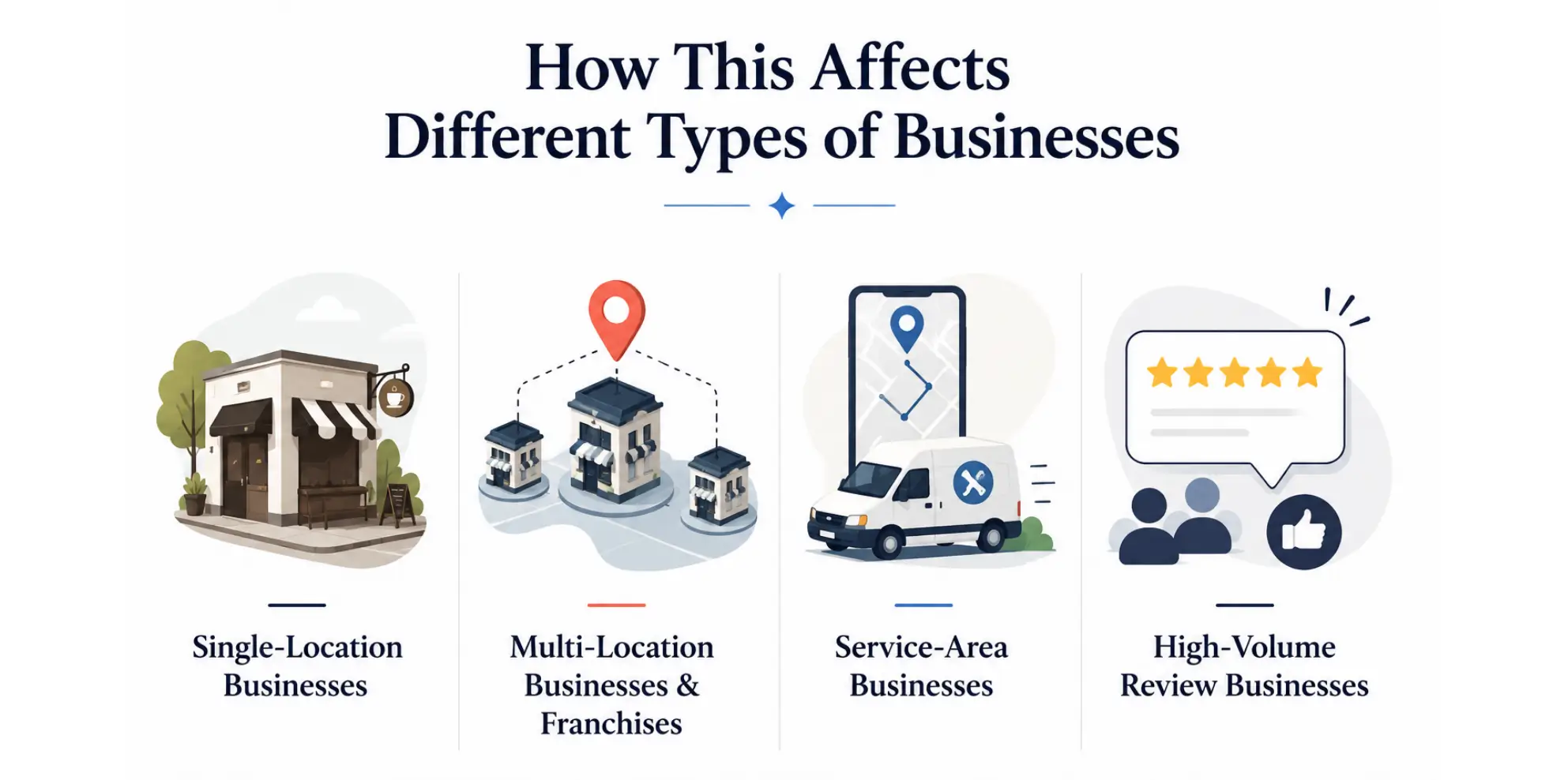
Single-Location Businesses
This is possibly the most beneficial piece of software for the local business management in years, for a one-person business or a small business with one store. It's always been a pain and hard to keep up on a Business Profile. With a conversational AI that understands your reviews, identifies gaps, and generates responses, the majority of small businesses will no longer have to deal with the friction that leads to stale profiles.
Single-location businesses run a risk of relying on unsupervised processes. Without the owner or manager reading Gemini's output, errors or tones will add up rapidly.
Multi-Location Businesses and Franchises
This new announcement doesn't include any details on how Business Notebooks will operate for companies with multiple profiles. The integration seems to be geared towards one user per profile.
Multi-location operators would be wise to monitor the developments but not presume this will run smoothly at launch at dozens or hundreds of sites. For now, enterprise brands and franchise networks should continue with their workflows and use the integration with Google as an add-on rather than a replacement.
Service-Area Businesses
For businesses without a storefront, as well as plumbers, electricians, mobile cleaners, home care and other business categories, the rules for Business Profiles are slightly different. They can specify service areas instead of providing a real address. These businesses are still subject to the rules of Gemini.
Service area businesses have a distinct priority to ensure that service area settings in their profile are correct and updated, as this is one of the major factors that determine the relevance of the information that the AI will use in its responses.
High-Volume Review Businesses
Joined businesses with high customer flow like restaurants, hotels, salons, gyms, etc. generally have a greater number of reviews than the average. The reviewers' draft creation feature in Gemini has the most apparent impact for these companies — and impact when left to its own devices.
It might be worth considering a tiered response system for high-volume review companies: all responses are drafted by Gemini, then carefully revised by a member of the staff before being posted, and certain types of reviews (complaints, safety, refund) are always reviewed by a manager prior to the response.
What to Watch as This Continues to Roll Out
Google's announcement marks the beginning of this integration, not the finished product. A few things are worth tracking over the coming months.
EEA and UK availability — both regions are excluded from the current rollout due to regulatory considerations. No timeline has been announced for those markets.
Multi-profile support — whether and how Google extends this to multi-location management will determine how useful it is for larger operators.
What 'local market signals' actually means — the specifics of how competitive signal data works, what sources it draws from, and how reliable the suggestions are in practice haven't been detailed.
How Gemini handles sensitive reviews — situations involving legal disputes, employees, or personal circumstances that should never be handled by AI need a clear escalation policy.
Integration with other Google tools — as Gemini's role in the business ecosystem grows, it's reasonable to expect deeper integration with Google Ads, Analytics, and Search Console. What Gemini knows today is limited to Business Profile data — but that scope is unlikely to stay static
FAQs
What is Google Gemini's Business Profile integration?

Google Gemini's Business Profile integration refers to the feature that allows businesses to connect their profiles with Google Gemini. It allows business owners to easily connect their Google Business Profile with the Google Gemini app. Once connected, Gemini will have access to the reviews, customer questions and performance information to aid in managing and optimizing your business profile.
What is Google Gemini's Business Profile integration?
Google Gemini uses Business Profile information to comprehend and portray your business in AI-driven search experiences. A complete, accurate and up-to-date profile can help build your local visibility and help Google understand your page and the information you provide is credible to a local searcher.
Can Google Gemini reply to customer reviews automatically?
Yes, Google Gemini can respond to customer reviews automatically. While it generate drafts for your reviews, the business owner will have the final say on what posts are published. It is recommended to check and tweak AI-generated responses before posting to ensure consistency of brand voice and accuracy.
What should businesses do before connecting their Business Profile to Gemini?
Before linking, make sure that your business details, opening times, categories, services, photos and contact information are up to date everywhere. That will help Gemini make better recommendations by responding to feedback from customers and making sure that the information you provide on your website and Business Profile is correct.
When will the Google Gemini Business Profile integration be available?
The Business Profile integration is being gradually released, and it may be available for your account and location in sometime If the feature has not yet been released, it's important to keep your Business Profile up to date and to watch for its release.
If you have a Google Business Profile, then something has changed, and it's something you should be paying attention to.
Google mentioned that it will introduce a new feature called Business Notebooks that will connect directly to the Google Business Profile in the Gemini app. Customers can now tap a single button to connect to Gemini, allowing the AI to read reviews, customer questions and performance data, starting this month, and helping business owners discover their greatest strengths and areas for improvement.
That's a significant change. Rather than having multiple dashboards for reviews, hours, and posts, Gemini is evolving into an integrated AI assistant that comprehends your business and can handle all aspects from a single interface. The most important thing to keep in mind is that your business profile is becoming an important data source for Google's AI. The better Gemini understands your business, whether by profile, review, or words, the more likely it is to represent it well.
What Google Just Announced
At Google for Brazil, Google announced these changes. The Business Profile connection and Business Notebooks started rolling out worldwide in June 2026, except in the EEA and UK.
The Business Profile Connection
After the business owner links their profile to Gemini, the AI uses the real-time data linked to their profile, including customer reviews, questions that have not been addressed, search impressions, direction requests, call data, and others.
According to Vishnu Sivaji, Senior Director for the Gemini app at Google, the new Business Profile integration is designed to make Gemini a business partner that understands your company's context and can provide more personalized assistance.
In words and action: You can:
Query and receive a summary of impressions, calls, and direction requests, without having to log into a separate analytics view.
Take out a recent review and let Gemini write a reply that includes the customer's feedback. Inform Gemini about your operating hours, create a seasonal post or find out what information is missing from your profile.
The connection happens in a single tap, and the rollout is gradual. Not every eligible business will see it immediately.
Business Notebooks
Inside Gemini, Business Notebooks are a long-lasting workspace that contains your chats, uploaded sources, your Business Profile connection, and your website. The context is not limited to a chat session, it's carried over the chats and therefore you don't need to re-establish your context for your business every time you open the app.
As you open a notebook, Gemini brings up alerts, such as an unanswered customer question, a field that's missing from a profile, or a holiday hour that hasn't been scheduled. It can also recommend operational changes such as pricing or positioning indicators derived from the local competitive environment.
The Notebook concept is important because it transforms Gemini from a reactive service (ask and it will respond) into a proactive service (it points out what needs to be done before you ask). That's another tool, more of an operations assistance tool than a search tool.
How This Builds on Earlier Gemini Work
This announcement doesn't come out of nowhere. Google has been incrementally expanding how it is involved in Business Profile management.
The first step was enforcement: Gemini is used to spot suspicious profile edits and identify fake reviews to keep Google trustful in its local listings system. That work was out of sight and out of mind for business owners.
This new phase is all about management and the active running and optimizing of a local presence, with Gemini now in the mix. The path forward is obvious: Google is turning Gemini into the core method for business owners to engage with Google, instead of with lots of different dashboards and tools.
Why This Matters More Than It Might Seem
This appears to be a convenience enhancement at a surface level. The subtext is where local search is going, and what businesses must do to stay relevant within local search.
Your Business Profile Now Feeds an AI Assistant:
As more and more customers look for a business like yours on Google, they're likely to find AI-driven summaries instead of just a list of links. AI Overviews, AI Mode, and local AI summaries are all based on Google's structured data about businesses, which includes Business Profile data.
This is made explicit with the integration of Gemini. The information in the profile, which helps you manage your listing, is also the information Google's AI uses to answer customer queries. This is not only going to be a better data source to be referenced and cited by AI, it's also going to be a better profile that ranks better in traditional local search.
This won't be an easy thing for the businesses that have neglected their Google profile to overlook. If the AI is the first experience your customer has, it means that your business's representation depends on the quality of your data.
The Review Signal Is Becoming More Consequential:
Reviews have been a part of local search all along. They affect the rankings, create social proof and affect customer decisions. Their task is growing as Gemini can now read, summarize and respond to reviews directly from the Business Profile connection.
The material you review will be context for Gemini. It can analyze performance, draft answers or make suggestions, based on the actual language customers use to describe your business. When a review repeatedly talks about the same service, attribute, or pain point, this is how Gemini learns how you think about and experience you.
It's not only about the rating of the reviews, but also how fresh and high-quality they are. Two hundred reviews, from the last three years, on a variety of services and results, provide a great amount more context for Gemini to work with than 20, all from two years ago, with the result being: “Great service.”
Gemini Is Becoming a Customer-Facing Risk Surface
There's one dimension to consider: Gemini is not just a profile management tool. It's also one of the tools your potential customers may come across when looking up local businesses.
When answering local queries, Google's AI Mode and AI Overviews rely on Business Profile information. When Gemini is asked 'What's a good Italian restaurant near me that's open on Sundays?', the response it provides will include reference to profiles. Comprehensive, accurate and timely profiles are more likely to be represented accurately. Outdated profiles or profiles that are incomplete may lead to incorrect business information being displayed, omitted, or shown.
This isn't hypothetical. Google Search already features local summaries for specifics such as ‘dentists near me’ and ‘best coffee shops downtown' and, of course, can continue to do so in the future. The more Google surfaces Gemini is on, the greater influence your Google Business Profile has on what AI can say about you to customers you haven't reached out to.
What Businesses Should Do Right Now
Don't wait until the entire rollout to get started! Most of the steps listed below should have been taken in any case, but the Gemini integration is more important and more critical.
1. Conduct a Thorough Business Profile Audit
Gemini can only work with the information that exists in your profile. If your hours are wrong, your description is thin, or your service categories are outdated, that's what the AI will have to draw on when generating suggestions or customer-facing replies.
Work through every field:
Business name — must be the same as it is mentioned everywhere you do business. No keyword stuffing, no city names injected.
Address — should be correct and in the same format as it is posted on your website and other listings.
Phone number — consistent, current and direct throughout the web. Hours (including any regular hours, holiday hours or special hours for events or temporary closure). This is one of the most common fields that might need to be updated regularly.
Primary and secondary categories – your primary category has the greatest weight. Be sure that it clearly outlines what you offer and not merely a keyword.
Business description – Only 750 characters. The typical business is using fewer than 200. Write a description that tells what you do, who you serve and why you are someone that deserves to be chosen. Don't use a list of keywords, write for a first-time customer. If your profile allows for service lists, complete them with services and products. These can help Gemini answer questions about what your business does.
Characteristics — such as wheelchair accessible, women owned, outdoor seating, or accepts credit cards. These are present in search results and in the summaries generated by AI.
Photos — Exterior, Interior, product/service photos, current logo. Google suggests that you change pictures regularly. Bad or old photos give a bad impression and do not offer good visual context.
Website URL – ensure that it leads to a live page that's mobile friendly and matches the description on your profile.
If your profile has NAP gaps in any of these areas, fill them before the integration goes live for your account.
2. Build a Review Response Habit — Before Gemini Does It for You
Business Notebooks will bring to light questions from customers that have not yet been answered, indicating that Google thinks that response rate is worthy of a flag. The way reviews work is the same.
To get a point of reference right off the bat, any writing assignment that is more than two or three weeks old should not be left unanswered until Gemini prepares responses. That's not only complaints, it's positive reviews as well.
For negative reviews, a few principles:
Don't get defensive. The answer is intended for future readers as well as reviewer.
Recognize the particular problem they identified. A blanket excuse comes across as unfeeling.
Provide a way to solve, a person to contact, an email contact or a phone number to indicate that you listen to feedback.
Keep it brief. Long responses that are defensive make the situation even worse.
Moving forward, if Gemini drafts a reply for you, consider it a first draft, not a final draft. Read it before posting! Every published response will have your business's name associated with it.
3. Align Your Website and Profile Signals
Business Notebooks are based upon your profile and your website. This will be done when building Gemini's understanding of your business, and when creating suggestions.
Specific things to align:
Service descriptions – what you advertise on your site should be the same as (or at least not run counter to) your Business Profile.
Contact information — Consistency in contact information, (name, address, phone number), is an old principle in local SEO. Especially more, since Artificial Intelligence is consuming this data.
Geographic service area — If you are providing geographic services, whether you service a specific area, city or zip code, then be sure to state this clearly in your profile and on your website.
Business hours — If your website lists business hours on the contact page or in the footer, ensure that it is the same hours as your Business Profile.
One way to check for inconsistencies, look up your business name on Google and compare the information that appears in the Business Profile panel with the information you find on your website. Everything that doesn't fit must be mended now!
4. Think Strategically About Your Review Content
The star rating will be the most prominent section of your review profile, and the text in your reviews will be the section that Gemini will read and work from. Customer Review Language is a part of your business data signal.
You can make it easier for customers to leave detailed reviews by:
The key is timing – not mass email blasts but at the end of a positive interaction.
Providing feedback instead of just a star rating: 'Is there anything that you particularly want other customers to know about us that isn't covered by the rating system?
Stick to a review link in a prominent place – the shorter the better the completion rate.
Recency matters, too. A steady, ongoing stream of reviews is more valuable to Gemini's context than a big batch followed by silence.
5. Connect Your Profile to Gemini as Soon as It's Available
It is implemented in stages. The Business Profile connection will be available in Gemini for some businesses before it's available for others. Link it up as soon as it shows up for your account.
Early Connection provides earlier access to Gemini's performance summaries and alert system. It is also a chance to educate yourself on how the tool works before your rivals are getting to know this feature.
This is achieved through the app for the Geminis. Google says that it's "a one-tap process" once it appears in your account. If you have not downloaded the Gemini app yet, it is a good time to begin to use it.
6. Don't Treat This as Set and Forget
The most common failure mode with any new tool is initial enthusiasm followed by neglect. Build a simple routine: once a week, open your Business Notebook (when available), review any alerts, check for unanswered questions or reviews, and scan any performance data it surfaces. Fifteen minutes a week, consistently done, will keep your profile active and your response rates strong.
7. Establish a Clear Internal Workflow for AI-Assisted Tasks
After that, the workflow you use will be one you want to consider to make Gemini useful without taking risks. That is, making a decision beforehand:
Who reads AI-generated content before it's published? All replies to reviews, profile updates and posts must be approved by a named person before posting.
So, what is your brand voice standard? By default, Gemini will write in a serviceable, neutral tone. If your business has a personality, you will need to change its production to reflect that personality.
Which are the kinds of suggestions that you will follow and which ones you will not? You won't ignore Gemini or blindly follow recommendations if you decide beforehand what categories you will look at, or what you will not.
If you know beforehand which categories you are going to look at, and which ones you are not, you don't need to overlook any of them, and you don't need to act on bad advice automatically.
How This Affects Different Types of Businesses
The Gemini integration will play out differently depending on your business type, size, and how competitive your local market is.
Single-Location Businesses
This is possibly the most beneficial piece of software for the local business management in years, for a one-person business or a small business with one store. It's always been a pain and hard to keep up on a Business Profile. With a conversational AI that understands your reviews, identifies gaps, and generates responses, the majority of small businesses will no longer have to deal with the friction that leads to stale profiles.
Single-location businesses run a risk of relying on unsupervised processes. Without the owner or manager reading Gemini's output, errors or tones will add up rapidly.
Multi-Location Businesses and Franchises
This new announcement doesn't include any details on how Business Notebooks will operate for companies with multiple profiles. The integration seems to be geared towards one user per profile.
Multi-location operators would be wise to monitor the developments but not presume this will run smoothly at launch at dozens or hundreds of sites. For now, enterprise brands and franchise networks should continue with their workflows and use the integration with Google as an add-on rather than a replacement.
Service-Area Businesses
For businesses without a storefront, as well as plumbers, electricians, mobile cleaners, home care and other business categories, the rules for Business Profiles are slightly different. They can specify service areas instead of providing a real address. These businesses are still subject to the rules of Gemini.
Service area businesses have a distinct priority to ensure that service area settings in their profile are correct and updated, as this is one of the major factors that determine the relevance of the information that the AI will use in its responses.
High-Volume Review Businesses
Joined businesses with high customer flow like restaurants, hotels, salons, gyms, etc. generally have a greater number of reviews than the average. The reviewers' draft creation feature in Gemini has the most apparent impact for these companies — and impact when left to its own devices.
It might be worth considering a tiered response system for high-volume review companies: all responses are drafted by Gemini, then carefully revised by a member of the staff before being posted, and certain types of reviews (complaints, safety, refund) are always reviewed by a manager prior to the response.
What to Watch as This Continues to Roll Out
Google's announcement marks the beginning of this integration, not the finished product. A few things are worth tracking over the coming months.
EEA and UK availability — both regions are excluded from the current rollout due to regulatory considerations. No timeline has been announced for those markets.
Multi-profile support — whether and how Google extends this to multi-location management will determine how useful it is for larger operators.
What 'local market signals' actually means — the specifics of how competitive signal data works, what sources it draws from, and how reliable the suggestions are in practice haven't been detailed.
How Gemini handles sensitive reviews — situations involving legal disputes, employees, or personal circumstances that should never be handled by AI need a clear escalation policy.
Integration with other Google tools — as Gemini's role in the business ecosystem grows, it's reasonable to expect deeper integration with Google Ads, Analytics, and Search Console. What Gemini knows today is limited to Business Profile data — but that scope is unlikely to stay static
FAQs
What is Google Gemini's Business Profile integration?
Google Gemini's Business Profile integration refers to the feature that allows businesses to connect their profiles with Google Gemini. It allows business owners to easily connect their Google Business Profile with the Google Gemini app. Once connected, Gemini will have access to the reviews, customer questions and performance information to aid in managing and optimizing your business profile.
What is Google Gemini's Business Profile integration?
Google Gemini uses Business Profile information to comprehend and portray your business in AI-driven search experiences. A complete, accurate and up-to-date profile can help build your local visibility and help Google understand your page and the information you provide is credible to a local searcher.
Can Google Gemini reply to customer reviews automatically?
Yes, Google Gemini can respond to customer reviews automatically. While it generate drafts for your reviews, the business owner will have the final say on what posts are published. It is recommended to check and tweak AI-generated responses before posting to ensure consistency of brand voice and accuracy.
What should businesses do before connecting their Business Profile to Gemini?
Before linking, make sure that your business details, opening times, categories, services, photos and contact information are up to date everywhere. That will help Gemini make better recommendations by responding to feedback from customers and making sure that the information you provide on your website and Business Profile is correct.
When will the Google Gemini Business Profile integration be available?
The Business Profile integration is being gradually released, and it may be available for your account and location in sometime If the feature has not yet been released, it's important to keep your Business Profile up to date and to watch for its release.



Summarize with AI



Want to Skyrocket Revenue? Get a Free Audit Today!
Want to Skyrocket Revenue? Get a Free Audit Today!



4.9/5 Ratings!


Don’t miss our revenue growth tips!
Get expert marketing tips—straight to your inbox, like thousands of happy clients.
Don’t miss our revenue growth tips!
Get expert marketing tips—straight to your inbox, like thousands of happy clients.
Don’t miss our revenue growth tips!
Don’t miss our revenue growth tips!
Get expert marketing tips—straight to your inbox, like thousands of happy clients.
Relevant Blogs on Organic SEO
Relevant Blogs on Organic SEO
Unlock data-driven insights in Organic SEO—explore our featured blogs and skyrocket your revenue before your competitors do.
Unlock data-driven insights in Organic SEO—explore our featured blogs and skyrocket your revenue before your competitors do.

SEO
Sep 21, 2026
5 Min Read
Audience-First SEO: How to Rank by Putting Readers First
SEO
Sep 21, 2026
5 Min Read
Audience-First SEO: How to Rank by Putting Readers First
SEO
Sep 21, 2026
5 Min Read
Audience-First SEO: How to Rank by Putting Readers First

SEO
Sep 19, 2026
5 Min Read
How to Add SEO Keywords to Your Website: Where and How
SEO
Sep 19, 2026
5 Min Read
How to Add SEO Keywords to Your Website: Where and How
SEO
Sep 19, 2026
5 Min Read
How to Add SEO Keywords to Your Website: Where and How
SEO
Sep 18, 2026
5 Min Read
How XML Sitemaps Help Search Engines Discover New Pages
SEO
Sep 18, 2026
5 Min Read
How XML Sitemaps Help Search Engines Discover New Pages
SEO
Sep 18, 2026
5 Min Read
How XML Sitemaps Help Search Engines Discover New Pages

























Ready to speak with an expert?
Data-Driven Marketing Agency That Elevates ROI
1100+
Websites Designed & Optimized to Convert
$280M+
Client Revenue Driven & Growing Strong
Discover how to skyrocket
your revenue today!
Trusted by 1000+ Owners!
Ready to speak with an expert?
Data-Driven Marketing Agency That Elevates ROI
1100+
Websites Designed & Optimized to Convert
$280M+
Client Revenue Driven & Growing Strong
Discover how to skyrocket
your revenue today!
Trusted by 1000+ Owners!
Want to skyrocket revenue?
4.9/5 Ratings!
Ready to speak with an expert?
Data-Driven Marketing Agency That Elevates ROI
1100+
Websites Designed & Optimized to Convert
$280M+
Client Revenue Driven & Growing Strong
Discover how to skyrocket
your revenue today!
Trusted by 1000+ Owners!
Call
Meet