Google Ads Just Added AI Powered Dashboards: Here's How to Use Them
Google Ads Just Added AI Powered Dashboards: Here's How to Use Them
Last Updated:
Table of Content
Explore Free Tools

Tanya Singh
Tanya Singh
Tanya Singh
PPC
PPC
PPC
12 Min Read
12 Min Read
12 Min
Picture this: it's Monday morning, ROAS dropped 18% over the weekend, and your client wants answers before the 9am call. Old workflow? Thirty minutes of manual filtering, pivot tables, calculating ROAS and crossed fingers. New workflow? You type "Why did ROAS drop this weekend?" directly into Google Ads and get a contextual answer in seconds.
That's not hypothetical. Google Ads has integrated Gemini Powered Dashboards that transform the platform from a passive data tool into something that actually talks back. Here's what changed, what it means for day to day Google Ads management, and how to use it effectively.
What Are Google Ads AI-Powered Dashboards, Exactly?
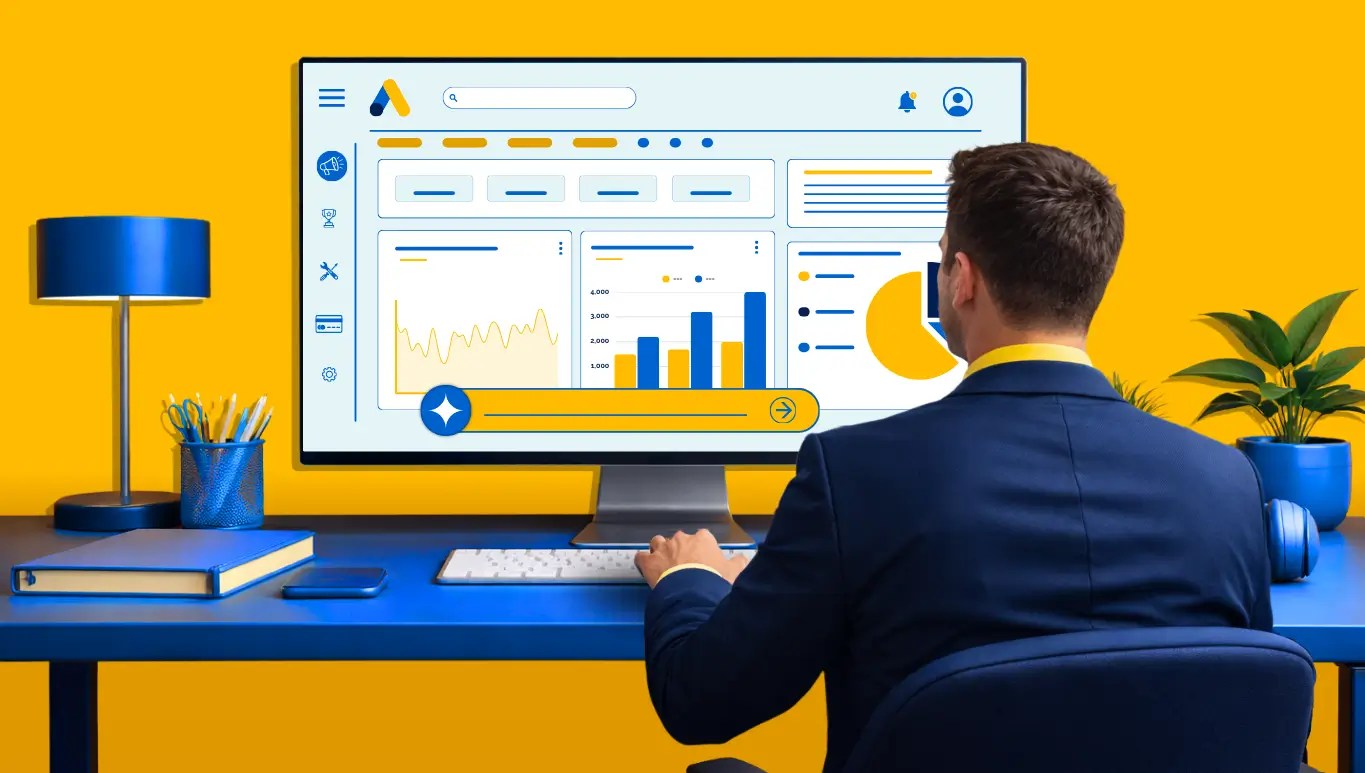
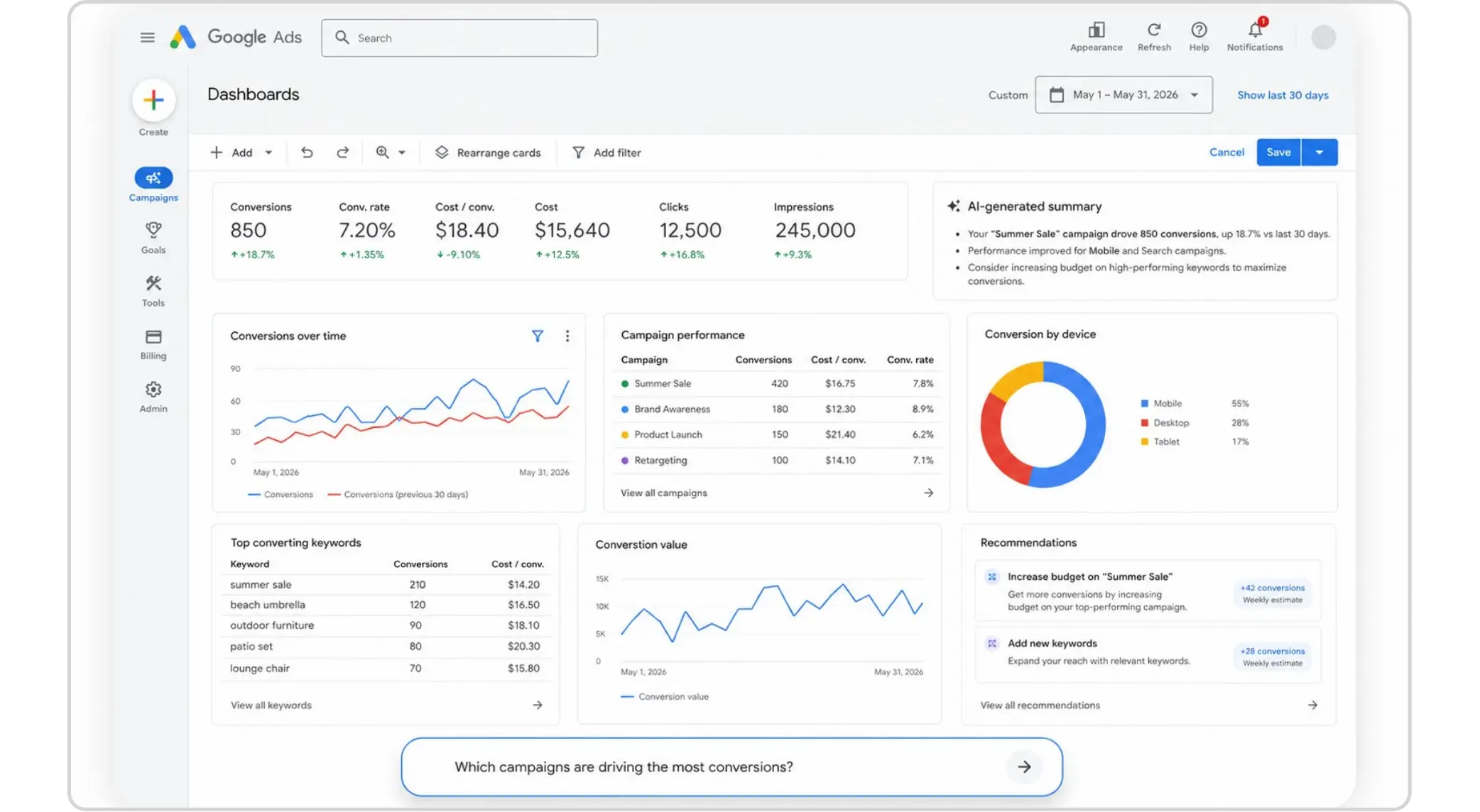
The Google AI Powered Ads Dashboard is built on Google's Gemini model, embedded directly inside the Google Ads interface. Instead of manually stacking filters and date ranges, you type a natural language question and the platform generates a contextual answer, with visuals, data, and sometimes a recommended action.
This is a meaningful shift from traditional Google Ads reporting, which required you to already know what you were looking for. The AI now does the discovery work too.
How Is This Different from the Old Google Ads Dashboard?
The previous setup was powerful but passive. You built columns, applied filters, and interpreted everything yourself. The Google AI Powered PPC performance Dashboard makes it conversational. It surfaces anomalies, connects dots across campaigns, and adds context you might have buried under three clicks before. Think of it this way: the old dashboard told you what happened. The new one helps you understand why it happened and what to do about it.
Is This the Same as Ads Advisor?
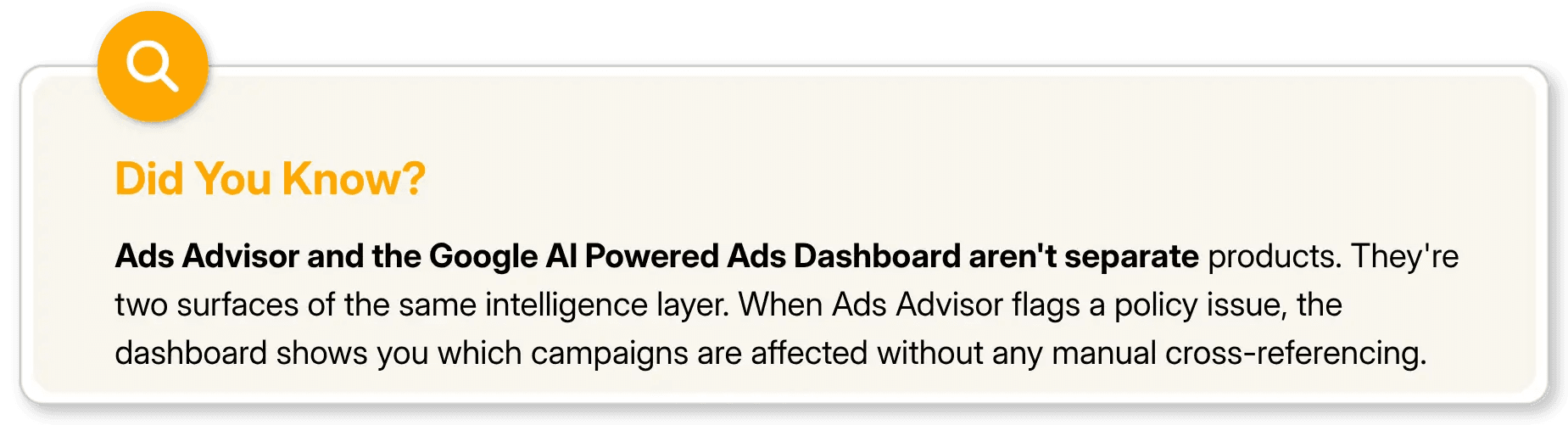
Closely related, yes. Ads Advisor is the broader AI agent handling policy issues, security, and account-wide tasks. The Gemini Powered Dashboards share the same backbone but are specifically scoped to performance analysis and Google Ads reporting, covering what's happening, why, and how to respond.
What Can You Actually Do With These AI Dashboards?
Let's get concrete. Here's a breakdown of the core capabilities these dashboards bring to the table.
What Kind of Questions Can You Ask the AI in Google Ads?
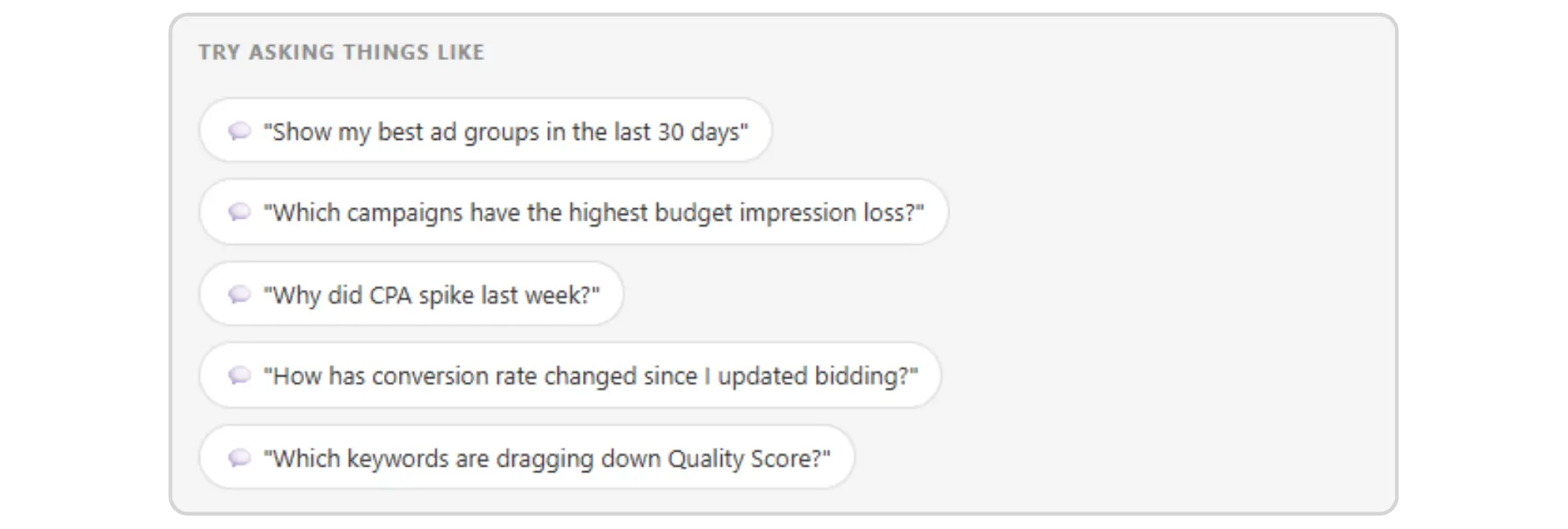
The system is designed to handle a wide range of performance-related queries. You can ask things like:
"Show me my best-performing ad groups over the last 30 days"
"Which campaigns have the highest impression share loss due to budget?"
The AI generates a visual or tabular summary in response, pulling live data from your account. This makes ad hoc analysis much faster, especially when you're trying to answer a stakeholder's question on the fly.
Can Google Ads AI Dashboards Help With Campaign Optimization?
Yes, precisely here lies the role of AI within the framework of an actual Google Ads optimization procedure. The dashboards of Google Ads do not only explain the past but come up with suggestions related to your own unique data. Should there be a decline in your ROAS, then the algorithm would suggest what audience category, device, or time of the day is causing it.
Nonetheless, the suggestion alone does not mean execution. Human decision-making remains relevant at the implementation stage.
Does It Support Real-Time Data?
Yes. One of the headline upgrades in this update is the shift from delayed batch reporting to real-time insights. Previously, some metrics in Google Ads reporting had a lag of several hours. The new dashboards aim to surface data much closer to the moment it's generated, which matters a lot when you're running time-sensitive campaigns like promotions or event-based ads.
A Quick Comparison — Old vs. New Google Ads Reporting
Here's how the experience stacks up before and after the AI dashboard update:
Feature | Traditional Google Ads Reporting | AI-Powered Dashboard |
|---|---|---|
Data Exploration | Manual filters and column setup | Natural language queries |
Insight Generation | You find patterns manually | AI surfaces anomalies automatically |
Reporting Speed | Delayed or batch data | Near real-time updates |
Optimization Suggestions | Limited, rule-based recommendations | Contextual, data-driven AI recommendations |
Ease of Use | Requires platform familiarity | Accessible to users at any skill level |
Campaign Troubleshooting | Manual comparison and diagnosis | AI-assisted root cause analysis |
Cross-Campaign Analysis | Time-consuming to aggregate | Faster via conversational prompts |
How to Access and Set Up Your AI Powered Google Ads Dashboard
If you haven't seen the new interface yet, here's where to look and how to get started.
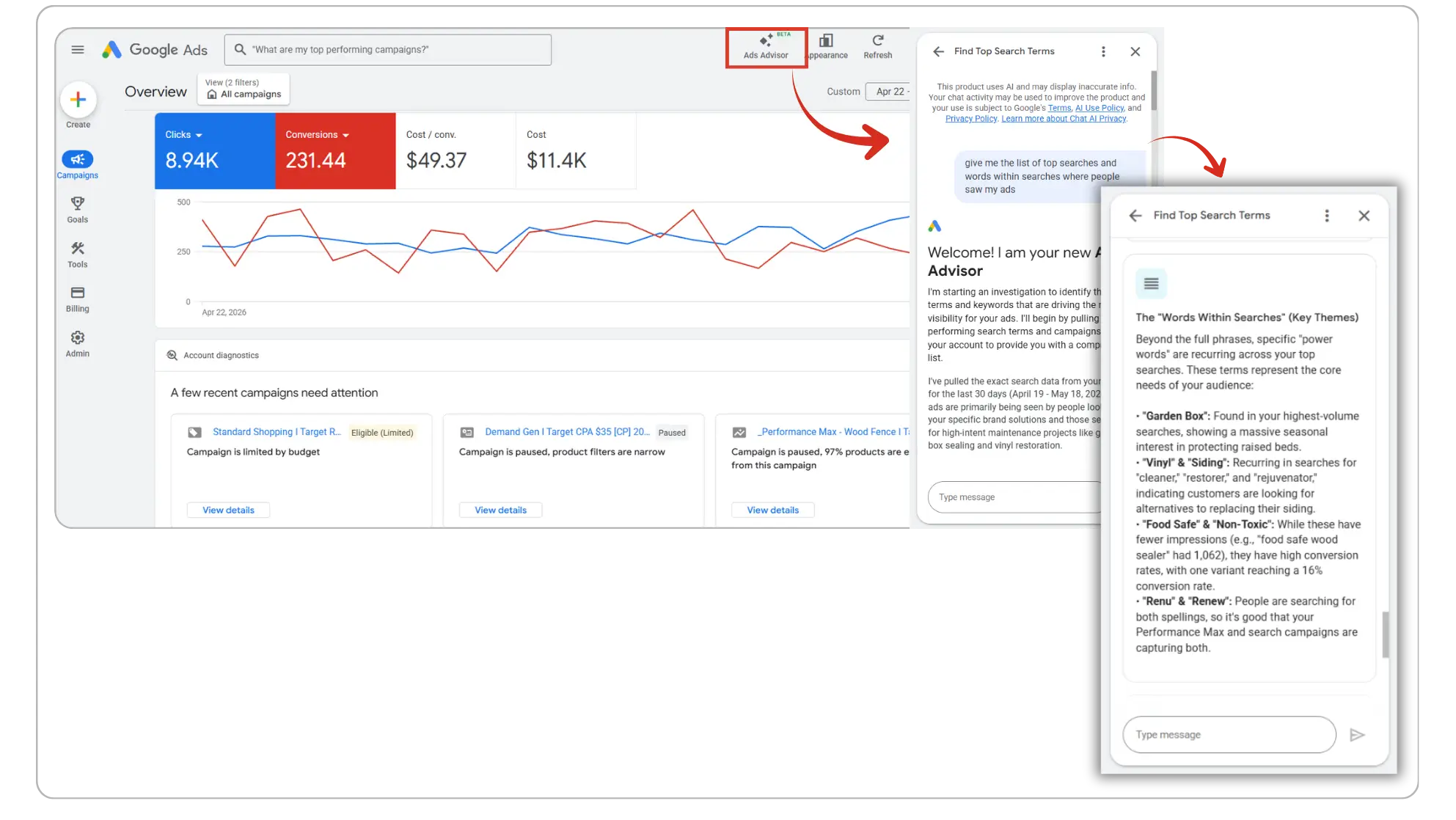
Where Do You Find the AI Dashboard in Google Ads?
The rollout is progressive, so availability varies by account. When it's live for you, look for the Ads Advisor prompt window in the left-hand navigation, or a dedicated insights tab. If you're not seeing it yet, confirm your account is on the latest Google Ads UI. Google has been actively sun-setting the classic interface, so most accounts should be on the updated version by now.
How Do You Use Natural Language Prompts Effectively?
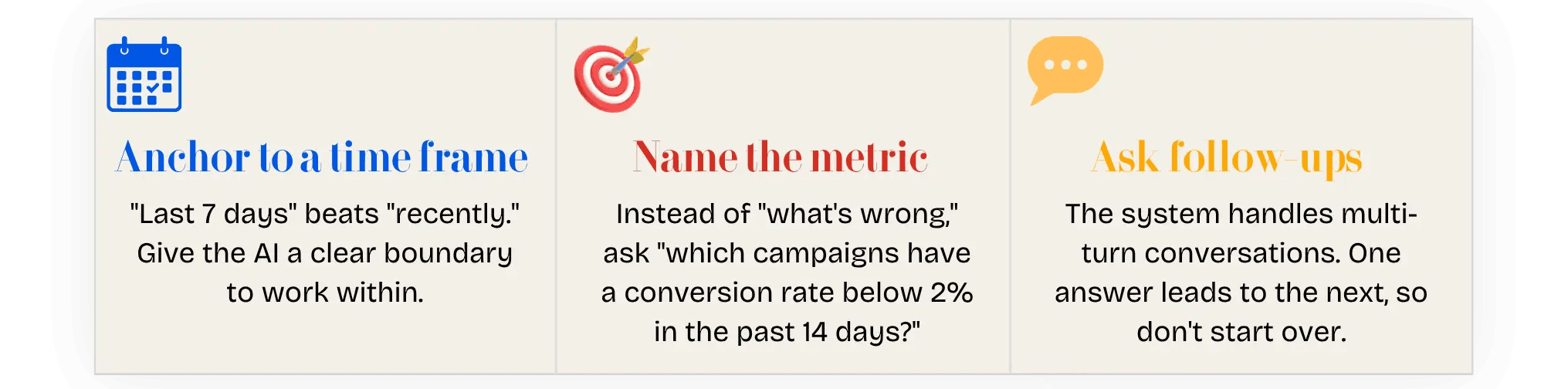
The quality of your answers tracks closely with the quality of your questions. Three principles that make a real difference in your Google Ads management workflow:
Can You Export or Share AI Generated Reports?
Some accounts can already export AI generated summaries, though the full sharing workflow for client reporting is still rolling out. Keep an eye on Google Marketing Live announcements, as export and sharing features are on the roadmap.
What Does This Mean for Day to Day Google Ads Management?
The practical impact depends on how you currently manage your accounts.
Does This Replace the Need for a Google Ads Specialist?
No, and it's worth being direct about that. What the Google AI Powered Ads Dashboard does well is surface information faster and catch things you might miss. What it doesn't do is replace judgment. Knowing when to reallocate budget, how to read a trend against your broader business context, or why a conversion dip is a tracking issue rather than a campaign problem, that still requires a human.
The better frame: these tools make a skilled Google Ads management team more effective, not redundant. Routine analysis that used to take an hour now takes ten minutes, freeing up time for higher-level strategy.
How Should Agencies Use AI Dashboards for Client Reporting?
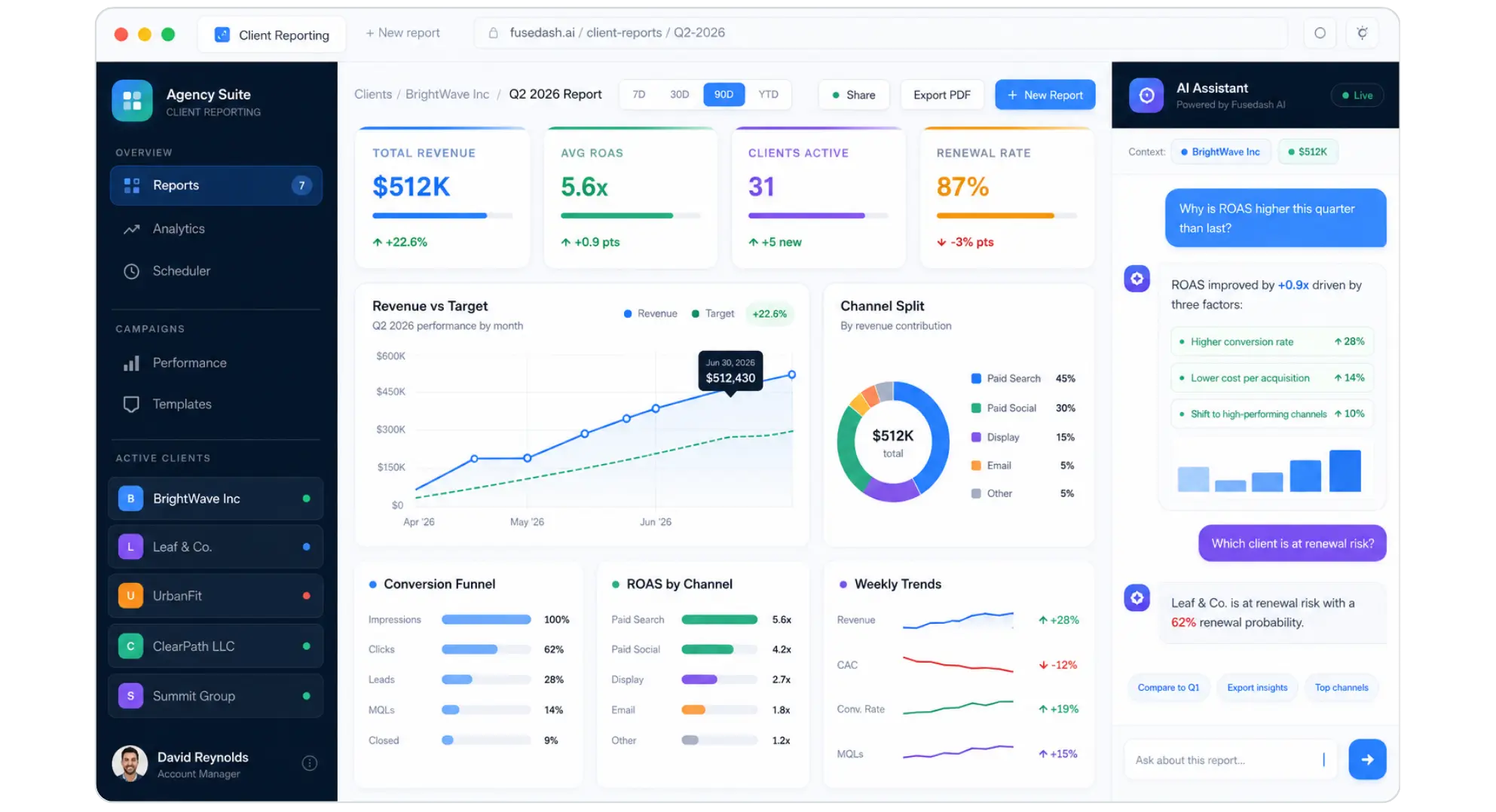
The shift is genuinely significant here. Google Ads reporting has always been one of the more time-consuming parts of agency work. The Gemini Powered PPC reporting Dashboards can accelerate the pull of performance summaries, surface talking points, and flag account health issues before a reporting call even starts.
Use the AI output as a foundation, not a finished product. Clients still expect interpretation and strategic direction alongside the numbers, and that layer has to come from you.
How Do AI-Powered Google Ads Dashboards Fit Into a Broader AI-Powered Advertising Strategy?
It's tempting to look at this as a standalone feature drop. It's not. Google has been layering AI powered advertising capabilities across the entire ads ecosystem for years, from Smart Bidding and Performance Max to responsive search ads and now the Google AI Powered Ads Dashboard. Each piece reinforces the others.
However, there’s another perspective you should pay attention to. The evolution of generative search impacts the way we search for information, and Google’s AI Overviews have made their appearance, making our search and search results more intelligent. As an advertiser, you should be aware that a user’s journey from search to click has become a bit more sophisticated and that paid ads now have to compete with AI-generated responses. This means that campaign statistics you can get now is different from that obtained two years ago, as you can now get a more complex story about ad performance.
In that sense, the dashboards aren't just a reporting upgrade. They're Google's way of equipping advertisers to keep pace with generative search and the new dynamics it introduces. The sooner you get familiar with how Google Ads intelligence surfaces these signals, the better positioned you'll be as AI-driven search continues to evolve.
What Other AI Features Are Coming to Google Ads?
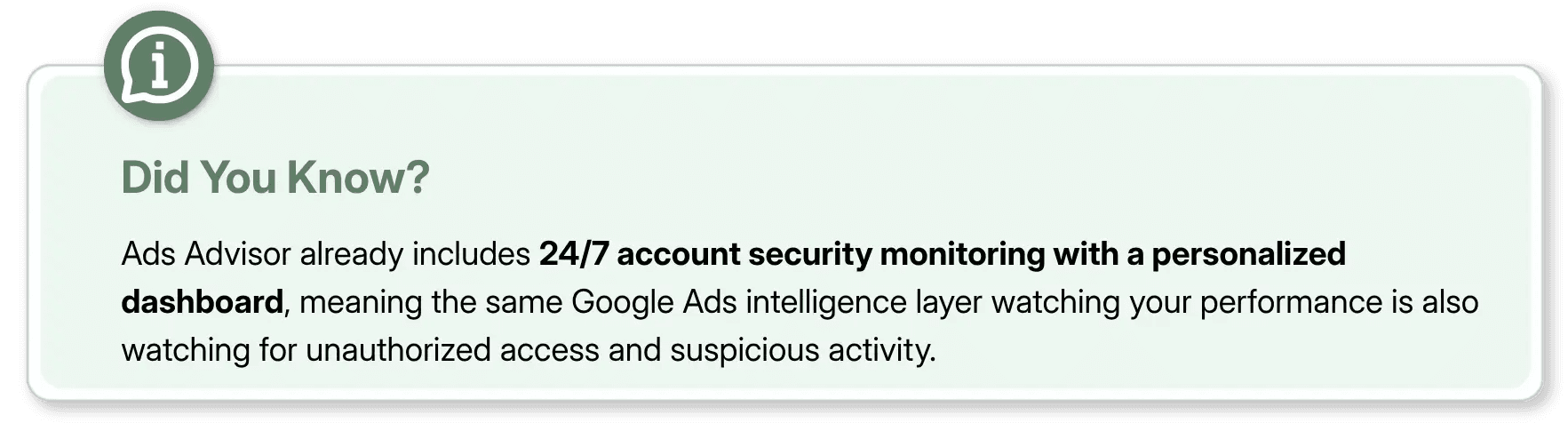
The Ads Advisor rollout already includes proactive policy violation flagging, automated certification handling, and account-wide security monitoring. The direction is unmistakable: Google wants the platform to function as an intelligent assistant. Staying current with Google Ads intelligence features isn't optional for competitive accounts anymore. The gap between accounts that use these tools well and those that don't is only going to widen.
How Does Google Ads AI Compare to Third-Party Reporting Tools?
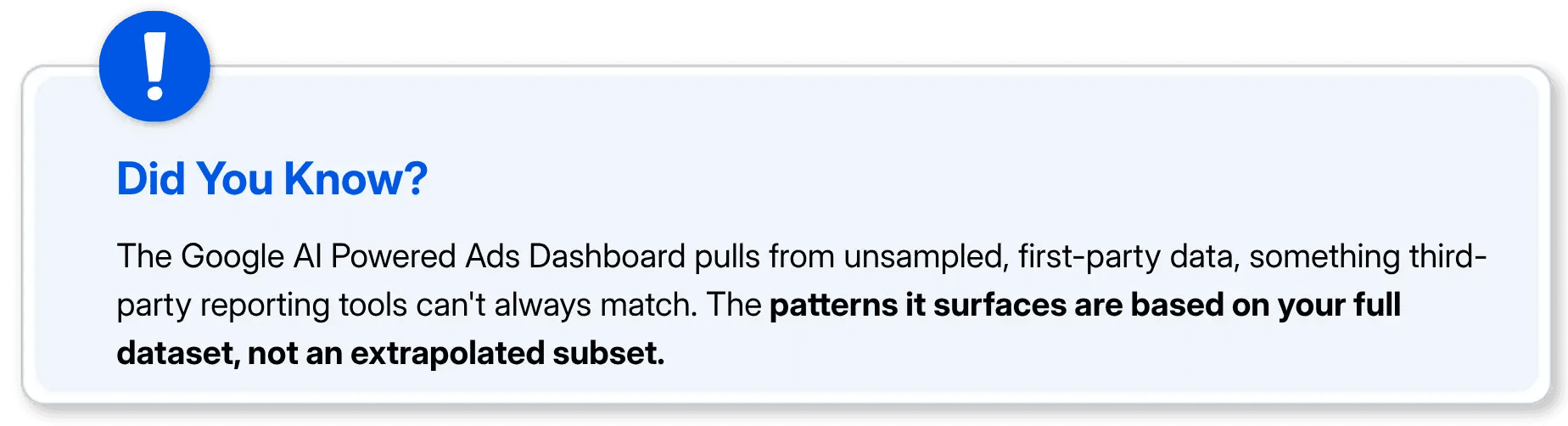
Third-party tools like Semrush and Optimizer have offered AI-assisted insights for a while. The native advantage of the Google AI Powered Ads Dashboard is data access. Google's own AI works with raw, unstamped data that third-party integrations can't always reach. But external tools win on cross-channel views, CRM integrations, and flexible reporting layouts. The smart play is using both: native Google Ads dashboards for deep performance data, external tools for broader business context.
Common Mistakes to Avoid When Using AI Dashboards in Google Ads
What Should You Do Right Now?
Log into Google Ads and check if Ads Advisor is available. If it is, ask something you already know the answer to. It's the fastest way to calibrate how accurate the Gemini Powered Dashboards are for your account.
Pick one or two recurring reporting tasks, such as weekly CPA review, keyword analysis, or budget pacing, and run them through the Google AI Powered Ads Dashboard to see how much time it actually saves.
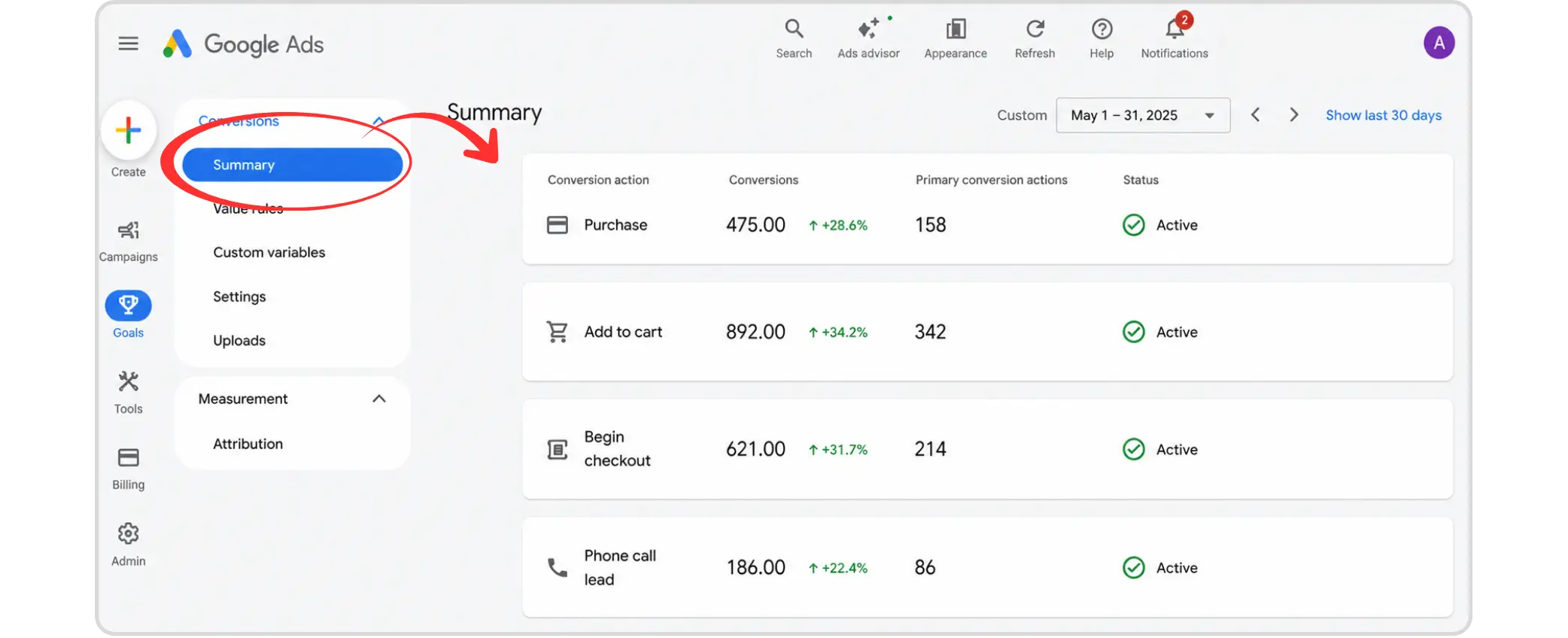
Audit your conversion tracking and goal setup. The better your data foundation, the more reliably the AI surfaces actionable Google Ads intelligence rather than noise.
Final Thoughts
Google Ads has always been a powerful platform, but for a long time, getting real value out of it meant spending as much time interpreting data as actually acting on it. The Gemini Powered Dashboards change that equation. This isn't a UI update or a feature to explore once and forget. It's a shift in how Google Ads management actually works, moving from a manual, filter-heavy process to a conversational one that meets you halfway. Whether you're an advertiser frustrated by slow Google Ads reporting or an agency juggling dozens of accounts, this is the kind of change that adds up fast.
That said, the basics haven't moved. The Google AI Powered Ads Dashboard gives you faster answers, but you still have to ask the right questions and know what to do with them. The advertisers who get the most out of these tools are the ones who treat them as a smarter starting point, not a shortcut to skip thinking. Used that way, AI powered advertising doesn't replace strategy. It sharpens it.
FAQs
What are Google Ads AI-powered dashboards?

Google Ads AI-powered dashboards are built on Google's Gemini model and embedded directly inside the Google Ads interface. Instead of manually building filters and columns, you type a natural language question and the dashboard generates a contextual answer with visuals, data, and recommended actions, all pulled from your live account.
How are the new Google Ads dashboards different from the old reporting?
The old dashboard told you what happened, you had to find out why yourself. The new AI-powered dashboard surfaces anomalies automatically, connects patterns across campaigns, and tells you why a metric changed and what to do about it.
What kind of questions can you ask the Google Ads AI dashboard?
You can ask things like "Why did my ROAS drop this weekend?", or "Which keywords are dragging down my Quality Score?" The system handles multi-turn conversations, so one answer naturally leads to the next follow-up without starting over.
Does the Google Ads AI dashboard replace the need for a Google Ads specialist?
No. The dashboard surfaces information faster and catches things you might miss, but it doesn't replace judgment. Knowing when to reallocate budget, reading a trend against your broader business context, or identifying a tracking issue rather than a campaign problem still requires a human. It makes a skilled team more efficient, not redundant.
What is the biggest mistake to avoid when using AI dashboards in Google Ads?
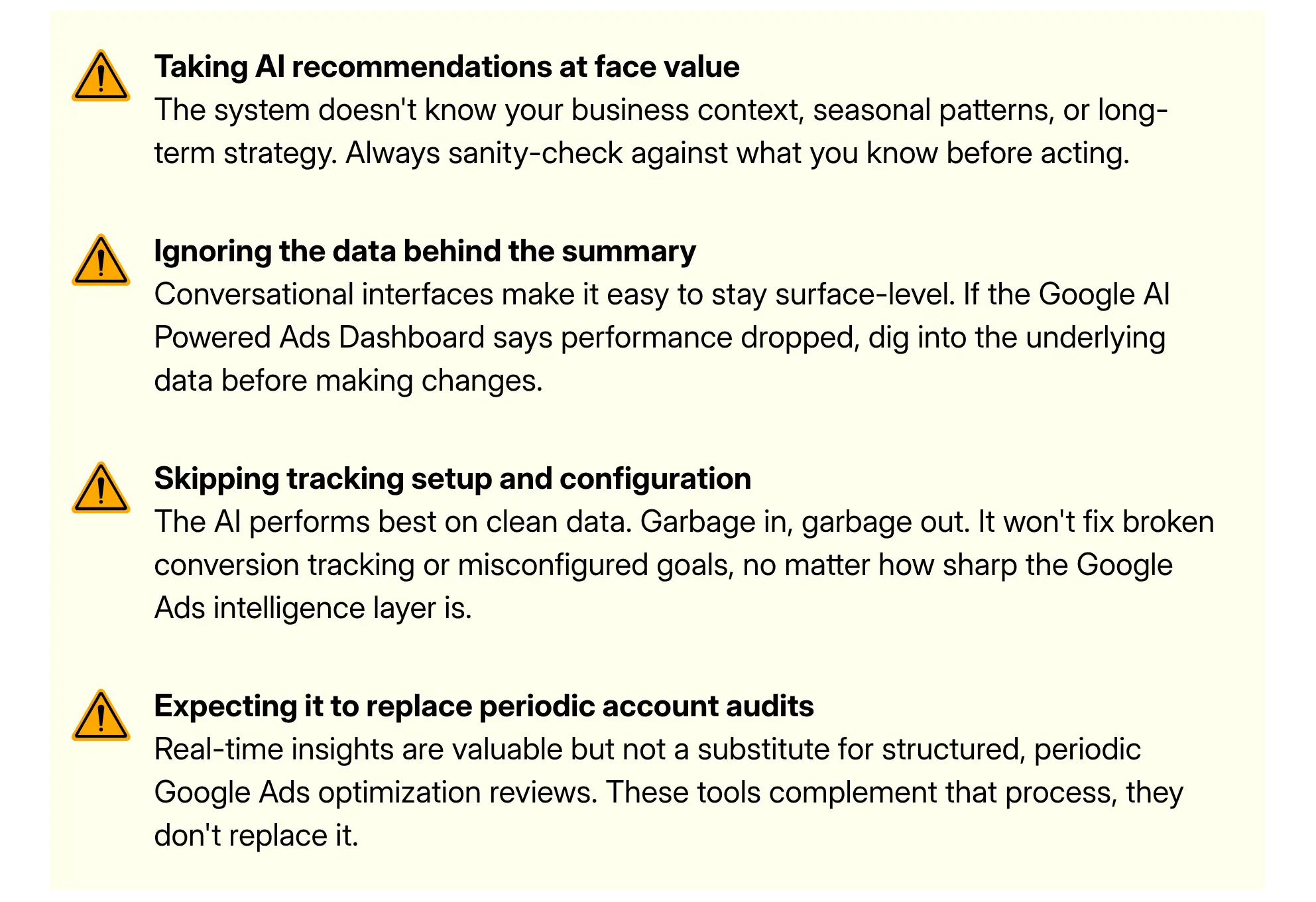
Taking AI recommendations at face value without checking the underlying data. The system doesn't know your business context, seasonal patterns, or long-term strategy. Always verify the data behind the summary before acting and make sure your conversion tracking is clean, because the AI performs best on accurate, well-configured data.
Picture this: it's Monday morning, ROAS dropped 18% over the weekend, and your client wants answers before the 9am call. Old workflow? Thirty minutes of manual filtering, pivot tables, calculating ROAS and crossed fingers. New workflow? You type "Why did ROAS drop this weekend?" directly into Google Ads and get a contextual answer in seconds.
That's not hypothetical. Google Ads has integrated Gemini Powered Dashboards that transform the platform from a passive data tool into something that actually talks back. Here's what changed, what it means for day to day Google Ads management, and how to use it effectively.
What Are Google Ads AI-Powered Dashboards, Exactly?
The Google AI Powered Ads Dashboard is built on Google's Gemini model, embedded directly inside the Google Ads interface. Instead of manually stacking filters and date ranges, you type a natural language question and the platform generates a contextual answer, with visuals, data, and sometimes a recommended action.
This is a meaningful shift from traditional Google Ads reporting, which required you to already know what you were looking for. The AI now does the discovery work too.
How Is This Different from the Old Google Ads Dashboard?
The previous setup was powerful but passive. You built columns, applied filters, and interpreted everything yourself. The Google AI Powered PPC performance Dashboard makes it conversational. It surfaces anomalies, connects dots across campaigns, and adds context you might have buried under three clicks before. Think of it this way: the old dashboard told you what happened. The new one helps you understand why it happened and what to do about it.
Is This the Same as Ads Advisor?
Closely related, yes. Ads Advisor is the broader AI agent handling policy issues, security, and account-wide tasks. The Gemini Powered Dashboards share the same backbone but are specifically scoped to performance analysis and Google Ads reporting, covering what's happening, why, and how to respond.
What Can You Actually Do With These AI Dashboards?
Let's get concrete. Here's a breakdown of the core capabilities these dashboards bring to the table.
What Kind of Questions Can You Ask the AI in Google Ads?
The system is designed to handle a wide range of performance-related queries. You can ask things like:
"Show me my best-performing ad groups over the last 30 days"
"Which campaigns have the highest impression share loss due to budget?"
The AI generates a visual or tabular summary in response, pulling live data from your account. This makes ad hoc analysis much faster, especially when you're trying to answer a stakeholder's question on the fly.
Can Google Ads AI Dashboards Help With Campaign Optimization?
Yes, precisely here lies the role of AI within the framework of an actual Google Ads optimization procedure. The dashboards of Google Ads do not only explain the past but come up with suggestions related to your own unique data. Should there be a decline in your ROAS, then the algorithm would suggest what audience category, device, or time of the day is causing it.
Nonetheless, the suggestion alone does not mean execution. Human decision-making remains relevant at the implementation stage.
Does It Support Real-Time Data?
Yes. One of the headline upgrades in this update is the shift from delayed batch reporting to real-time insights. Previously, some metrics in Google Ads reporting had a lag of several hours. The new dashboards aim to surface data much closer to the moment it's generated, which matters a lot when you're running time-sensitive campaigns like promotions or event-based ads.
A Quick Comparison — Old vs. New Google Ads Reporting
Here's how the experience stacks up before and after the AI dashboard update:
Feature | Traditional Google Ads Reporting | AI-Powered Dashboard |
|---|---|---|
Data Exploration | Manual filters and column setup | Natural language queries |
Insight Generation | You find patterns manually | AI surfaces anomalies automatically |
Reporting Speed | Delayed or batch data | Near real-time updates |
Optimization Suggestions | Limited, rule-based recommendations | Contextual, data-driven AI recommendations |
Ease of Use | Requires platform familiarity | Accessible to users at any skill level |
Campaign Troubleshooting | Manual comparison and diagnosis | AI-assisted root cause analysis |
Cross-Campaign Analysis | Time-consuming to aggregate | Faster via conversational prompts |
How to Access and Set Up Your AI Powered Google Ads Dashboard
If you haven't seen the new interface yet, here's where to look and how to get started.
Where Do You Find the AI Dashboard in Google Ads?
The rollout is progressive, so availability varies by account. When it's live for you, look for the Ads Advisor prompt window in the left-hand navigation, or a dedicated insights tab. If you're not seeing it yet, confirm your account is on the latest Google Ads UI. Google has been actively sun-setting the classic interface, so most accounts should be on the updated version by now.
How Do You Use Natural Language Prompts Effectively?
The quality of your answers tracks closely with the quality of your questions. Three principles that make a real difference in your Google Ads management workflow:
Can You Export or Share AI Generated Reports?
Some accounts can already export AI generated summaries, though the full sharing workflow for client reporting is still rolling out. Keep an eye on Google Marketing Live announcements, as export and sharing features are on the roadmap.
What Does This Mean for Day to Day Google Ads Management?
The practical impact depends on how you currently manage your accounts.
Does This Replace the Need for a Google Ads Specialist?
No, and it's worth being direct about that. What the Google AI Powered Ads Dashboard does well is surface information faster and catch things you might miss. What it doesn't do is replace judgment. Knowing when to reallocate budget, how to read a trend against your broader business context, or why a conversion dip is a tracking issue rather than a campaign problem, that still requires a human.
The better frame: these tools make a skilled Google Ads management team more effective, not redundant. Routine analysis that used to take an hour now takes ten minutes, freeing up time for higher-level strategy.
How Should Agencies Use AI Dashboards for Client Reporting?
The shift is genuinely significant here. Google Ads reporting has always been one of the more time-consuming parts of agency work. The Gemini Powered PPC reporting Dashboards can accelerate the pull of performance summaries, surface talking points, and flag account health issues before a reporting call even starts.
Use the AI output as a foundation, not a finished product. Clients still expect interpretation and strategic direction alongside the numbers, and that layer has to come from you.
How Do AI-Powered Google Ads Dashboards Fit Into a Broader AI-Powered Advertising Strategy?
It's tempting to look at this as a standalone feature drop. It's not. Google has been layering AI powered advertising capabilities across the entire ads ecosystem for years, from Smart Bidding and Performance Max to responsive search ads and now the Google AI Powered Ads Dashboard. Each piece reinforces the others.
However, there’s another perspective you should pay attention to. The evolution of generative search impacts the way we search for information, and Google’s AI Overviews have made their appearance, making our search and search results more intelligent. As an advertiser, you should be aware that a user’s journey from search to click has become a bit more sophisticated and that paid ads now have to compete with AI-generated responses. This means that campaign statistics you can get now is different from that obtained two years ago, as you can now get a more complex story about ad performance.
In that sense, the dashboards aren't just a reporting upgrade. They're Google's way of equipping advertisers to keep pace with generative search and the new dynamics it introduces. The sooner you get familiar with how Google Ads intelligence surfaces these signals, the better positioned you'll be as AI-driven search continues to evolve.
What Other AI Features Are Coming to Google Ads?
The Ads Advisor rollout already includes proactive policy violation flagging, automated certification handling, and account-wide security monitoring. The direction is unmistakable: Google wants the platform to function as an intelligent assistant. Staying current with Google Ads intelligence features isn't optional for competitive accounts anymore. The gap between accounts that use these tools well and those that don't is only going to widen.
How Does Google Ads AI Compare to Third-Party Reporting Tools?
Third-party tools like Semrush and Optimizer have offered AI-assisted insights for a while. The native advantage of the Google AI Powered Ads Dashboard is data access. Google's own AI works with raw, unstamped data that third-party integrations can't always reach. But external tools win on cross-channel views, CRM integrations, and flexible reporting layouts. The smart play is using both: native Google Ads dashboards for deep performance data, external tools for broader business context.
Common Mistakes to Avoid When Using AI Dashboards in Google Ads
What Should You Do Right Now?
Log into Google Ads and check if Ads Advisor is available. If it is, ask something you already know the answer to. It's the fastest way to calibrate how accurate the Gemini Powered Dashboards are for your account.
Pick one or two recurring reporting tasks, such as weekly CPA review, keyword analysis, or budget pacing, and run them through the Google AI Powered Ads Dashboard to see how much time it actually saves.
Audit your conversion tracking and goal setup. The better your data foundation, the more reliably the AI surfaces actionable Google Ads intelligence rather than noise.
Final Thoughts
Google Ads has always been a powerful platform, but for a long time, getting real value out of it meant spending as much time interpreting data as actually acting on it. The Gemini Powered Dashboards change that equation. This isn't a UI update or a feature to explore once and forget. It's a shift in how Google Ads management actually works, moving from a manual, filter-heavy process to a conversational one that meets you halfway. Whether you're an advertiser frustrated by slow Google Ads reporting or an agency juggling dozens of accounts, this is the kind of change that adds up fast.
That said, the basics haven't moved. The Google AI Powered Ads Dashboard gives you faster answers, but you still have to ask the right questions and know what to do with them. The advertisers who get the most out of these tools are the ones who treat them as a smarter starting point, not a shortcut to skip thinking. Used that way, AI powered advertising doesn't replace strategy. It sharpens it.
FAQs
What are Google Ads AI-powered dashboards?
Google Ads AI-powered dashboards are built on Google's Gemini model and embedded directly inside the Google Ads interface. Instead of manually building filters and columns, you type a natural language question and the dashboard generates a contextual answer with visuals, data, and recommended actions, all pulled from your live account.
How are the new Google Ads dashboards different from the old reporting?
The old dashboard told you what happened, you had to find out why yourself. The new AI-powered dashboard surfaces anomalies automatically, connects patterns across campaigns, and tells you why a metric changed and what to do about it.
What kind of questions can you ask the Google Ads AI dashboard?
You can ask things like "Why did my ROAS drop this weekend?", or "Which keywords are dragging down my Quality Score?" The system handles multi-turn conversations, so one answer naturally leads to the next follow-up without starting over.
Does the Google Ads AI dashboard replace the need for a Google Ads specialist?
No. The dashboard surfaces information faster and catches things you might miss, but it doesn't replace judgment. Knowing when to reallocate budget, reading a trend against your broader business context, or identifying a tracking issue rather than a campaign problem still requires a human. It makes a skilled team more efficient, not redundant.
What is the biggest mistake to avoid when using AI dashboards in Google Ads?
Taking AI recommendations at face value without checking the underlying data. The system doesn't know your business context, seasonal patterns, or long-term strategy. Always verify the data behind the summary before acting and make sure your conversion tracking is clean, because the AI performs best on accurate, well-configured data.



Summarize with AI

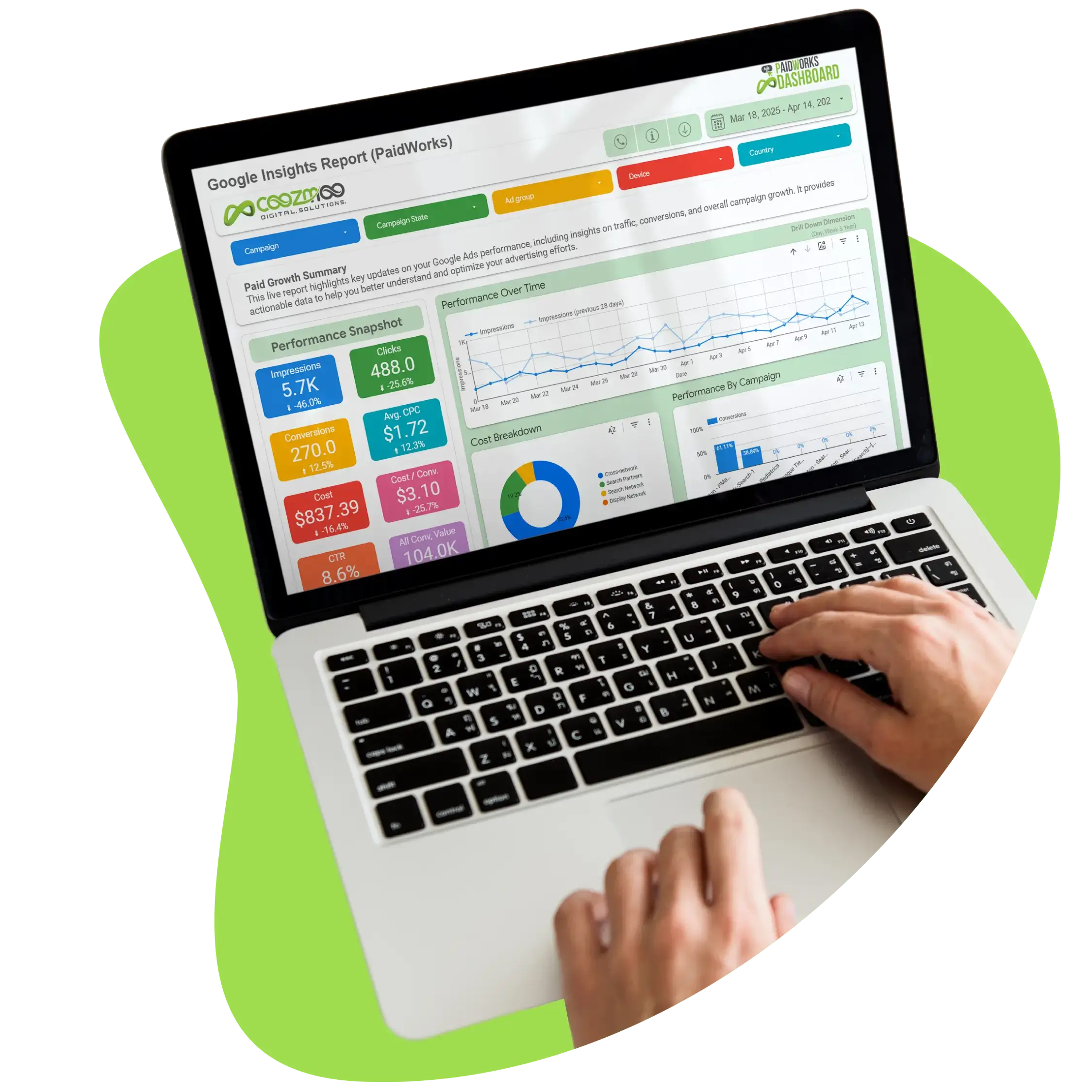

Have a Google Ads account?
Get a free audit Today!
Have a Google Ads account?
Get a free audit Today!



4.9/5 Ratings!
4.9/5 Ratings!


Don’t miss our revenue growth tips!
Get expert marketing tips—straight to your inbox, like thousands of happy clients.
Don’t miss our revenue growth tips!
Get expert marketing tips—straight to your inbox, like thousands of happy clients.
Don’t miss our revenue growth tips!
Get expert marketing tips—straight to your inbox, like thousands of happy clients.
Don’t miss our revenue growth tips!
Relevant Blogs on PPC Marketing
Relevant Blogs on PPC Marketing
Unlock data-driven insights in PPC marketing—explore our featured blogs and skyrocket your revenue before your competitors do.
Unlock data-driven insights in PPC marketing—explore our featured blogs and skyrocket your revenue before your competitors do.
PPC
Sep 1, 2026
8 Min Read
Google Is Removing Manual Language Targeting From Search Campaigns: What Advertisers Need to Know
PPC
Sep 1, 2026
8 Min Read
Google Is Removing Manual Language Targeting From Search Campaigns: What Advertisers Need to Know
PPC
Sep 1, 2026
8 Min Read
Google Is Removing Manual Language Targeting From Search Campaigns: What Advertisers Need to Know
PPC
Aug 6, 2026
10 Min Read
What Are Display Ads & How Do They Work?
PPC
Aug 6, 2026
10 Min Read
What Are Display Ads & How Do They Work?
PPC
Aug 6, 2026
10 Min Read
What Are Display Ads & How Do They Work?

PPC
Aug 2, 2026
10 Min Read
12 Best Practices to Improve Google Ads CTR
PPC
Aug 2, 2026
10 Min Read
12 Best Practices to Improve Google Ads CTR
PPC
Aug 2, 2026
10 Min Read
12 Best Practices to Improve Google Ads CTR




























Ready to speak with an expert?
Data-Driven Marketing Agency That Elevates ROI
1100+
Websites Designed & Optimized to Convert
$280M+
Client Revenue Driven & Growing Strong
Discover how to skyrocket
your revenue today!
Trusted by 1000+ Owners!
Ready to speak with an expert?
Data-Driven Marketing Agency That Elevates ROI
1100+
Websites Designed & Optimized to Convert
$280M+
Client Revenue Driven & Growing Strong
Discover how to skyrocket
your revenue today!
Trusted by 1000+ Owners!
Want to skyrocket revenue?
4.9/5 Ratings!
Ready to speak with an expert?
Data-Driven Marketing Agency That Elevates ROI
1100+
Websites Designed & Optimized to Convert
$280M+
Client Revenue Driven & Growing Strong
Discover how to skyrocket
your revenue today!
Trusted by 1000+ Owners!
Call
Meet