How to Export Google Ads Data Before Google Deletes It?
How to Export Google Ads Data Before Google Deletes It?
Last Updated:
Table of Content
Explore Free Tools


Tanya Singh
Tanya Singh
Tanya Singh
PPC
PPC
PPC
10 Min Read
10 Min Read
12 Min
If you've been running Google Ads campaigns for more than a few years, there's something you need to know right now, Google has started enforcing a data retention policy that permanently removes certain historical reporting data from the platform. Not archiving it. Not moving it behind a paywall. Deleting it. Permanently.
This isn't a rumour or a beta test. It's live, it affects real accounts, and if you haven't already taken steps to export your data, you're working against the clock. Here's everything you need to understand about what's changing, what data is actually at risk, and how to get it out of Google's system before it disappears forever.
What Is Google's New Data Retention Policy for Google Ads?
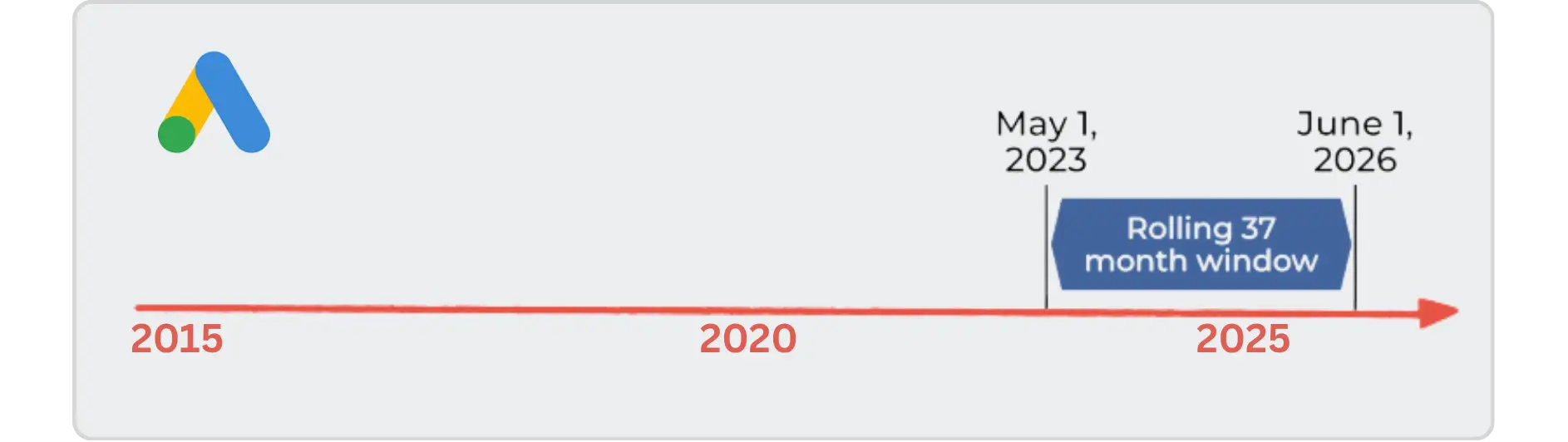
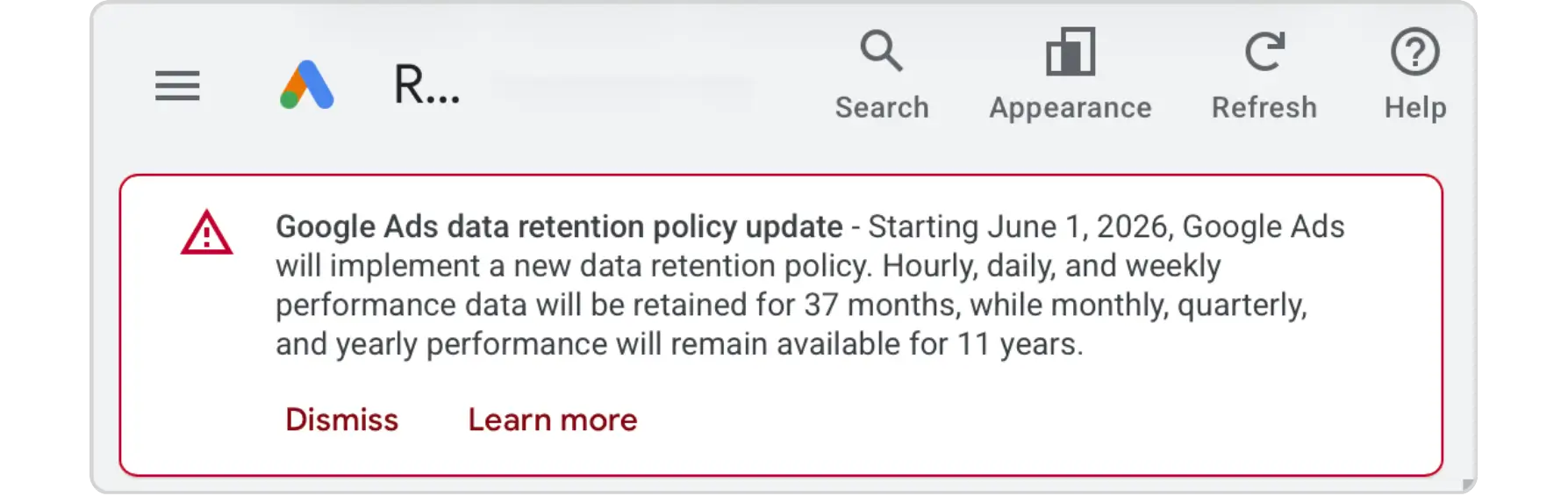
Google's data retention policy for Google Ads limits how long historical reporting data remains accessible inside the platform and through its APIs. The policy officially went into effect on November 13, 2024, though enforcement around shorter-interval data (daily, hourly, weekly) began rolling out more broadly in mid-2026.
Here's the breakdown of what the limits actually are:
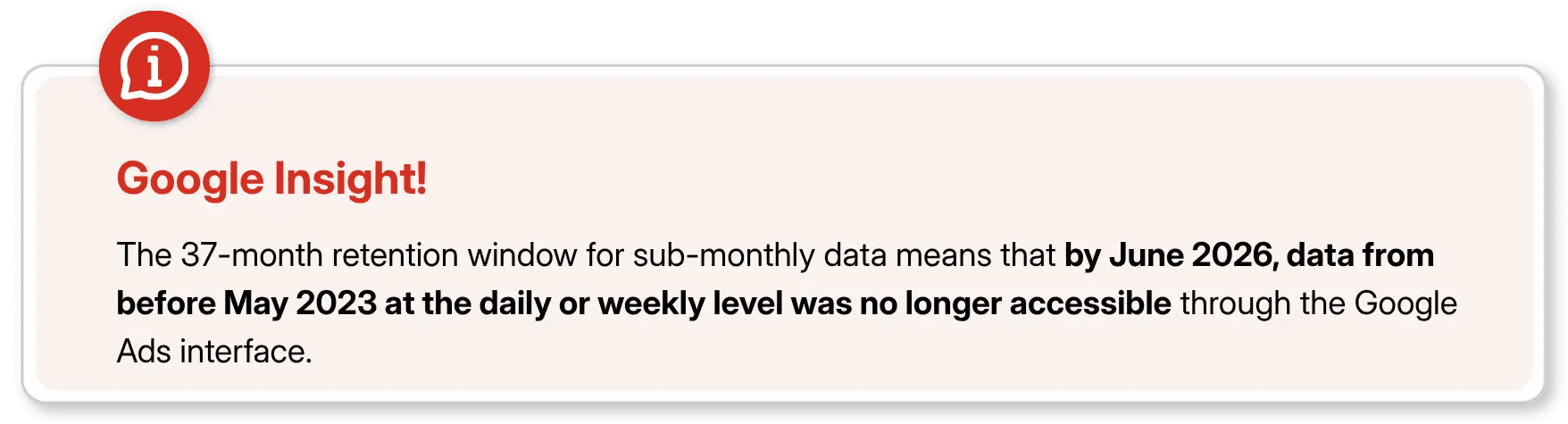
Sub-monthly data (hourly, daily, weekly): accessible for 37 months (~3 years)
Monthly, quarterly, and annual data: accessible for 11 years (132 months)
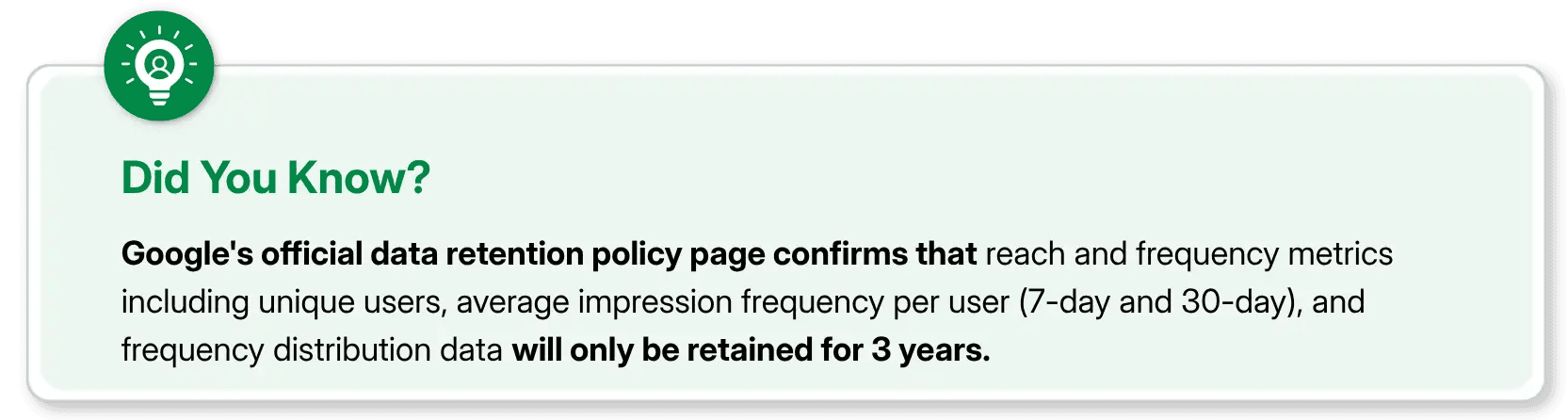
Reach and frequency metrics: accessible for only 3 years, regardless of reporting interval
Once these windows expire, the data is gone — not archived, not hidden behind a paywall, not retrievable by support. Permanently deleted from both the Google Ads interface and the API.
Why Is Google Doing This?
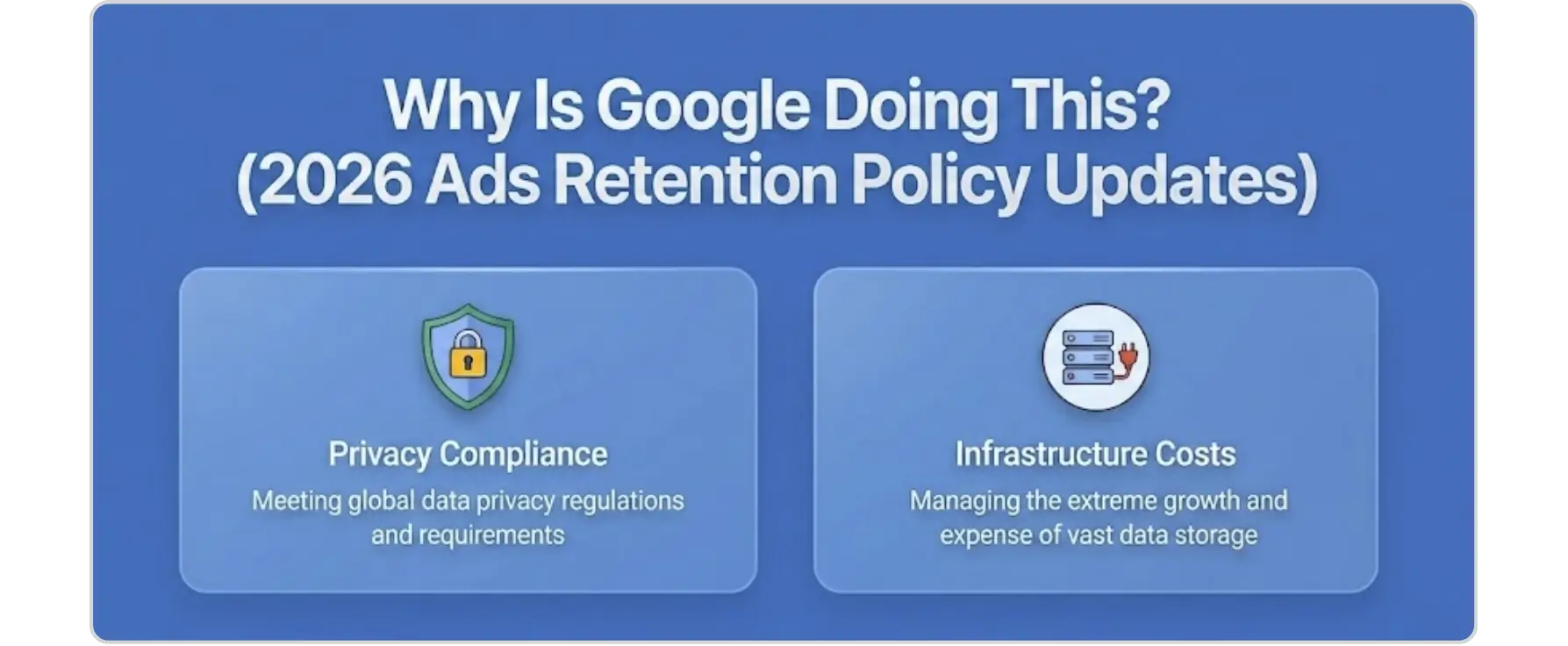
Two reasons, and both make sense from Google's perspective even if they're inconvenient for advertisers.
Infrastructure costs
Storing granular, impression-level performance data from 2013 across millions of accounts worldwide is expensive. Holding it indefinitely is a server burden that no longer makes business sense for Google.
Privacy compliance
Laws like GDPR in Europe and CCPA in California push platforms to stop holding user-level data longer than necessary. Audience-level metrics like reach and frequency are exactly the kind of data regulators have in their crosshairs.
Neither reason changes the fact that your data is at risk but understanding the "why" helps you plan your response properly.
Who Actually Needs to Worry About This?
Honestly, not everyone. If you've been running Google Ads for a couple of years or you're a small business primarily looking at recent campaign performance, your data is safe for now. But this is genuinely urgent if you fall into any of these categories:
Enterprise Advertisers and Large Brands
If your brand has been running continuous campaigns since 2013 or earlier, you have data in Google Ads that predates the 11-year window and is now gone or will be very soon. Year-over-year trend analysis, seasonal benchmarks, and multi-year performance baselines are all at risk.
Agencies Managing Long-Standing Accounts
Agencies often use legacy account performance history when pitching new clients, demonstrating account turnarounds, or building case studies. If that history lives only inside the Google Ads interface, it's not safe.
Data Scientists and Analytics Teams
Any team that feeds raw Google Ads reporting data into machine learning models, media mix models, or attribution frameworks needs to think carefully about what happens when the API returns incomplete historical data.
Anyone Using "All Time" Date Ranges in Dashboards
This one catches people off guard. If your Looker Studio reports, Supermetrics connectors, or custom BI dashboards use "All Time" or very long custom date ranges, those pipelines may silently break or return incomplete data as retention limits hit. No error message, just missing rows.
What Data Should You Export First?
Before you start pulling reports, it helps to prioritise. Not all data is equally valuable for long-term analysis, and not all of it is equally at risk.
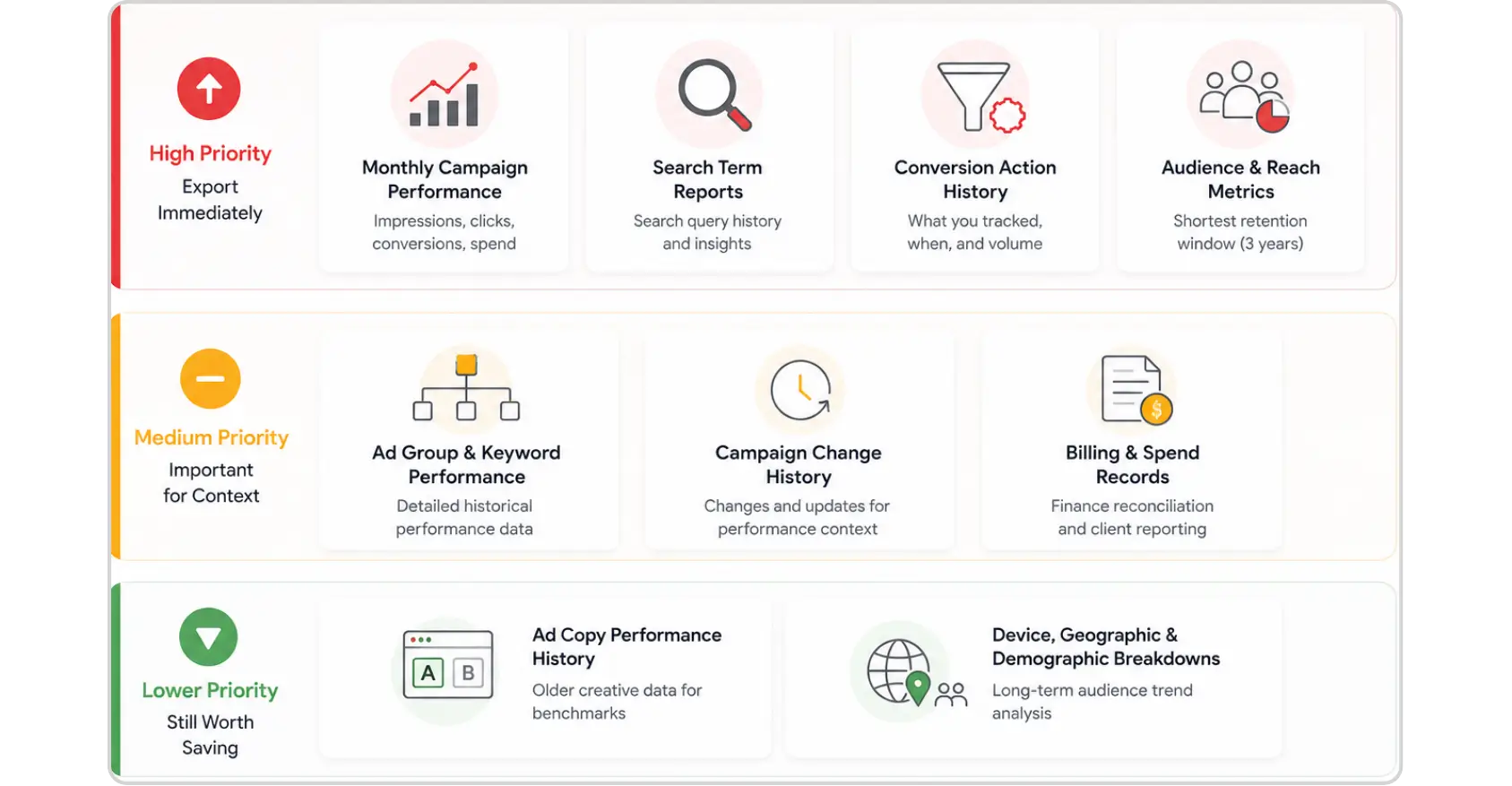
High Priority: Export Immediately
Monthly campaign performance (impressions, clicks, conversions, spend) - this is your core historical record
Search term reports - search query history is invaluable for understanding how intent has shifted over time
Conversion action history - what you tracked, when, and the reported volume
Audience and reach metrics - these have the shortest retention window (3 years), so they're the most urgent
Medium Priority
Ad group and keyword-level performance - useful for detailed historical audits
Campaign change history - not performance data, but context that makes old performance explainable
Billing and spend records - useful for finance reconciliation and client reporting
Lower Priority (But Still Worth Saving)
Ad copy performance history - older creative data is often less actionable but useful for benchmarks
Device, geographic, and demographic breakdowns - helpful for long-term audience trend analysis
How to Export Your Google Ads Data: 5 Practical Methods
There are several ways to get your data out of Google Ads. The right method depends on the volume of data you need, your technical capabilities, and how you plan to store it.
Option 1: Manual Export from the Google Ads Interface
The simplest approach, and fine for smaller accounts or one-time exports.
Log into your Google Ads account
Navigate to the section you want to export Campaigns, Ad Groups, Keywords, etc. using the left-hand menu
Set your date range using the date picker in the top right
Click the Download icon (↓) that appears above the statistics table
Choose your preferred format — CSV, Excel (.xlsx), XML, PDF, or Google Sheets
The catch: For accounts with large volumes of data, downloading very long date ranges can time out or produce files too large to handle easily. Split long date ranges into annual chunks if you run into issues.
Option 2: Google Ads Scripts (Automated Export to Google Sheets)
For medium-sized accounts or teams without developer resources, Google Ads Scripts can automate the export process and push data directly into Google Sheets.
Scripts can be scheduled to run weekly or monthly, meaning you create a living archive that stays updated without manual effort. If you're not familiar with writing scripts, there are well-documented templates in the Google Ads developer community for standard performance exports.
Ideal for: Marketing teams who want a low-maintenance, ongoing backup without setting up complex infrastructure.
Option 3: Google Ads API (Programmatic Export)
For developers or data engineering teams, the Google Ads API gives you precise control over exactly what data you pull, in what format, and at what granularity.
You can script exports targeting specific metrics and segments fields for any date range still within the retention window, and store outputs in a database, data warehouse, or cloud storage bucket of your choice.
Catch: This is the most robust solution for large-scale accounts or any organisation that needs to maintain a reliable long-term data pipeline.

Option 4: BigQuery Data Transfer Service
If your organisation already uses Google Cloud, the BigQuery Data Transfer Service is arguably the cleanest solution. You can set up an automated pipeline that transfers Google Ads data directly into BigQuery tables on a regular schedule.
Once it's in BigQuery, your data is yours, Google's retention clock no longer applies to it. You can query it, join it with other datasets, and build reporting layers on top of it without worrying about anything disappearing.
Ideal for: Enterprise teams, analytics-heavy organisations, or anyone already working within the Google Cloud ecosystem.
Option 5: Third-Party Connectors (Supermetrics, Fivetran, etc.)
Tools like Supermetrics, Fivetran, and similar data connectors can pull Google Ads data on a scheduled basis and land it in destinations like BigQuery, Snowflake, or even Google Sheets.
If you already have one of these tools set up, the priority is making sure your historical pull covers the periods at risk and that your connector isn't set to "All Time" in a way that will silently fail as older data drops off.
Google Ads Reporting: What Breaks If You Don't Act
The impact of missing this goes beyond just losing old data. Here's what can go wrong downstream:
Looker Studio and Data Studio Reports that use "All Time" comparison windows will start showing incomplete data without any obvious error. A scorecard showing total campaign impressions since account creation will simply show a lower number — and it'll look like performance, not a data gap.
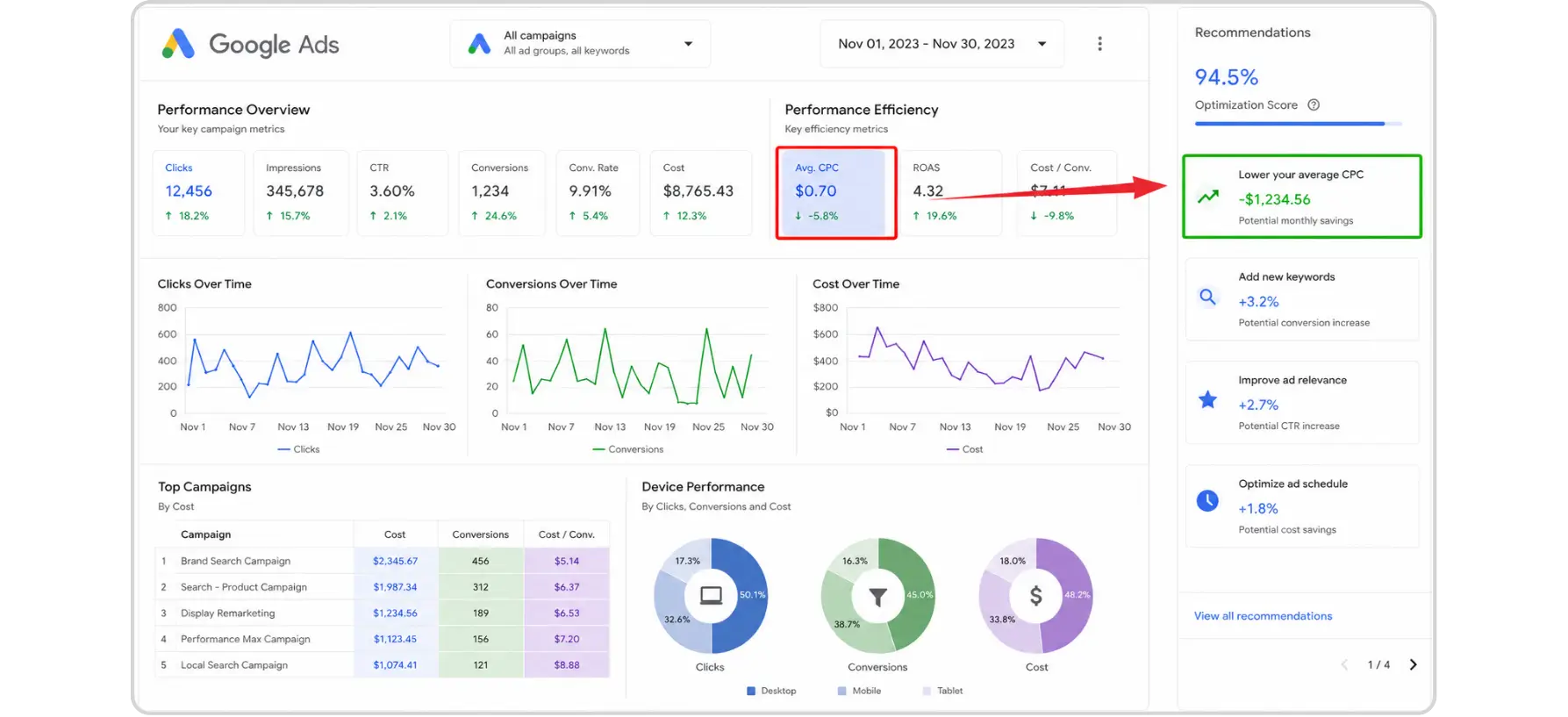
API-connected dashboards that rely on date ranges pulling from more than 37 months ago at the daily level will start returning null or partial data. If your BI team doesn't realise why, they may draw incorrect conclusions about account performance trends.
Media Mix Modelling inputs that rely on Google Ads data as a historical signal will become less accurate as the input window shrinks. If your model was trained on 5 years of weekly impression data, you'll eventually be feeding it a shorter, less representative history.
Client reporting and audits become harder to reconstruct. If you're an agency and a client asks you to explain what happened to their account two years ago, you want that story available in your own systems, not dependent on Google's retention window
Final Thoughts: Building a Long-Term Google Ads Data Strategy
This policy change is a good forcing function for something that was always best practice: don't treat Google Ads as your data warehouse.
The Google Ads interface is an advertising and optimisation tool. It stores data as a convenience, not as a permanent record-keeping system. If your google ads optimization and reporting workflows depend on data living only inside Google's platform, you've been exposed to this kind of risk all along, you just didn't know it.
A healthier long-term approach looks like:
Warehouse your own data. Whether it's BigQuery, Snowflake, or even a well-organised set of Google Sheets, own your numbers.
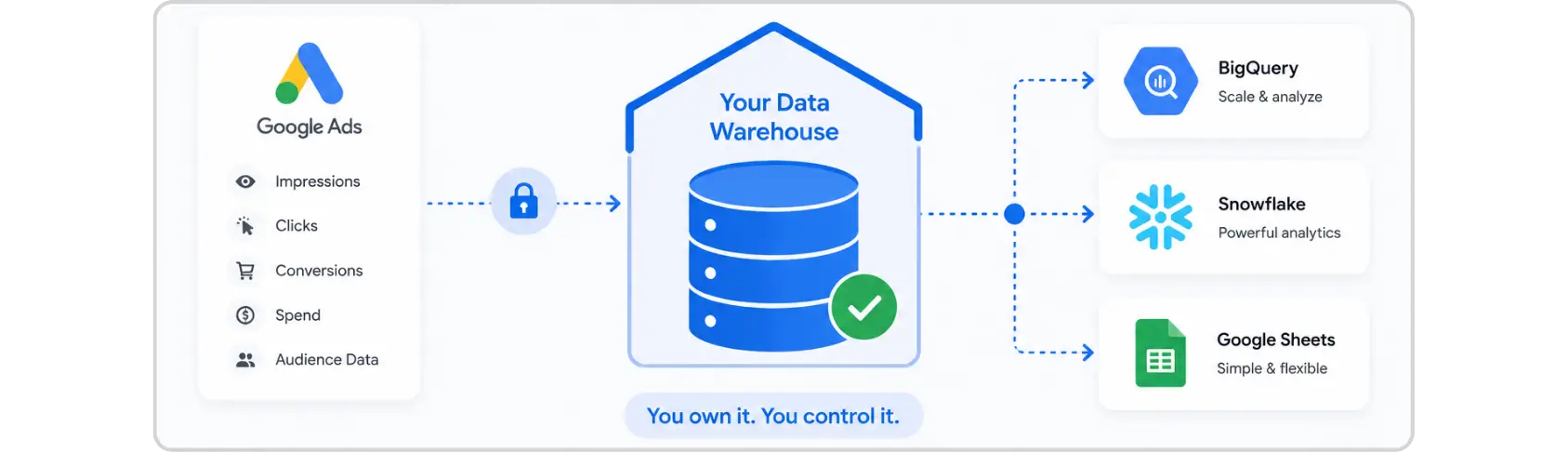
Export regularly, not reactively. A monthly or weekly automated export takes the pressure off. You're never scrambling because something is about to disappear.
Document your account structure alongside your data. Raw performance numbers without context campaign names, targeting logic, bid strategies in use at the time are much harder to interpret. Keep notes alongside your exports.
Check your third-party connectors. Review all automated reporting pipelines to ensure they won't silently break as older data drops out of the retention window.
Your ad spend built that data. Don't let it disappear with a policy update.
FAQs
When did Google's data retention policy for Google Ads take effect?

The policy officially began on November 13, 2024. Enforcement of the 37-month limit on sub-monthly data (daily, weekly, hourly) has been actively applied from mid-2026 onwards.
What data does Google's retention policy actually delete?
All reporting data accessed through the Google Ads interface and API is subject to retention limits. Sub-monthly data is kept for 37 months. Monthly, quarterly, and annual data is kept for 11 years. Reach and frequency metrics are deleted after 3 years.
Can I recover deleted Google Ads data after it's been deleted?
No. Once data passes the retention window, it's permanently deleted from Google's systems. There is no recovery option through the interface, the API, or Google support.
Will my automated Looker Studio reports break because of this?
They may, silently. Any report using "All Time" or long custom date ranges will start returning incomplete data as historical records drop off. Review all reports with wide date ranges and update them to either fixed ranges within the retention window or pull from a separately warehoused source.
Does this affect Google Analytics or other Google products?
This specific policy covers Google Ads reporting data only. Google Analytics 4 has its own separate data retention settings (configurable between 2 and 14 months for user-level data, though aggregated reporting data behaves differently). Always review retention settings across all platforms you use.
If you've been running Google Ads campaigns for more than a few years, there's something you need to know right now, Google has started enforcing a data retention policy that permanently removes certain historical reporting data from the platform. Not archiving it. Not moving it behind a paywall. Deleting it. Permanently.
This isn't a rumour or a beta test. It's live, it affects real accounts, and if you haven't already taken steps to export your data, you're working against the clock. Here's everything you need to understand about what's changing, what data is actually at risk, and how to get it out of Google's system before it disappears forever.
What Is Google's New Data Retention Policy for Google Ads?
Google's data retention policy for Google Ads limits how long historical reporting data remains accessible inside the platform and through its APIs. The policy officially went into effect on November 13, 2024, though enforcement around shorter-interval data (daily, hourly, weekly) began rolling out more broadly in mid-2026.
Here's the breakdown of what the limits actually are:
Sub-monthly data (hourly, daily, weekly): accessible for 37 months (~3 years)
Monthly, quarterly, and annual data: accessible for 11 years (132 months)
Reach and frequency metrics: accessible for only 3 years, regardless of reporting interval
Once these windows expire, the data is gone — not archived, not hidden behind a paywall, not retrievable by support. Permanently deleted from both the Google Ads interface and the API.
Why Is Google Doing This?
Two reasons, and both make sense from Google's perspective even if they're inconvenient for advertisers.
Infrastructure costs
Storing granular, impression-level performance data from 2013 across millions of accounts worldwide is expensive. Holding it indefinitely is a server burden that no longer makes business sense for Google.
Privacy compliance
Laws like GDPR in Europe and CCPA in California push platforms to stop holding user-level data longer than necessary. Audience-level metrics like reach and frequency are exactly the kind of data regulators have in their crosshairs.
Neither reason changes the fact that your data is at risk but understanding the "why" helps you plan your response properly.
Who Actually Needs to Worry About This?
Honestly, not everyone. If you've been running Google Ads for a couple of years or you're a small business primarily looking at recent campaign performance, your data is safe for now. But this is genuinely urgent if you fall into any of these categories:
Enterprise Advertisers and Large Brands
If your brand has been running continuous campaigns since 2013 or earlier, you have data in Google Ads that predates the 11-year window and is now gone or will be very soon. Year-over-year trend analysis, seasonal benchmarks, and multi-year performance baselines are all at risk.
Agencies Managing Long-Standing Accounts
Agencies often use legacy account performance history when pitching new clients, demonstrating account turnarounds, or building case studies. If that history lives only inside the Google Ads interface, it's not safe.
Data Scientists and Analytics Teams
Any team that feeds raw Google Ads reporting data into machine learning models, media mix models, or attribution frameworks needs to think carefully about what happens when the API returns incomplete historical data.
Anyone Using "All Time" Date Ranges in Dashboards
This one catches people off guard. If your Looker Studio reports, Supermetrics connectors, or custom BI dashboards use "All Time" or very long custom date ranges, those pipelines may silently break or return incomplete data as retention limits hit. No error message, just missing rows.
What Data Should You Export First?
Before you start pulling reports, it helps to prioritise. Not all data is equally valuable for long-term analysis, and not all of it is equally at risk.
High Priority: Export Immediately
Monthly campaign performance (impressions, clicks, conversions, spend) - this is your core historical record
Search term reports - search query history is invaluable for understanding how intent has shifted over time
Conversion action history - what you tracked, when, and the reported volume
Audience and reach metrics - these have the shortest retention window (3 years), so they're the most urgent
Medium Priority
Ad group and keyword-level performance - useful for detailed historical audits
Campaign change history - not performance data, but context that makes old performance explainable
Billing and spend records - useful for finance reconciliation and client reporting
Lower Priority (But Still Worth Saving)
Ad copy performance history - older creative data is often less actionable but useful for benchmarks
Device, geographic, and demographic breakdowns - helpful for long-term audience trend analysis
How to Export Your Google Ads Data: 5 Practical Methods
There are several ways to get your data out of Google Ads. The right method depends on the volume of data you need, your technical capabilities, and how you plan to store it.
Option 1: Manual Export from the Google Ads Interface
The simplest approach, and fine for smaller accounts or one-time exports.
Log into your Google Ads account
Navigate to the section you want to export Campaigns, Ad Groups, Keywords, etc. using the left-hand menu
Set your date range using the date picker in the top right
Click the Download icon (↓) that appears above the statistics table
Choose your preferred format — CSV, Excel (.xlsx), XML, PDF, or Google Sheets
The catch: For accounts with large volumes of data, downloading very long date ranges can time out or produce files too large to handle easily. Split long date ranges into annual chunks if you run into issues.
Option 2: Google Ads Scripts (Automated Export to Google Sheets)
For medium-sized accounts or teams without developer resources, Google Ads Scripts can automate the export process and push data directly into Google Sheets.
Scripts can be scheduled to run weekly or monthly, meaning you create a living archive that stays updated without manual effort. If you're not familiar with writing scripts, there are well-documented templates in the Google Ads developer community for standard performance exports.
Ideal for: Marketing teams who want a low-maintenance, ongoing backup without setting up complex infrastructure.
Option 3: Google Ads API (Programmatic Export)
For developers or data engineering teams, the Google Ads API gives you precise control over exactly what data you pull, in what format, and at what granularity.
You can script exports targeting specific metrics and segments fields for any date range still within the retention window, and store outputs in a database, data warehouse, or cloud storage bucket of your choice.
Catch: This is the most robust solution for large-scale accounts or any organisation that needs to maintain a reliable long-term data pipeline.
Option 4: BigQuery Data Transfer Service
If your organisation already uses Google Cloud, the BigQuery Data Transfer Service is arguably the cleanest solution. You can set up an automated pipeline that transfers Google Ads data directly into BigQuery tables on a regular schedule.
Once it's in BigQuery, your data is yours, Google's retention clock no longer applies to it. You can query it, join it with other datasets, and build reporting layers on top of it without worrying about anything disappearing.
Ideal for: Enterprise teams, analytics-heavy organisations, or anyone already working within the Google Cloud ecosystem.
Option 5: Third-Party Connectors (Supermetrics, Fivetran, etc.)
Tools like Supermetrics, Fivetran, and similar data connectors can pull Google Ads data on a scheduled basis and land it in destinations like BigQuery, Snowflake, or even Google Sheets.
If you already have one of these tools set up, the priority is making sure your historical pull covers the periods at risk and that your connector isn't set to "All Time" in a way that will silently fail as older data drops off.
Google Ads Reporting: What Breaks If You Don't Act
The impact of missing this goes beyond just losing old data. Here's what can go wrong downstream:
Looker Studio and Data Studio Reports that use "All Time" comparison windows will start showing incomplete data without any obvious error. A scorecard showing total campaign impressions since account creation will simply show a lower number — and it'll look like performance, not a data gap.
API-connected dashboards that rely on date ranges pulling from more than 37 months ago at the daily level will start returning null or partial data. If your BI team doesn't realise why, they may draw incorrect conclusions about account performance trends.
Media Mix Modelling inputs that rely on Google Ads data as a historical signal will become less accurate as the input window shrinks. If your model was trained on 5 years of weekly impression data, you'll eventually be feeding it a shorter, less representative history.
Client reporting and audits become harder to reconstruct. If you're an agency and a client asks you to explain what happened to their account two years ago, you want that story available in your own systems, not dependent on Google's retention window
Final Thoughts: Building a Long-Term Google Ads Data Strategy
This policy change is a good forcing function for something that was always best practice: don't treat Google Ads as your data warehouse.
The Google Ads interface is an advertising and optimisation tool. It stores data as a convenience, not as a permanent record-keeping system. If your google ads optimization and reporting workflows depend on data living only inside Google's platform, you've been exposed to this kind of risk all along, you just didn't know it.
A healthier long-term approach looks like:
Warehouse your own data. Whether it's BigQuery, Snowflake, or even a well-organised set of Google Sheets, own your numbers.
Export regularly, not reactively. A monthly or weekly automated export takes the pressure off. You're never scrambling because something is about to disappear.
Document your account structure alongside your data. Raw performance numbers without context campaign names, targeting logic, bid strategies in use at the time are much harder to interpret. Keep notes alongside your exports.
Check your third-party connectors. Review all automated reporting pipelines to ensure they won't silently break as older data drops out of the retention window.
Your ad spend built that data. Don't let it disappear with a policy update.
FAQs
When did Google's data retention policy for Google Ads take effect?
The policy officially began on November 13, 2024. Enforcement of the 37-month limit on sub-monthly data (daily, weekly, hourly) has been actively applied from mid-2026 onwards.
What data does Google's retention policy actually delete?
All reporting data accessed through the Google Ads interface and API is subject to retention limits. Sub-monthly data is kept for 37 months. Monthly, quarterly, and annual data is kept for 11 years. Reach and frequency metrics are deleted after 3 years.
Can I recover deleted Google Ads data after it's been deleted?
No. Once data passes the retention window, it's permanently deleted from Google's systems. There is no recovery option through the interface, the API, or Google support.
Will my automated Looker Studio reports break because of this?
They may, silently. Any report using "All Time" or long custom date ranges will start returning incomplete data as historical records drop off. Review all reports with wide date ranges and update them to either fixed ranges within the retention window or pull from a separately warehoused source.
Does this affect Google Analytics or other Google products?
This specific policy covers Google Ads reporting data only. Google Analytics 4 has its own separate data retention settings (configurable between 2 and 14 months for user-level data, though aggregated reporting data behaves differently). Always review retention settings across all platforms you use.



Summarize with AI




Have a Google Ads account?
Get a free audit Today!
Have a Google Ads account?
Get a free audit Today!



4.9/5 Ratings!
4.9/5 Ratings!


Don’t miss our revenue growth tips!
Get expert marketing tips—straight to your inbox, like thousands of happy clients.
Don’t miss our revenue growth tips!
Get expert marketing tips—straight to your inbox, like thousands of happy clients.
Don’t miss our revenue growth tips!
Get expert marketing tips—straight to your inbox, like thousands of happy clients.
Don’t miss our revenue growth tips!
Relevant Blogs on PPC Marketing
Relevant Blogs on PPC Marketing
Unlock data-driven insights in PPC marketing—explore our featured blogs and skyrocket your revenue before your competitors do.
Unlock data-driven insights in PPC marketing—explore our featured blogs and skyrocket your revenue before your competitors do.

PPC
Sep 1, 2026
8 Min Read
Google Is Removing Manual Language Targeting From Search Campaigns: What Advertisers Need to Know
PPC
Sep 1, 2026
8 Min Read
Google Is Removing Manual Language Targeting From Search Campaigns: What Advertisers Need to Know
PPC
Sep 1, 2026
8 Min Read
Google Is Removing Manual Language Targeting From Search Campaigns: What Advertisers Need to Know

PPC
Aug 6, 2026
10 Min Read
What Are Display Ads & How Do They Work?
PPC
Aug 6, 2026
10 Min Read
What Are Display Ads & How Do They Work?
PPC
Aug 6, 2026
10 Min Read
What Are Display Ads & How Do They Work?

PPC
Aug 2, 2026
10 Min Read
12 Best Practices to Improve Google Ads CTR
PPC
Aug 2, 2026
10 Min Read
12 Best Practices to Improve Google Ads CTR
PPC
Aug 2, 2026
10 Min Read
12 Best Practices to Improve Google Ads CTR




































Ready to speak with an expert?
Data-Driven Marketing Agency That Elevates ROI
1100+
Websites Designed & Optimized to Convert
$280M+
Client Revenue Driven & Growing Strong
Discover how to skyrocket
your revenue today!
Trusted by 1000+ Owners!
Ready to speak with an expert?
Data-Driven Marketing Agency That Elevates ROI
1100+
Websites Designed & Optimized to Convert
$280M+
Client Revenue Driven & Growing Strong
Discover how to skyrocket
your revenue today!
Trusted by 1000+ Owners!
Want to skyrocket revenue?
4.9/5 Ratings!
Ready to speak with an expert?
Data-Driven Marketing Agency That Elevates ROI
1100+
Websites Designed & Optimized to Convert
$280M+
Client Revenue Driven & Growing Strong
Discover how to skyrocket
your revenue today!
Trusted by 1000+ Owners!
Call
Meet