Google Ads Introduces 3 New Bidding and Budgeting Updates: What Advertisers Need to Know?
Last Updated:

Table of Content
Case Studies








Tanya Singh
Tanya Singh
Google Updates
Google Updates
10 Min Read
8 Min
Let's be honest. If you manage Google Ads campaigns, you have probably had at least one moment where your ROAS targets felt too tight to grow but too risky to loosen. That tension is real, and Google is apparently paying attention.
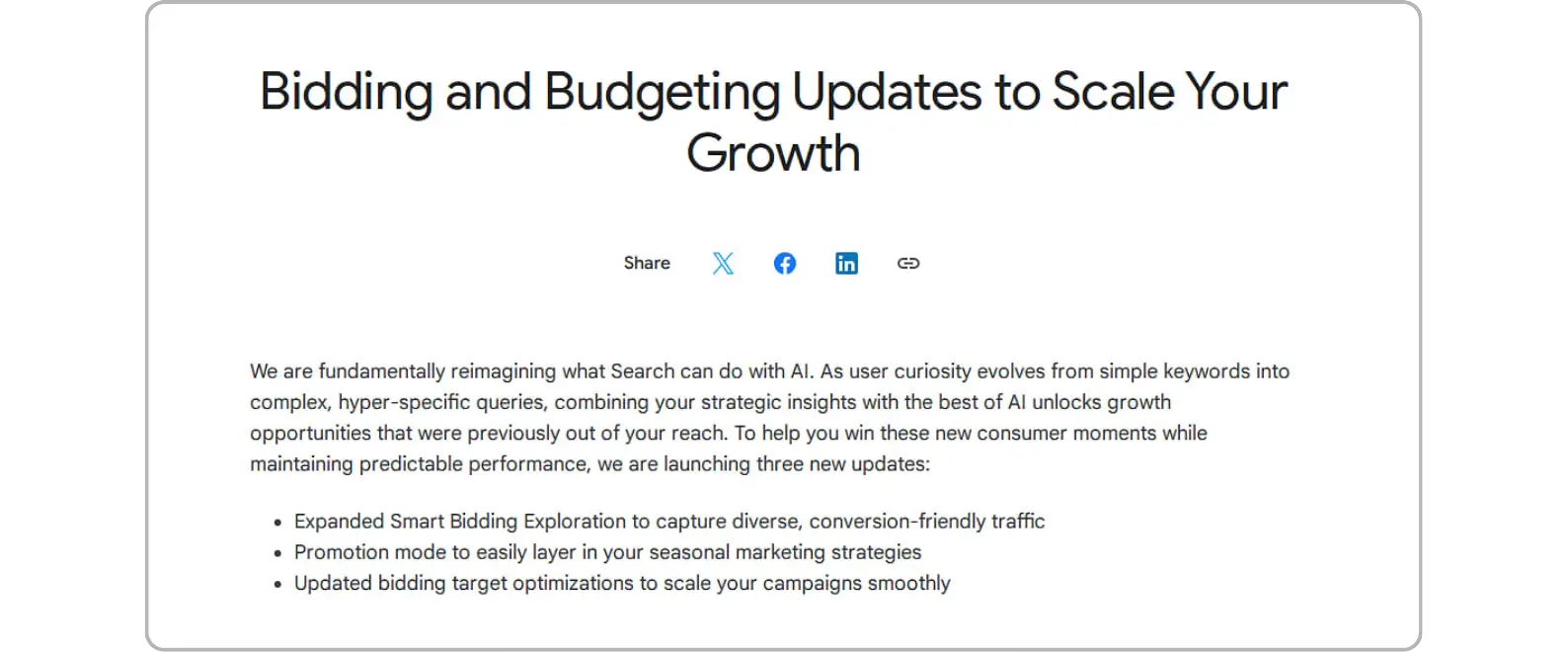
In mid-June 2026, Google Ads Liaison Ginny Marvin officially announced three google ads bidding changes on LinkedIn. Two expand tools that already existed but were not available to everyone. The third one kicks in automatically on August 17, whether you are ready or not. Let's break each one down so you actually know what is coming.
Update 1: What Is Smart Bidding Exploration and How Does It Work?
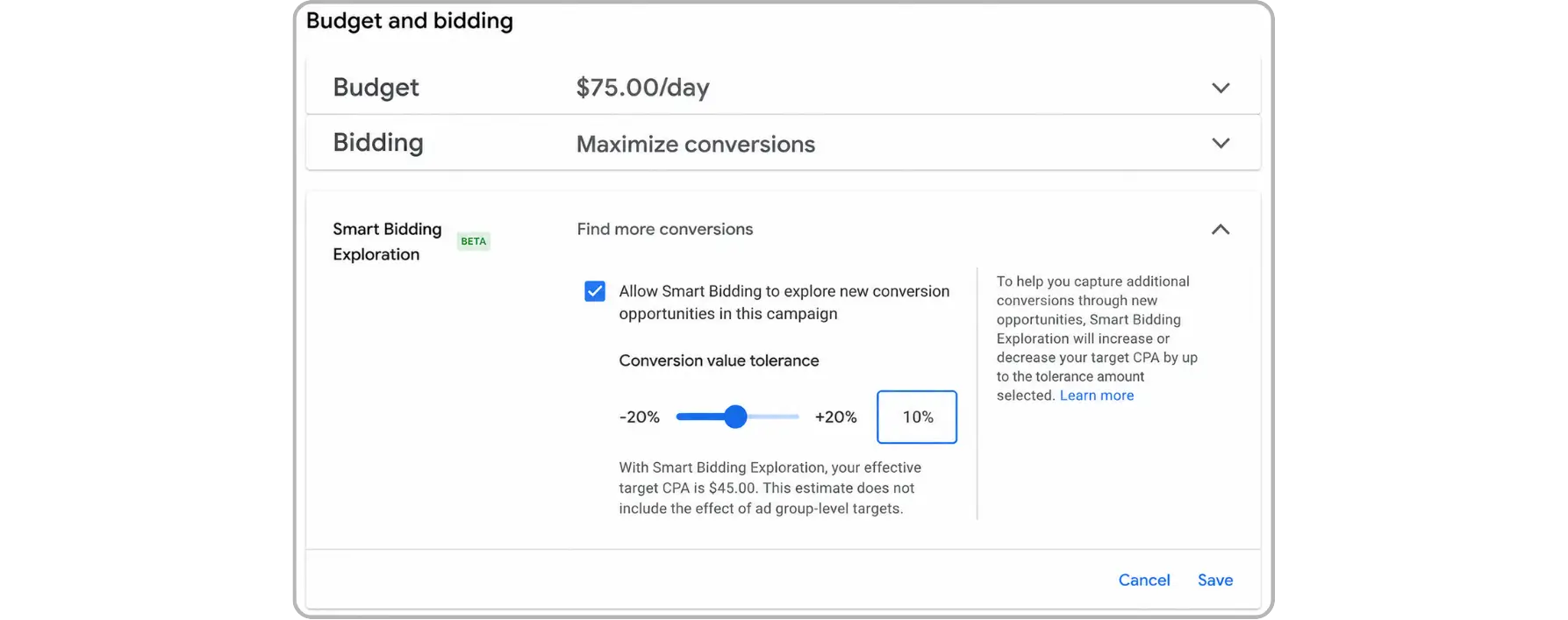
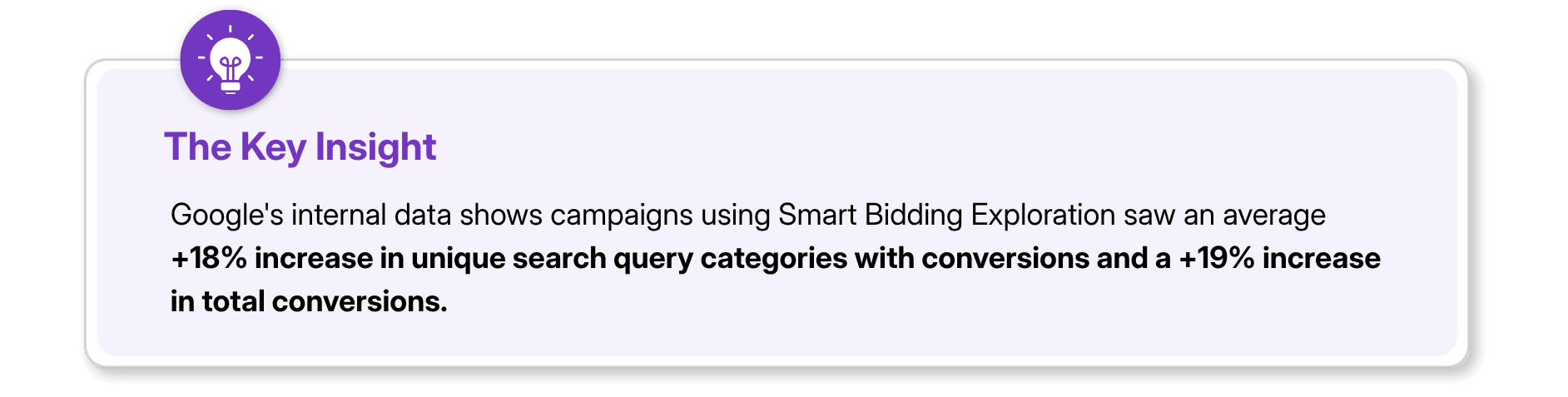
Smart Bidding Exploration is a Google Ads smart bidding feature that finds converting traffic from search queries your campaigns are not currently winning, all without changing your core ROAS targets.
So what does that actually mean in practice? You set a ROAS tolerance, basically telling Google how much room it has to explore. Google then goes out and tests unfamiliar query territory. If those queries bring in conversions, great. If not, they do not drag down your overall efficiency. It is exploration with a leash. Until now, Smart Bidding Exploration was only available to a limited set of advertisers. That changes with this update. It is now rolling out globally across all languages for Search campaigns and Performance Max campaigns without a product feed. Shopping advertisers are also getting a beta access, covering both standard Shopping and PMax campaigns with product feeds.
If your campaigns have felt stuck on volume despite healthy targets, this is worth paying attention to. Just know it works best when you already have strong conversion tracking in place and enough data for google ads smart bidding to learn from.
Update 2: What Is Promotion Mode and Why Should You Care About It?
Promotion mode is a new beta feature for Google Ads campaign management that lets you pre-schedule temporary boosts to your ROAS tolerance and daily budget around specific events like sales, launches, or seasonal peaks.
Here is the situation most advertisers know too well. A big sale is coming up. You manually bump the budget, adjust the ROAS target, cross your fingers, and then spend the next few days firefighting. It works, but it is messy and reactive. Promotion mode is built to fix exactly that. You set the promotional window ahead of time, define the tolerance and budget increase, and Google handles the adjustments automatically when that window opens. It is compatible with both daily budgets and campaign total budgets, so it fits most campaign setups.
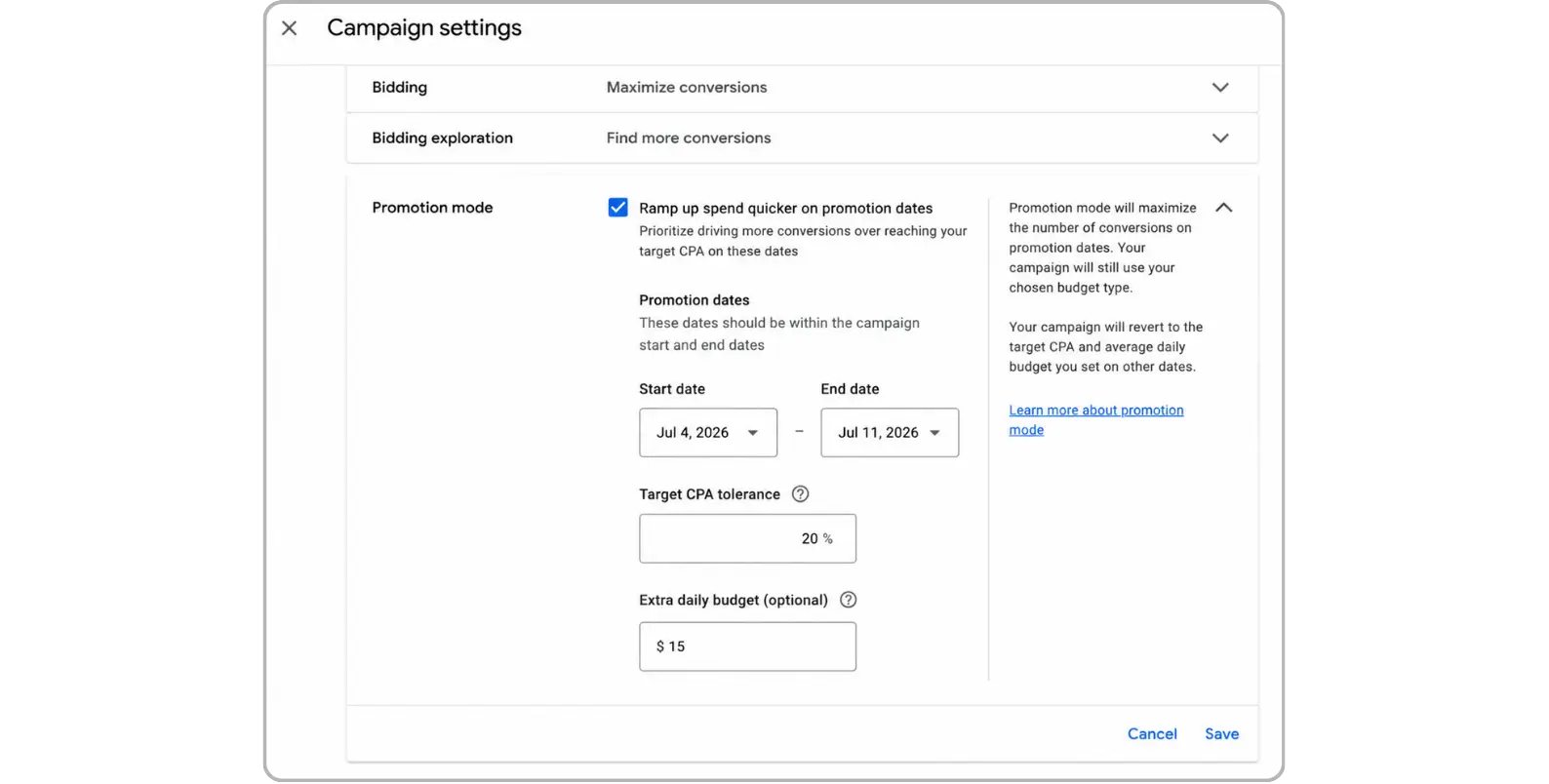
And in search engine marketing (SEM), timing is everything. Your competitors are increasing bids during the same peak windows. Going in with your budget already pre-set to scale means you are competing from a position of preparation, not panic.
Is Promotion Mode Available in Google Ads Campaign Management Right Now?
Not broadly, no. It is currently in beta for Search and Performance Max campaigns. Google has not published eligibility criteria, so your best move is to check your account or ask your Google account team directly. Do not lock it into your campaign calendar until you have confirmed it is available to you.
Update 3: How Is Google Changing Bidding Target Optimization for Budget-Limited Campaigns?
Starting August 17, 2026, Google is updating its backend bidding target optimization to help budget-limited campaigns perform more predictably, especially when budgets are increased.
This one is different from the first two. You do not have to opt in. It is happening in the background, and it will affect how your campaigns behave.
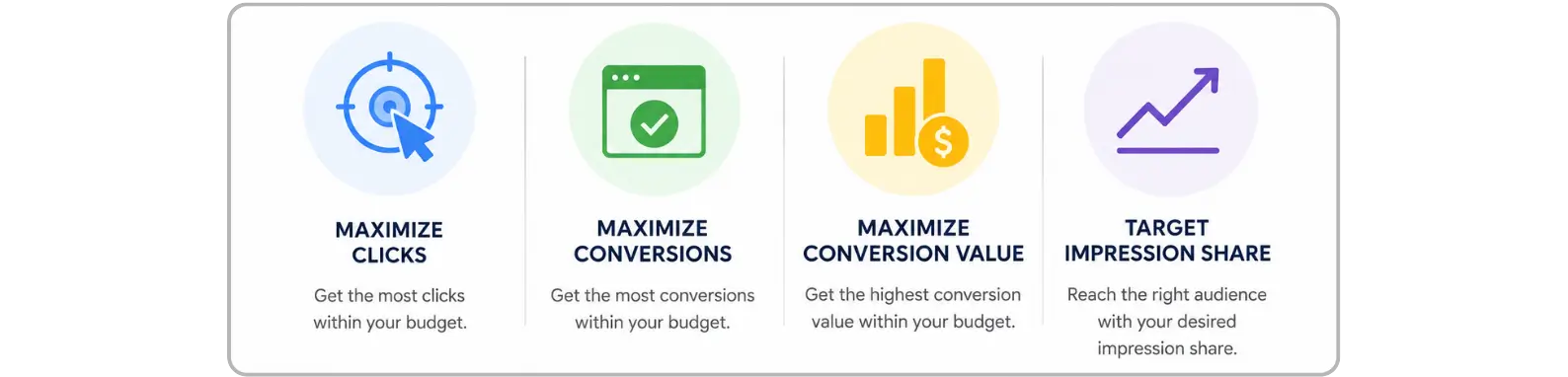
Here is the problem Google is trying to fix. When a campaign regularly hits its budget ceiling and then suddenly gets more budget, the algorithm does not always respond smoothly. Performance can spike or dip before things stabilize. The August 17 update is designed to make that scaling process cleaner and more consistent with your CPA and ROAS targets.
Google is calling out that there will likely be a short calibration period after the update goes live, where some campaigns see minor performance shifts. The good news is they are not dropping this on you without warning. Starting July 6, you will see notifications in your Google Ads account with historical campaign data and specific recommendations to help you prepare.
What Should You Do Before the Google Ads Bidding Changes on August 17?
You do not need to overhaul your account. But a few focused actions now will save you from headaches later.
Watch for the July 6 notifications. Google will surface account-specific data and quick-apply recommendations. Take five minutes to actually read them.
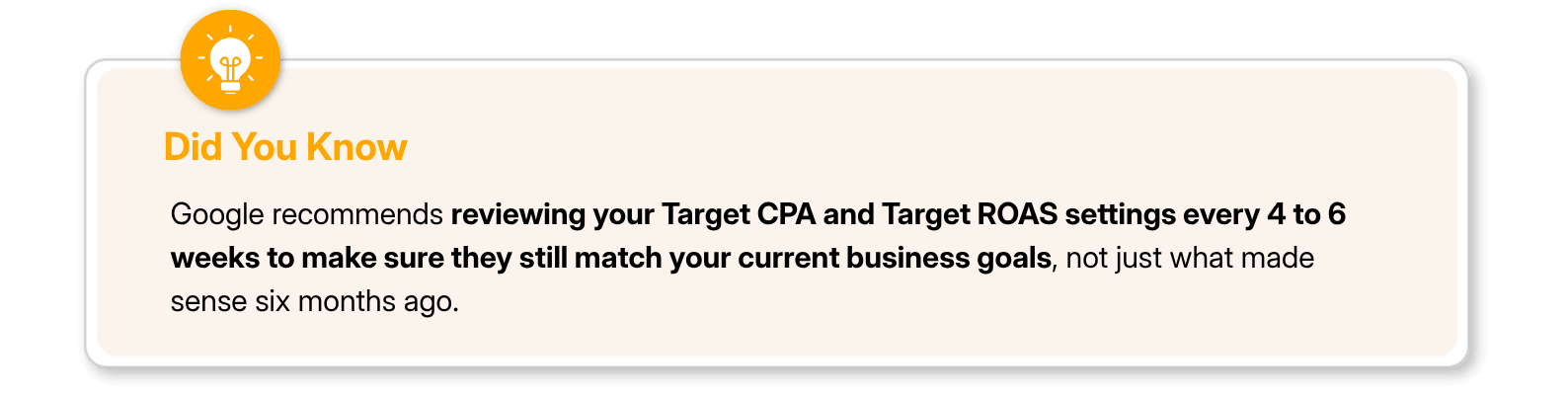
Revisit your CPA and ROAS targets. If they have not been updated in a while, now is the right time. Make sure they reflect where your business is today, not where it was when you first set them.
Identify your budget-limited campaigns. Run a quick filter and flag anything that regularly hits its daily cap. Those are the campaigns most likely to behave differently during the transition.
If you are working with clients, loop them in early. The July 6 notification window is a perfect moment to send a proactive heads-up. Clients appreciate being told about changes before they show up in reports asking questions.

Final Thoughts
These three updates point to the same direction Google has been moving for a while now. More automation, more AI-driven optimization, and fewer levers that advertisers control manually. That is not inherently bad, but it does mean staying informed matters more, not less. Update 1 gives you more reach without giving up efficiency. Update 2 gives you better control during your most important campaign moments. Update 3 is the one that happens regardless, so it is the one you should take most seriously right now.
The July 6 notifications are your first concrete checkpoint. Do not ignore them. The advertisers who prepare today will not be the ones scrambling in August.
FAQs
What is Smart Bidding Exploration in Google Ads?

Smart Bidding Exploration is a Google Ads smart bidding feature that allows campaigns to discover new converting traffic from search queries they are not currently winning. Advertisers set a ROAS tolerance, and Google uses it as a boundary to explore new query territory without compromising overall campaign efficiency.
How is Promotion mode different from increasing my Google Ads budget manually?
With a manual budget increase, you are adjusting settings in real time and hoping the timing works out. Promotion mode lets you schedule the increase in advance, set a defined window, and pair it with a ROAS tolerance adjustment, making it more structured and less reactive, particularly useful for seasonal events and flash sales.
Will the August 17 Google Ads bidding changes affect all campaigns?
The update specifically targets campaigns that are regularly limited by budget. If your campaigns rarely hit their daily budget cap, you are unlikely to notice significant changes. However, Google recommends all advertisers review their CPA and ROAS targets before the rollout, just to be safe.
What should advertisers do to prepare for the Google Ads bidding target optimization update?
Check your Google Ads account for notifications starting July 6, review and update your CPA or ROAS targets to reflect current business goals, and identify any campaigns that frequently run out of budget. These are the accounts that will need the closest monitoring after August 17.
Does Smart Bidding Exploration work for Shopping campaigns in Google Ads?
Yes, as part of this update, Google has opened a beta for Smart Bidding Exploration on Shopping campaigns, including both standard Shopping campaigns and Performance Max campaigns with product feeds. Previously, the feature was only available for Search and select Performance Max campaigns.
Let's be honest. If you manage Google Ads campaigns, you have probably had at least one moment where your ROAS targets felt too tight to grow but too risky to loosen. That tension is real, and Google is apparently paying attention.
In mid-June 2026, Google Ads Liaison Ginny Marvin officially announced three google ads bidding changes on LinkedIn. Two expand tools that already existed but were not available to everyone. The third one kicks in automatically on August 17, whether you are ready or not. Let's break each one down so you actually know what is coming.
Update 1: What Is Smart Bidding Exploration and How Does It Work?
Smart Bidding Exploration is a Google Ads smart bidding feature that finds converting traffic from search queries your campaigns are not currently winning, all without changing your core ROAS targets.
So what does that actually mean in practice? You set a ROAS tolerance, basically telling Google how much room it has to explore. Google then goes out and tests unfamiliar query territory. If those queries bring in conversions, great. If not, they do not drag down your overall efficiency. It is exploration with a leash. Until now, Smart Bidding Exploration was only available to a limited set of advertisers. That changes with this update. It is now rolling out globally across all languages for Search campaigns and Performance Max campaigns without a product feed. Shopping advertisers are also getting a beta access, covering both standard Shopping and PMax campaigns with product feeds.
If your campaigns have felt stuck on volume despite healthy targets, this is worth paying attention to. Just know it works best when you already have strong conversion tracking in place and enough data for google ads smart bidding to learn from.
Update 2: What Is Promotion Mode and Why Should You Care About It?
Promotion mode is a new beta feature for Google Ads campaign management that lets you pre-schedule temporary boosts to your ROAS tolerance and daily budget around specific events like sales, launches, or seasonal peaks.
Here is the situation most advertisers know too well. A big sale is coming up. You manually bump the budget, adjust the ROAS target, cross your fingers, and then spend the next few days firefighting. It works, but it is messy and reactive. Promotion mode is built to fix exactly that. You set the promotional window ahead of time, define the tolerance and budget increase, and Google handles the adjustments automatically when that window opens. It is compatible with both daily budgets and campaign total budgets, so it fits most campaign setups.
And in search engine marketing (SEM), timing is everything. Your competitors are increasing bids during the same peak windows. Going in with your budget already pre-set to scale means you are competing from a position of preparation, not panic.
Is Promotion Mode Available in Google Ads Campaign Management Right Now?
Not broadly, no. It is currently in beta for Search and Performance Max campaigns. Google has not published eligibility criteria, so your best move is to check your account or ask your Google account team directly. Do not lock it into your campaign calendar until you have confirmed it is available to you.
Update 3: How Is Google Changing Bidding Target Optimization for Budget-Limited Campaigns?
Starting August 17, 2026, Google is updating its backend bidding target optimization to help budget-limited campaigns perform more predictably, especially when budgets are increased.
This one is different from the first two. You do not have to opt in. It is happening in the background, and it will affect how your campaigns behave.
Here is the problem Google is trying to fix. When a campaign regularly hits its budget ceiling and then suddenly gets more budget, the algorithm does not always respond smoothly. Performance can spike or dip before things stabilize. The August 17 update is designed to make that scaling process cleaner and more consistent with your CPA and ROAS targets.
Google is calling out that there will likely be a short calibration period after the update goes live, where some campaigns see minor performance shifts. The good news is they are not dropping this on you without warning. Starting July 6, you will see notifications in your Google Ads account with historical campaign data and specific recommendations to help you prepare.
What Should You Do Before the Google Ads Bidding Changes on August 17?
You do not need to overhaul your account. But a few focused actions now will save you from headaches later.
Watch for the July 6 notifications. Google will surface account-specific data and quick-apply recommendations. Take five minutes to actually read them.
Revisit your CPA and ROAS targets. If they have not been updated in a while, now is the right time. Make sure they reflect where your business is today, not where it was when you first set them.
Identify your budget-limited campaigns. Run a quick filter and flag anything that regularly hits its daily cap. Those are the campaigns most likely to behave differently during the transition.
If you are working with clients, loop them in early. The July 6 notification window is a perfect moment to send a proactive heads-up. Clients appreciate being told about changes before they show up in reports asking questions.
Final Thoughts
These three updates point to the same direction Google has been moving for a while now. More automation, more AI-driven optimization, and fewer levers that advertisers control manually. That is not inherently bad, but it does mean staying informed matters more, not less. Update 1 gives you more reach without giving up efficiency. Update 2 gives you better control during your most important campaign moments. Update 3 is the one that happens regardless, so it is the one you should take most seriously right now.
The July 6 notifications are your first concrete checkpoint. Do not ignore them. The advertisers who prepare today will not be the ones scrambling in August.
FAQs
What is Smart Bidding Exploration in Google Ads?
Smart Bidding Exploration is a Google Ads smart bidding feature that allows campaigns to discover new converting traffic from search queries they are not currently winning. Advertisers set a ROAS tolerance, and Google uses it as a boundary to explore new query territory without compromising overall campaign efficiency.
How is Promotion mode different from increasing my Google Ads budget manually?
With a manual budget increase, you are adjusting settings in real time and hoping the timing works out. Promotion mode lets you schedule the increase in advance, set a defined window, and pair it with a ROAS tolerance adjustment, making it more structured and less reactive, particularly useful for seasonal events and flash sales.
Will the August 17 Google Ads bidding changes affect all campaigns?
The update specifically targets campaigns that are regularly limited by budget. If your campaigns rarely hit their daily budget cap, you are unlikely to notice significant changes. However, Google recommends all advertisers review their CPA and ROAS targets before the rollout, just to be safe.
What should advertisers do to prepare for the Google Ads bidding target optimization update?
Check your Google Ads account for notifications starting July 6, review and update your CPA or ROAS targets to reflect current business goals, and identify any campaigns that frequently run out of budget. These are the accounts that will need the closest monitoring after August 17.
Does Smart Bidding Exploration work for Shopping campaigns in Google Ads?
Yes, as part of this update, Google has opened a beta for Smart Bidding Exploration on Shopping campaigns, including both standard Shopping campaigns and Performance Max campaigns with product feeds. Previously, the feature was only available for Search and select Performance Max campaigns.



Summarize with AI

Latest Blogs







Want to be seen everywhere?
Get a free AI-search audit Today!



4.9/5 Ratings!


Don’t miss our revenue growth tips!
Get expert marketing tips—straight to your inbox, like thousands of happy clients.
Don’t miss our revenue growth tips!
Get expert marketing tips—straight to your inbox, like thousands of happy clients.
Don’t miss our revenue growth tips!
Don’t miss our revenue growth tips!
Get expert marketing tips—straight to your inbox, like thousands of happy clients.
Explore News, Updates & Strategies
Explore News, Updates & Strategies
Explore the latest industry updates, marketing trends, Google changes, expert insights, success stories, eCommerce strategies, AEO innovations, and lead generation techniques — all in one place.
Explore the latest industry updates, marketing trends, Google changes, expert insights, success stories, eCommerce strategies, AEO innovations, and lead generation techniques — all in one place.

Google Updates
Sep 26, 2026
3 Min Read
Google Search Console Adds Multimodal Search Performance Reporting
Google Updates
Sep 26, 2026
3 Min Read
Google Search Console Adds Multimodal Search Performance Reporting
Google Updates
Sep 26, 2026
3 Min Read
Google Search Console Adds Multimodal Search Performance Reporting

Google Updates
Sep 2, 2026
5 Min Read
Google Search Console's Generative AI Performance Report Goes Fully Global
Google Updates
Sep 2, 2026
5 Min Read
Google Search Console's Generative AI Performance Report Goes Fully Global
Google Updates
Sep 2, 2026
5 Min Read
Google Search Console's Generative AI Performance Report Goes Fully Global

Google Updates
Aug 18, 2026
5 Min Read
Google’s August 2026 Spam Update: Who Won, Who Lost & Why?
Google Updates
Aug 18, 2026
5 Min Read
Google’s August 2026 Spam Update: Who Won, Who Lost & Why?
Google Updates
Aug 18, 2026
5 Min Read
Google’s August 2026 Spam Update: Who Won, Who Lost & Why?



































Ready to speak with an expert?
Data-Driven Marketing Agency That Elevates ROI
1100+
Websites Designed & Optimized to Convert
$280M+
Client Revenue Driven & Growing Strong
Discover how to skyrocket
your revenue today!
Trusted by 1000+ Owners!
Ready to speak with an expert?
Data-Driven Marketing Agency That Elevates ROI
1100+
Websites Designed & Optimized to Convert
$280M+
Client Revenue Driven & Growing Strong
Discover how to skyrocket
your revenue today!
Trusted by 1000+ Owners!
Want to skyrocket revenue?
4.9/5 Ratings!
Ready to speak with an expert?
Data-Driven Marketing Agency That Elevates ROI
1100+
Websites Designed & Optimized to Convert
$280M+
Client Revenue Driven & Growing Strong
Discover how to skyrocket
your revenue today!
Trusted by 1000+ Owners!
Call
Meet