
Where Did That Page Go? Let’s Help You Find Your Way Back.
Where Did That Page Go? Let’s Help You Find Your Way Back.
404 Page
404 Page
404 Page
404 Page
A 404 page appears when a website cannot locate the page or resource a user is trying to access. The HTTP 404 “Not Found” status code means the browser successfully connected to the server, but the requested page does not exist.
A 404 page appears when a website cannot locate the page or resource a user is trying to access. The HTTP 404 “Not Found” status code means the browser successfully connected to the server, but the requested page does not exist.


Table of Content
Case Studies




Stop Losing Visitors and Rankings to Broken 404 Pages



4.9/5 Ratings!

Trilok S.
Trilok S.
6 Min Read
6 Min
OCT 08, 2025
OCT 08, 2025
What is a 404 Page?
Forget the confusing technical jargon. Simply put, a 404 is your site shrugging its shoulders and saying, "Nope, this address doesn't exist anymore." It pops up for tons of reasons, maybe a user misspelled the URL, or maybe you finally deleted that ancient page and forgot to update every last link pointing to it.
The actual disaster is the default 404 page most platforms give you. It's a cold, corporate mess. It offers absolutely zero assistance and basically begs the user to abandon ship. When they bounce in frustration, trust me, Google notices.
Here’s the deal: Google's whole job is to serve up great user experiences. They want to send traffic to sites that are genuinely helpful, not sites that just cause frustration.
Forget the confusing technical jargon. Simply put, a 404 is your site shrugging its shoulders and saying, "Nope, this address doesn't exist anymore." It pops up for tons of reasons, maybe a user misspelled the URL, or maybe you finally deleted that ancient page and forgot to update every last link pointing to it.
The actual disaster is the default 404 page most platforms give you. It's a cold, corporate mess. It offers absolutely zero assistance and basically begs the user to abandon ship. When they bounce in frustration, trust me, Google notices.
Here’s the deal: Google's whole job is to serve up great user experiences. They want to send traffic to sites that are genuinely helpful, not sites that just cause frustration.
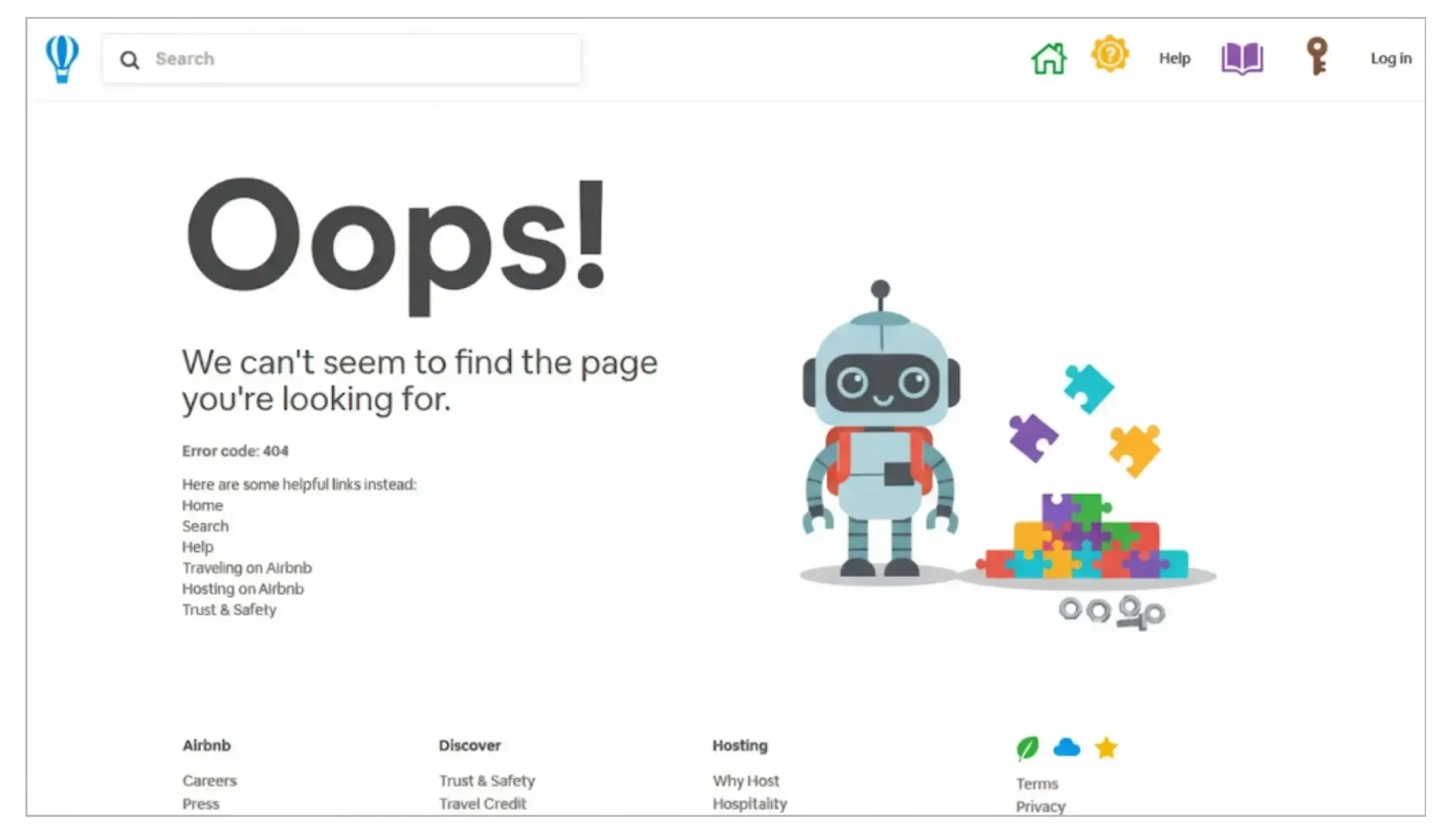
Why Does Google Care So Much?
So, if a visitor lands on your page, immediately hits a wall, and leaves right away that's a 'bounce,' and it throws a huge, glaring red flag to Google. It signals that your website just failed to deliver. Repeat that scenario a few hundred times, and yeah, your search rankings are going to suffer.
Custom 404 is the ultimate defense. It changes the entire narrative. Instead of creating frustration, you’re offering help. You’re telling Google, "Hey, even when things break, we're here to guide our users." You encourage people to stay, search for what they want, or just explore something new. Plus, it's a perfect, low-stakes chance to let your brand's voice shine, whether you’re super professional or a bit quirky. Humor, especially, can make a bad click into a memorable moment.
So, if a visitor lands on your page, immediately hits a wall, and leaves right away that's a 'bounce,' and it throws a huge, glaring red flag to Google. It signals that your website just failed to deliver. Repeat that scenario a few hundred times, and yeah, your search rankings are going to suffer.
Custom 404 is the ultimate defense. It changes the entire narrative. Instead of creating frustration, you’re offering help. You’re telling Google, "Hey, even when things break, we're here to guide our users." You encourage people to stay, search for what they want, or just explore something new. Plus, it's a perfect, low-stakes chance to let your brand's voice shine, whether you’re super professional or a bit quirky. Humor, especially, can make a bad click into a memorable moment.
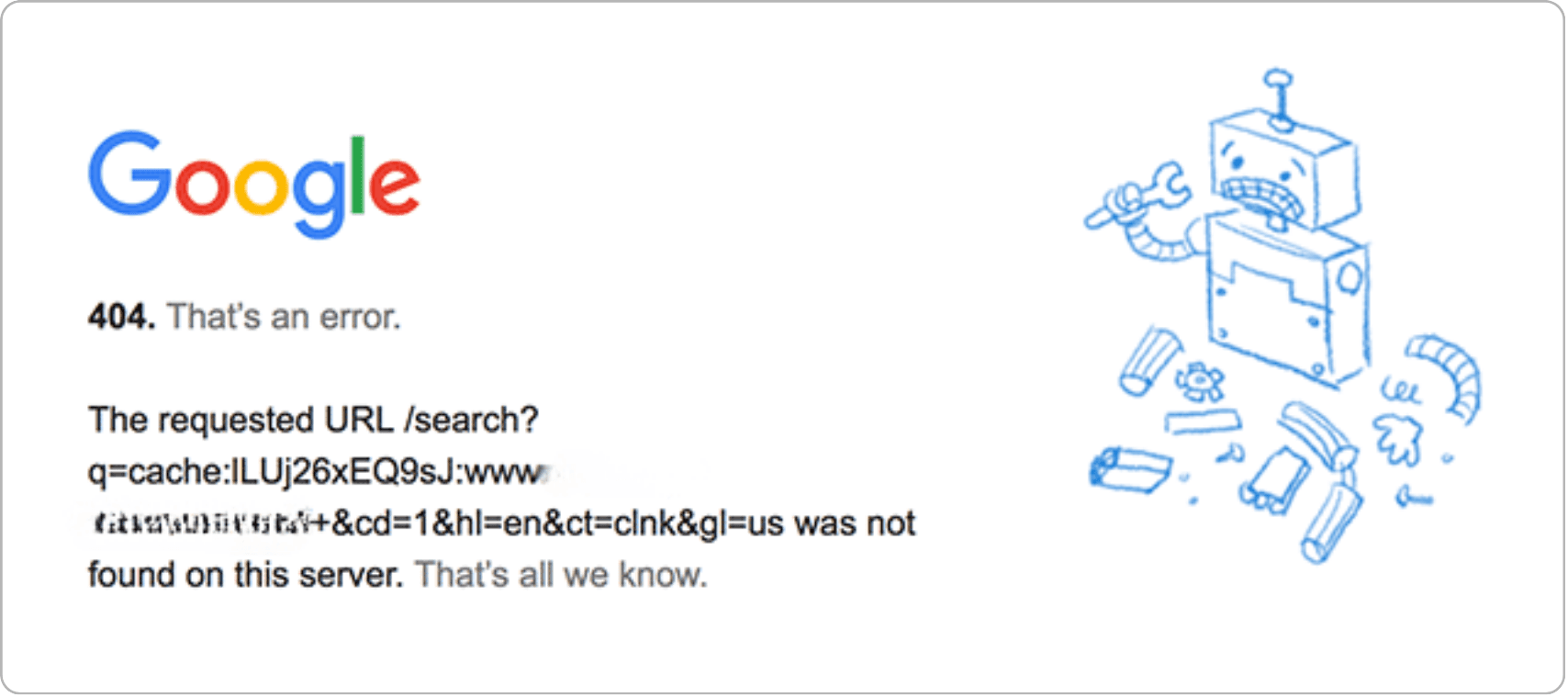
How Do We Make This Thing Useful?
Look, this isn't rocket science. You don't have to hire a fancy design agency. Step one is simple: Be Human. Ditch the robotic "404 Error" text. Try something light and real, like "Whoops! Looks like this page is packed in its bags." That’s immediately better.
Step two is the most critical move: Give Them a Way Out. They are currently stranded. Don't leave them there. All you need are a handful of simple features:
Look, this isn't rocket science. You don't have to hire a fancy design agency. Step one is simple: Be Human. Ditch the robotic "404 Error" text. Try something light and real, like "Whoops! Looks like this page is packed in its bags." That’s immediately better.
Step two is the most critical move: Give Them a Way Out. They are currently stranded. Don't leave them there. All you need are a handful of simple features:
The Lifeline: A huge, unmissable search bar and a clear link straight back to your homepage. Standard procedure.
The Bait: Use that space to feature your trending products or your best, stickiest blog posts. It's a second chance to catch their eye.
The Safety Net: Throw in a contact form or, even better, an instant-response chatbot. If they're truly lost and frustrated, they can get help instantly. That’s premium customer service.
You aren't building a whole new website here, just putting up a few helpful signposts.
You aren't building a whole new website here, just putting up a few helpful signposts.
Nitty-Gritty Technical Stuff
Making a nice, user-friendly page is essential for the people, but these two fixes are what really get you points with Google:
Making a nice, user-friendly page is essential for the people, but these two fixes are what really get you points with Google:
301 Redirects are Your Friend: If you deleted a piece of content, but you know exactly where the new, relevant stuff is, for heaven's sake, don't let the old link hit a 404. Set up a 301 permanent redirect. This sends the user and more importantly, the SEO juice of the old page right to the new one. It’s a must.
You Need to Track This: How can you fix it if you don't see it? You need to actively monitor all those 404 errors in Google Analytics and Google Search Console. This data is gold. It instantly tells you which specific links are dead so you can prioritize setting up those 301s or fixing any broken links you have internally.

Final Thoughts
That silly 404 page is way more than just backend technical garbage; it is a critical component of your customer’s journey. Taking ten minutes to make it friendlier, more helpful, and more functional, sends an undeniable message to everyone, your visitors and the search engines: you actually give a damn about their experience. Stop apologizing for the error, and start using the opportunity to guide, support, and maybe even close a sale.
That silly 404 page is way more than just backend technical garbage; it is a critical component of your customer’s journey. Taking ten minutes to make it friendlier, more helpful, and more functional, sends an undeniable message to everyone, your visitors and the search engines: you actually give a damn about their experience. Stop apologizing for the error, and start using the opportunity to guide, support, and maybe even close a sale.
Frequently Asked Questions (FAQs)
What is a 404 error page?

A 404 error page is shown when a webpage cannot be found. This happens when the URL is broken, deleted, or typed incorrectly.
Does a 404 page hurt SEO?
404s don’t directly hurt SEO, but a high number of them can increase bounce rates and create a poor user experience, both of which can negatively impact rankings.
How do I fix 404 errors on my website?
You can fix 404 errors by setting up 301 redirects, updating internal links, restoring deleted pages, or replacing outdated URLs.
Should I create a custom 404 page?
Yes. A custom 404 page improves user experience, reduces bounce rates, and keeps visitors engaged by offering helpful navigation options.
Why am I getting a 404 page?
You’re seeing a 404 page because the URL you tried to visit doesn’t exist. This can happen for a few reasons: the page may have been deleted, the link could be outdated, the URL might be misspelled, or the website owner may have moved the content without updating internal links.
How can I track 404 errors on my website?
Use Google Search Console (Coverage report, Page Indexing, Crawl Stats) and Google Analytics (Behavior > Site Content > Landing Pages).
Is it possible to completely avoid 404 errors?
No. 404s are normal. The goal is to minimize them, fix the important ones and provide a helpful, branded 404 page for the rest.
What is a 404 error page?
A 404 error page is shown when a webpage cannot be found. This happens when the URL is broken, deleted, or typed incorrectly.
Does a 404 page hurt SEO?
404s don’t directly hurt SEO, but a high number of them can increase bounce rates and create a poor user experience, both of which can negatively impact rankings.
How do I fix 404 errors on my website?
You can fix 404 errors by setting up 301 redirects, updating internal links, restoring deleted pages, or replacing outdated URLs.
Should I create a custom 404 page?
Yes. A custom 404 page improves user experience, reduces bounce rates, and keeps visitors engaged by offering helpful navigation options.
Why am I getting a 404 page?
You’re seeing a 404 page because the URL you tried to visit doesn’t exist. This can happen for a few reasons: the page may have been deleted, the link could be outdated, the URL might be misspelled, or the website owner may have moved the content without updating internal links.
How can I track 404 errors on my website?
Use Google Search Console (Coverage report, Page Indexing, Crawl Stats) and Google Analytics (Behavior > Site Content > Landing Pages).
Is it possible to completely avoid 404 errors?
No. 404s are normal. The goal is to minimize them, fix the important ones and provide a helpful, branded 404 page for the rest.
Stop Losing Visitors and Rankings to Broken 404 Pages
Stop Losing Visitors and Rankings to Broken 404 Pages
Let’s turn your error pages into useful tools for retention, navigation, and trust.
Let’s turn your error pages into useful tools for retention, navigation, and trust.
4.9/5 Ratings!
Share this article

Related Resources
Latest Blogs






Don’t miss our revenue growth tips!
Don’t miss our revenue growth tips!
Get expert marketing tips—straight to your inbox, like thousands of happy clients.
Get expert marketing tips—straight to your inbox, like thousands of happy clients.
Latest Blogs




































Ready to speak with an expert?
Data-Driven Marketing Agency That Elevates ROI
1100+
Websites Designed & Optimized to Convert
$280M+
Client Revenue Driven & Growing Strong
Discover how to skyrocket
your revenue today!
Trusted by 1000+ Owners!
Ready to speak with an expert?
Data-Driven Marketing Agency That Elevates ROI
1100+
Websites Designed & Optimized to Convert
$280M+
Client Revenue Driven & Growing Strong
Discover how to skyrocket
your revenue today!
Trusted by 1000+ Owners!
Want to skyrocket revenue?
4.9/5 Ratings!
Ready to speak with an expert?
Data-Driven Marketing Agency That Elevates ROI
1100+
Websites Designed & Optimized to Convert
$280M+
Client Revenue Driven & Growing Strong
Discover how to skyrocket
your revenue today!
Trusted by 1000+ Owners!
Call
Meet