Shopify's New AI Marketing Tool: Should Small Businesses Use It?
Shopify's New AI Marketing Tool: Should Small Businesses Use It?
Last Updated:
Table of Content
Client Testimonials








Lucky Soni
Lucky Soni
Lucky Soni
Web Design
Web Design
Web Design
10 Min Read
10 Min Read
As a small ecommerce business owner, you're likely to have to wear many hats, from fulfillment to customer service, product development to marketing. It's not always easy to devote the attention to developing and maintaining marketing campaigns, especially with so much else to do.
Which is why Shopify's Campaign Autopilot is so popular. It will streamline essential marketing functions, such as email marketing and advertising, allowing merchants to connect with customers with less hands-on work and effort. While it may seem like a significant time-saver for busy store owners, it also poses a key question: does it provide real value or is it another AI gimmick with big promises?
The reality is that Campaign Autopilot works and it has some drawbacks. As a marketing tool and time-saving measure, it's a good idea, but it's not the best one for every business or every marketing objective.
Let's take an in-depth look into what Campaign Autopilot does, where it doesn't work so well, and how to determine if it's a perfect match for your store.
What Is Shopify Campaign Autopilot?
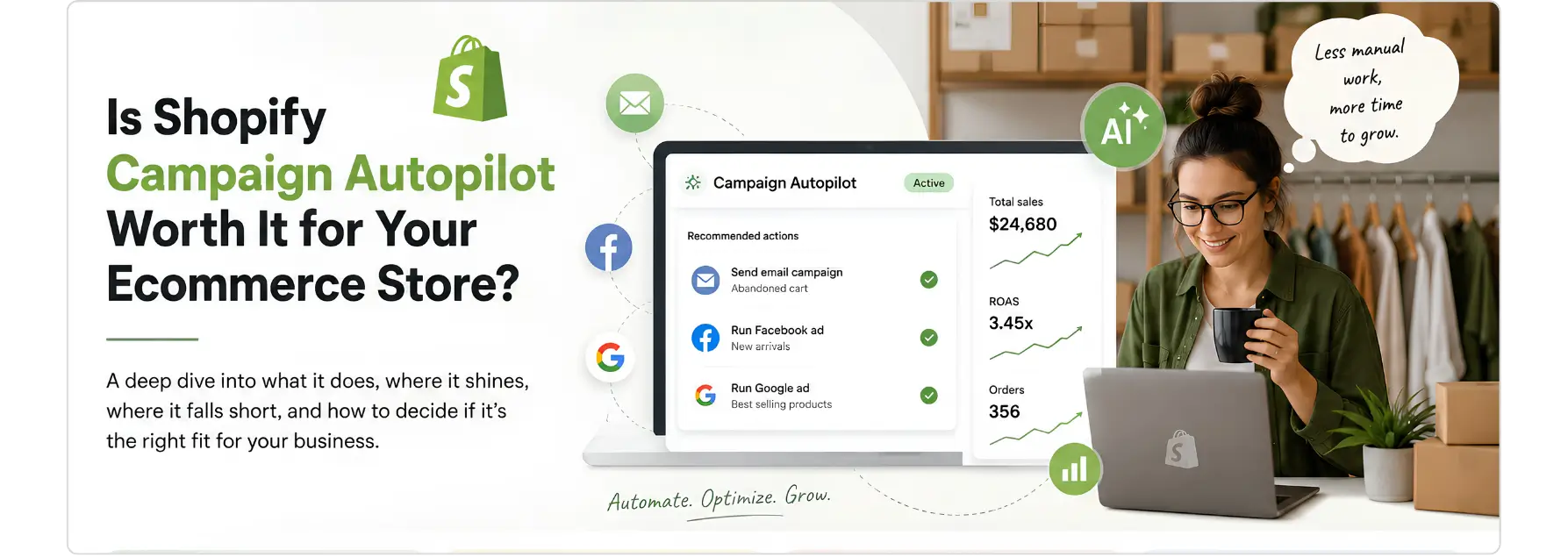
Campaign Autopilot is a new AI-powered marketing tool directly integrated within the Shopify admin. Merchants establish monthly budgets, link their channels, and establish guardrails, after which the tool takes care of the heavy lifting, creating campaigns, distributing spend by channel and adjusting as per performance.
These channels are currently available: Meta ads, Shop Campaigns (US and Canada only), and Shopify Messaging for email automations like abandoned cart and abandoned browse sequences. More channels will be added soon such as ChatGPT Ads, Microsoft Advertising, and Snapchat.
The tool is located in a new part of your Shopify admin, formerly part of the Marketing section but now under the banner Growth, which indicates how Shopify is considering this change.

How the Setup Actually Works
The process is straightforward enough that it doesn't require prior ad experience:
Attach your channels - Campaign Autopilot will even generate a new Meta ad account if you don't have one.
Create a monthly budget – it will deploy this to all the channels you connect.
Establish guardrails - determine the level of autonomy to allow it, ranging from reviewing all campaigns before they go live to allowing the campaign to become more and more popular with time.
Campaign Autopilot develops a strategy, develops campaigns, allocates budget where it thinks it will do the best work, and adapts as it proceeds.
You're always in control - you can refuse recommended activity, adjust budget limits or stop activity at any time.
One important detail: Campaign Autopilot won't touch your existing campaigns. If you're already running ads on Meta or Shop, it creates entirely separate campaigns, your current work stays as-is
What Makes This Different From Running Ads Yourself
Managing ads manually across multiple platforms is genuinely hard. You're switching between Meta Ads Manager, email tools, and reporting dashboards, each with its own learning curve, billing setup, and optimization logic. For most small business owners, keeping that infrastructure running is a part-time job in itself.
Campaign Autopilot's case for itself rests on two things: Consolidation and Data Scale.
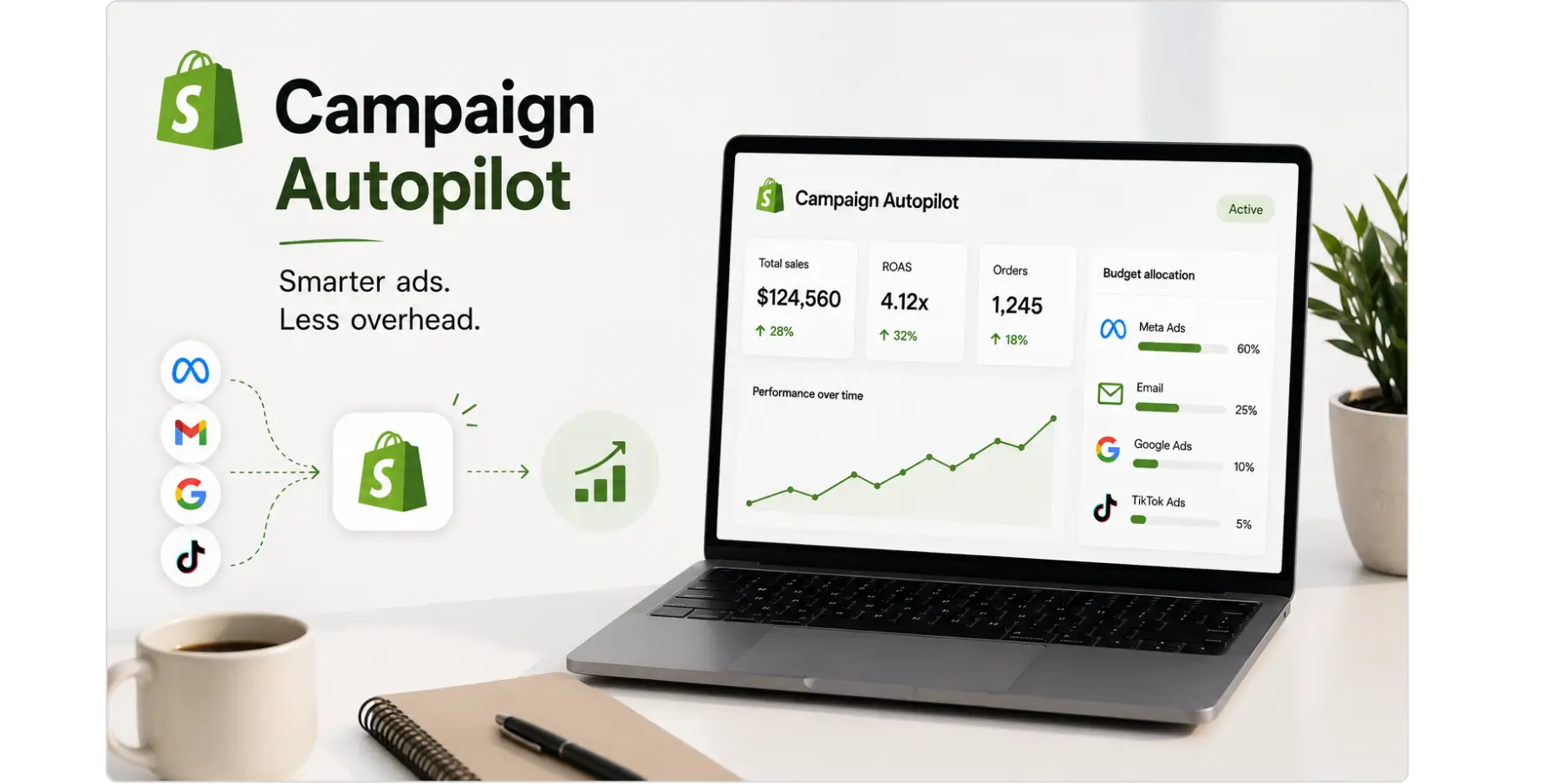
You no longer need to juggle your Meta and email from separate tabs, but Campaign Autopilot manages across all connected channels from one place, shifting your budget to what works and redirecting it to what doesn't. That is a huge amount of overhead which is taken off the table everyday.
The more interesting one is that regarding intelligence. Shopify's data reflects the performance of millions of stores, including which channels are the most successful for your category, region and growth stage, so Campaign Autopilot can make recommendations that a single-channel tool or generalist agency can't, since they're based on real growth patterns, not generic advice.
A one-person founder who has never executed a Meta campaign doesn't require a basic automation, they require a smart automation.
This isn't just a simple "set and forget" ad tool, as it is based on the platform-level information that Shopify has at its disposal and no single merchant could ever have it on their own.
Campaign Autopilot vs. a Marketing Agency: What's the Real Difference?
This is likely to be the burning question on the minds of many small business owners. When your strategy is multi-channel marketing and Campaign Autopilot can manage it for you, why should you pay an agency?
The truth, in short, they are addressing different issues.
Campaign Autopilot does a fantastic job of execution! It sets up campaigns, allocates budget, tracks performance, and maximizes spend without any interaction with ads dashboards. If the merchant isn't currently paying for any marketing, this is a huge advantage to them.
Any digital marketing agency that's good at ecommerce carries strategy. That involves knowing your own customer journey, segmenting first-party data into custom audiences, creating relevant messaging for your various buyer segments, and understanding what the performance signals mean and are telling you, rather than just reacting to them algorithmically.
Where Campaign Autopilot has the edge:
Speed to launch - no agency onboarding, no briefing process, no waiting
Zero tool cost - you only pay for ad spend
Shopify-native data integration - your store catalog, order history, and customer data feed directly into campaign creation
Low risk for first-time advertisers - guardrails prevent runaway spend
Built-in learning - recommendations improve as it sees more of your store's patterns
Where a specialist agency has the edge:
Custom audience strategy - lookalike modeling, CRM integration, suppression lists
Creative direction - ad copy testing, visual strategy, messaging frameworks by funnel stage
Cross-channel attribution - understanding which touchpoints actually drive revenue, not just last-click
Competitor and market analysis - informing strategy with external context, not just internal data
Scalability planning - knowing when to increase budget, shift channels, or restructure campaigns as the business grows
For many small businesses, the right answer is to start with Campaign Autopilot and graduate to specialist support once you have traction and real data to work with. The two aren't mutually exclusive, in fact, a good agency can use what Campaign Autopilot learns about your store as a starting point for deeper strategy.
What It Won't Do (And Shopify Is Honest About This)
It's here where Campaign Autopilot gets a fair reading, not a breathless one.
Shopify admits that there is no genuine marketing tool that can ensure results. Campaign Autopilot works around the clock across every channel to discover what'll actually lead to sales – changes accordingly based on actual performance, not on assumption – but it takes time to see the results.
The tool also requires time to understand what works for your business: what types of audiences are receptive, what channels are effective for converting, and what ads are effective. Don't think that you'll make any money in that first week. Not only that, there's a creative constraint.
Campaign Autopilot leverages your existing product images and catalogs to create your campaigns, but it's not creating AI images for you. That's why it looks like your store when it's out there. It's a reasonable design decision and because of the authenticity in ads, it's something that if your product photography is bad, your campaigns will be too.
Also, not in a keyword-driven search advertising. Campaign Autopilot will not cover paid search, Google Ads or Microsoft Ads if it plays a significant role in your customer acquisition strategy. This channel mix is currently favoring social and intent driven discovery over actual search.
While Sidekick (Shopify's AI assistant) can help you evaluate performance and pose questions, it doesn't give you the same sort of advice and counsel that a human strategist would. Optimizes inside the system. It doesn't question whether the system itself is set up correctly.
Should Small Businesses Use Shopify Campaign Autopilot?
Use Campaign Autopilot if you:
Have never run ads before and want a guided starting point with guardrails
Don't have time or budget to manage campaigns manually across platforms
Want to test paid social and email automation without committing to an agency
Are already on a paid Shopify plan and have nothing to lose by exploring early access
Be cautious if you:
Already have a well-optimized ad setup, adding a parallel campaign layer may create confusion or budget fragmentation
Have very niche products where mass-platform optimization may miss your specific audience
Need deep creative control and custom audiences built from proprietary data
Are expecting quick returns without a budget or patience for a learning period
Consider working with a specialist if:
Your business has meaningful ad spend and a track record worth protecting
You need more sophisticated strategy, A/B testing, custom funnel architecture, cross-channel attribution
You want reporting that ties ad performance to true revenue outcomes, not just clicks or spend
Campaign Autopilot lowers the barrier to running multi-channel marketing campaigns by automating much of the work traditionally handled by agencies or in-house specialists. That's genuine value for early-stage stores. But automation doesn't replace strategy, it executes it. If the strategy is unclear, the tool will efficiently execute something unclear.
The Bigger Picture for Ecommerce Marketing
That's part of a wider trend in the industry, and it's what Shopify is doing here. The launch marks a larger movement towards autonomous marketing systems which can take on campaigns with little to no human input and continually adjust for optimal performance.
The trend will not die out. This gap between ‘running ads manually' and ‘running ads with AI assistance' will continue to grow, and AI-powered marketing tools will continue to evolve. In fact, for small business owners who lack agency-level marketing expertise, resources like Campaign Autopilot can be a godsend when it comes to competing without the resources of an agency.
However, the best stores for this aren't the ones who give it a shot, and come back to check on it three months later. It's they who use Campaign Autopilot as a good co-pilot, take a look at what it's doing, learn from the data it brings to them, and adapt over time.
Campaign Autopilot lets you know what is working, i.e.: where are orders coming in from, which products are converting, where the lackluster products are, and what they're doing about it. Use that visibility. The ones who listen to the reason of the success will perform better than the other merchants who simply let things go.
Then there's the longer-term implication to consider. With the proliferation of AI-powered discovery, like Meta's algorithm or ChatGPT's shopping suggestions, it's important to be there first on all of these channels. Brands that put in the effort to build presence and performance data today will be able to gain a compound advantage compared to brands that will wait until these channels are full and costlier.
How to Get the Most Out of Campaign Autopilot
If you decide to give Campaign Autopilot a serious run, how you set it up matters. Here are the practical things worth doing before and after you turn it on.
Before you launch:
Organize your product catalog - Drop out-of-stock products, craft clear product titles and descriptions, and be sure prices are correct. When you create ads with Campaign Autopilot, they're built from your catalog. The ads will be too if the catalog is messy.
Review the product images – remember that the tool will be based on your existing images, so picture power is more important than ever. Dark or cluttered product photos aren't as effective in paid social as simple, well-lit images on a clean background.
Establish an attainable budget - Shopify suggests beginning with a budget that you could sustain for up to 60-90 days. If the learning is underfunded, then the algorithm doesn't have a meaningful signal with which to optimise.
Connect your Meta account first – even if you are going to be using many channels, Meta is usually the fastest in providing initial indication of what works with your audience.
Set boundaries precisely - rather over-approve at first and gradually ease restrictions as you gain confidence in the system than to restrict it from the start.
Once it's running:
Monitor early performance on the Growth tab, but not every day - too much monitoring leads to early conclusions. The system is still training the first few weeks.
Ask questions using Sidekick about your results - rather than assuming that you understand why something works or doesn't work, ask questions about it. A good question to get started is, 'Which channel is creating the most sales this month?'.
Highlight products that make sense to invest in – if products have been clearly identified as ones that Campaign Autopilot continually directs spend to, then it is a market signal that is warranted in your overall business strategy.
Avoid manually running competing campaigns on the same channels as you are running Campaign Autopilot campaigns on Meta - if you run your own Meta campaign while Campaign Autopilot is running Meta ads, you could be bidding against yourself and increasing your own CPMs.
Review guardrails in 30 days - if all of these campaigns have done a reasonable job and they have been approved, it may be time to let more automation take the place of some manual work.
Getting Started
Campaign Autopilot, meanwhile, is now in early access and will be released to the public in the future. If your store is eligible, you'll discover it on the Growth tab in your Shopify admin. If it is not available yet, you can register and Shopify will inform you when available for your store.
Aim for a conservative monthly budget, turn the guardrails on (approve campaigns before they go live), and make sure to wait at least 60-90 days before judging. Get insights on campaign performance and have questions answered with Shopify's AI assistant, Sidekick.
When you're past the early-stage and are looking for more of a strategic approach, custom audience development, cross-channel attribution, content that gets organic traction – that's where working with a dedicated ecommerce digital marketing agency really pays off. Neither of these are mutually exclusive. Campaign Autopilot will prove the most beneficial for many merchants to use as a base and add a specialist strategy when the business is more established.
FAQs
What is Shopify Campaign Autopilot and how does it work?

Campaign Autopilot is an AI-driven marketing tool that is built right into the Shopify admin, under the Growth tab. You link your channels, set a monthly budget and add guardrails. The tool then automatically creates campaigns, allocates spend and optimises from real performance data across all connected channels.
How is Shopify Campaign Autopilot different from other ad tools?
Most ad tools operate on a single channel. Campaign Autopilot manages across all connected channels from one place and draws on Shopify's platform-level data from millions of stores to inform its decisions. This means its recommendations are based on real growth patterns for your category, region, and store stage, not generic benchmarks.
How do I access Shopify Campaign Autopilot for my store?
Campaign Autopilot is currently in early access. If your store is eligible, you will find it under the Growth tab in your Shopify admin. If it is not available yet, you can register your interest and Shopify will notify you when access opens for your store.
Can I pause or stop Campaign Autopilot at any time?
Yes. You retain full control throughout. You can refuse recommended campaigns, adjust your budget limits, pause specific channels, or stop all activity entirely at any point. The tool is designed to operate within whatever boundaries you set and does not lock you into any commitment.
What does it mean to review guardrails after 30 days?
After the first 30 days, you should look at which campaigns Campaign Autopilot has proposed and how they have performed. If the approved campaigns are delivering reasonable results, it may be time to loosen your guardrails and allow the system more autonomy to act faster. Tighter guardrails slow the learning process because every action requires human approval first.
As a small ecommerce business owner, you're likely to have to wear many hats, from fulfillment to customer service, product development to marketing. It's not always easy to devote the attention to developing and maintaining marketing campaigns, especially with so much else to do.
Which is why Shopify's Campaign Autopilot is so popular. It will streamline essential marketing functions, such as email marketing and advertising, allowing merchants to connect with customers with less hands-on work and effort. While it may seem like a significant time-saver for busy store owners, it also poses a key question: does it provide real value or is it another AI gimmick with big promises?
The reality is that Campaign Autopilot works and it has some drawbacks. As a marketing tool and time-saving measure, it's a good idea, but it's not the best one for every business or every marketing objective.
Let's take an in-depth look into what Campaign Autopilot does, where it doesn't work so well, and how to determine if it's a perfect match for your store.
What Is Shopify Campaign Autopilot?
Campaign Autopilot is a new AI-powered marketing tool directly integrated within the Shopify admin. Merchants establish monthly budgets, link their channels, and establish guardrails, after which the tool takes care of the heavy lifting, creating campaigns, distributing spend by channel and adjusting as per performance.
These channels are currently available: Meta ads, Shop Campaigns (US and Canada only), and Shopify Messaging for email automations like abandoned cart and abandoned browse sequences. More channels will be added soon such as ChatGPT Ads, Microsoft Advertising, and Snapchat.
The tool is located in a new part of your Shopify admin, formerly part of the Marketing section but now under the banner Growth, which indicates how Shopify is considering this change.
How the Setup Actually Works
The process is straightforward enough that it doesn't require prior ad experience:
Attach your channels - Campaign Autopilot will even generate a new Meta ad account if you don't have one.
Create a monthly budget – it will deploy this to all the channels you connect.
Establish guardrails - determine the level of autonomy to allow it, ranging from reviewing all campaigns before they go live to allowing the campaign to become more and more popular with time.
Campaign Autopilot develops a strategy, develops campaigns, allocates budget where it thinks it will do the best work, and adapts as it proceeds.
You're always in control - you can refuse recommended activity, adjust budget limits or stop activity at any time.
One important detail: Campaign Autopilot won't touch your existing campaigns. If you're already running ads on Meta or Shop, it creates entirely separate campaigns, your current work stays as-is
What Makes This Different From Running Ads Yourself
Managing ads manually across multiple platforms is genuinely hard. You're switching between Meta Ads Manager, email tools, and reporting dashboards, each with its own learning curve, billing setup, and optimization logic. For most small business owners, keeping that infrastructure running is a part-time job in itself.
Campaign Autopilot's case for itself rests on two things: Consolidation and Data Scale.
You no longer need to juggle your Meta and email from separate tabs, but Campaign Autopilot manages across all connected channels from one place, shifting your budget to what works and redirecting it to what doesn't. That is a huge amount of overhead which is taken off the table everyday.
The more interesting one is that regarding intelligence. Shopify's data reflects the performance of millions of stores, including which channels are the most successful for your category, region and growth stage, so Campaign Autopilot can make recommendations that a single-channel tool or generalist agency can't, since they're based on real growth patterns, not generic advice.
A one-person founder who has never executed a Meta campaign doesn't require a basic automation, they require a smart automation.
This isn't just a simple "set and forget" ad tool, as it is based on the platform-level information that Shopify has at its disposal and no single merchant could ever have it on their own.
Campaign Autopilot vs. a Marketing Agency: What's the Real Difference?
This is likely to be the burning question on the minds of many small business owners. When your strategy is multi-channel marketing and Campaign Autopilot can manage it for you, why should you pay an agency?
The truth, in short, they are addressing different issues.
Campaign Autopilot does a fantastic job of execution! It sets up campaigns, allocates budget, tracks performance, and maximizes spend without any interaction with ads dashboards. If the merchant isn't currently paying for any marketing, this is a huge advantage to them.
Any digital marketing agency that's good at ecommerce carries strategy. That involves knowing your own customer journey, segmenting first-party data into custom audiences, creating relevant messaging for your various buyer segments, and understanding what the performance signals mean and are telling you, rather than just reacting to them algorithmically.
Where Campaign Autopilot has the edge:
Speed to launch - no agency onboarding, no briefing process, no waiting
Zero tool cost - you only pay for ad spend
Shopify-native data integration - your store catalog, order history, and customer data feed directly into campaign creation
Low risk for first-time advertisers - guardrails prevent runaway spend
Built-in learning - recommendations improve as it sees more of your store's patterns
Where a specialist agency has the edge:
Custom audience strategy - lookalike modeling, CRM integration, suppression lists
Creative direction - ad copy testing, visual strategy, messaging frameworks by funnel stage
Cross-channel attribution - understanding which touchpoints actually drive revenue, not just last-click
Competitor and market analysis - informing strategy with external context, not just internal data
Scalability planning - knowing when to increase budget, shift channels, or restructure campaigns as the business grows
For many small businesses, the right answer is to start with Campaign Autopilot and graduate to specialist support once you have traction and real data to work with. The two aren't mutually exclusive, in fact, a good agency can use what Campaign Autopilot learns about your store as a starting point for deeper strategy.
What It Won't Do (And Shopify Is Honest About This)
It's here where Campaign Autopilot gets a fair reading, not a breathless one.
Shopify admits that there is no genuine marketing tool that can ensure results. Campaign Autopilot works around the clock across every channel to discover what'll actually lead to sales – changes accordingly based on actual performance, not on assumption – but it takes time to see the results.
The tool also requires time to understand what works for your business: what types of audiences are receptive, what channels are effective for converting, and what ads are effective. Don't think that you'll make any money in that first week. Not only that, there's a creative constraint.
Campaign Autopilot leverages your existing product images and catalogs to create your campaigns, but it's not creating AI images for you. That's why it looks like your store when it's out there. It's a reasonable design decision and because of the authenticity in ads, it's something that if your product photography is bad, your campaigns will be too.
Also, not in a keyword-driven search advertising. Campaign Autopilot will not cover paid search, Google Ads or Microsoft Ads if it plays a significant role in your customer acquisition strategy. This channel mix is currently favoring social and intent driven discovery over actual search.
While Sidekick (Shopify's AI assistant) can help you evaluate performance and pose questions, it doesn't give you the same sort of advice and counsel that a human strategist would. Optimizes inside the system. It doesn't question whether the system itself is set up correctly.
Should Small Businesses Use Shopify Campaign Autopilot?
Use Campaign Autopilot if you:
Have never run ads before and want a guided starting point with guardrails
Don't have time or budget to manage campaigns manually across platforms
Want to test paid social and email automation without committing to an agency
Are already on a paid Shopify plan and have nothing to lose by exploring early access
Be cautious if you:
Already have a well-optimized ad setup, adding a parallel campaign layer may create confusion or budget fragmentation
Have very niche products where mass-platform optimization may miss your specific audience
Need deep creative control and custom audiences built from proprietary data
Are expecting quick returns without a budget or patience for a learning period
Consider working with a specialist if:
Your business has meaningful ad spend and a track record worth protecting
You need more sophisticated strategy, A/B testing, custom funnel architecture, cross-channel attribution
You want reporting that ties ad performance to true revenue outcomes, not just clicks or spend
Campaign Autopilot lowers the barrier to running multi-channel marketing campaigns by automating much of the work traditionally handled by agencies or in-house specialists. That's genuine value for early-stage stores. But automation doesn't replace strategy, it executes it. If the strategy is unclear, the tool will efficiently execute something unclear.
The Bigger Picture for Ecommerce Marketing
That's part of a wider trend in the industry, and it's what Shopify is doing here. The launch marks a larger movement towards autonomous marketing systems which can take on campaigns with little to no human input and continually adjust for optimal performance.
The trend will not die out. This gap between ‘running ads manually' and ‘running ads with AI assistance' will continue to grow, and AI-powered marketing tools will continue to evolve. In fact, for small business owners who lack agency-level marketing expertise, resources like Campaign Autopilot can be a godsend when it comes to competing without the resources of an agency.
However, the best stores for this aren't the ones who give it a shot, and come back to check on it three months later. It's they who use Campaign Autopilot as a good co-pilot, take a look at what it's doing, learn from the data it brings to them, and adapt over time.
Campaign Autopilot lets you know what is working, i.e.: where are orders coming in from, which products are converting, where the lackluster products are, and what they're doing about it. Use that visibility. The ones who listen to the reason of the success will perform better than the other merchants who simply let things go.
Then there's the longer-term implication to consider. With the proliferation of AI-powered discovery, like Meta's algorithm or ChatGPT's shopping suggestions, it's important to be there first on all of these channels. Brands that put in the effort to build presence and performance data today will be able to gain a compound advantage compared to brands that will wait until these channels are full and costlier.
How to Get the Most Out of Campaign Autopilot
If you decide to give Campaign Autopilot a serious run, how you set it up matters. Here are the practical things worth doing before and after you turn it on.
Before you launch:
Organize your product catalog - Drop out-of-stock products, craft clear product titles and descriptions, and be sure prices are correct. When you create ads with Campaign Autopilot, they're built from your catalog. The ads will be too if the catalog is messy.
Review the product images – remember that the tool will be based on your existing images, so picture power is more important than ever. Dark or cluttered product photos aren't as effective in paid social as simple, well-lit images on a clean background.
Establish an attainable budget - Shopify suggests beginning with a budget that you could sustain for up to 60-90 days. If the learning is underfunded, then the algorithm doesn't have a meaningful signal with which to optimise.
Connect your Meta account first – even if you are going to be using many channels, Meta is usually the fastest in providing initial indication of what works with your audience.
Set boundaries precisely - rather over-approve at first and gradually ease restrictions as you gain confidence in the system than to restrict it from the start.
Once it's running:
Monitor early performance on the Growth tab, but not every day - too much monitoring leads to early conclusions. The system is still training the first few weeks.
Ask questions using Sidekick about your results - rather than assuming that you understand why something works or doesn't work, ask questions about it. A good question to get started is, 'Which channel is creating the most sales this month?'.
Highlight products that make sense to invest in – if products have been clearly identified as ones that Campaign Autopilot continually directs spend to, then it is a market signal that is warranted in your overall business strategy.
Avoid manually running competing campaigns on the same channels as you are running Campaign Autopilot campaigns on Meta - if you run your own Meta campaign while Campaign Autopilot is running Meta ads, you could be bidding against yourself and increasing your own CPMs.
Review guardrails in 30 days - if all of these campaigns have done a reasonable job and they have been approved, it may be time to let more automation take the place of some manual work.
Getting Started
Campaign Autopilot, meanwhile, is now in early access and will be released to the public in the future. If your store is eligible, you'll discover it on the Growth tab in your Shopify admin. If it is not available yet, you can register and Shopify will inform you when available for your store.
Aim for a conservative monthly budget, turn the guardrails on (approve campaigns before they go live), and make sure to wait at least 60-90 days before judging. Get insights on campaign performance and have questions answered with Shopify's AI assistant, Sidekick.
When you're past the early-stage and are looking for more of a strategic approach, custom audience development, cross-channel attribution, content that gets organic traction – that's where working with a dedicated ecommerce digital marketing agency really pays off. Neither of these are mutually exclusive. Campaign Autopilot will prove the most beneficial for many merchants to use as a base and add a specialist strategy when the business is more established.
FAQs
What is Shopify Campaign Autopilot and how does it work?
Campaign Autopilot is an AI-driven marketing tool that is built right into the Shopify admin, under the Growth tab. You link your channels, set a monthly budget and add guardrails. The tool then automatically creates campaigns, allocates spend and optimises from real performance data across all connected channels.
How is Shopify Campaign Autopilot different from other ad tools?
Most ad tools operate on a single channel. Campaign Autopilot manages across all connected channels from one place and draws on Shopify's platform-level data from millions of stores to inform its decisions. This means its recommendations are based on real growth patterns for your category, region, and store stage, not generic benchmarks.
How do I access Shopify Campaign Autopilot for my store?
Campaign Autopilot is currently in early access. If your store is eligible, you will find it under the Growth tab in your Shopify admin. If it is not available yet, you can register your interest and Shopify will notify you when access opens for your store.
Can I pause or stop Campaign Autopilot at any time?
Yes. You retain full control throughout. You can refuse recommended campaigns, adjust your budget limits, pause specific channels, or stop all activity entirely at any point. The tool is designed to operate within whatever boundaries you set and does not lock you into any commitment.
What does it mean to review guardrails after 30 days?
After the first 30 days, you should look at which campaigns Campaign Autopilot has proposed and how they have performed. If the approved campaigns are delivering reasonable results, it may be time to loosen your guardrails and allow the system more autonomy to act faster. Tighter guardrails slow the learning process because every action requires human approval first.

Lucky Soni
, Senior Content Writer


Summarize with AI








Don’t miss our revenue growth tips!
Get expert marketing tips—straight to your inbox, like thousands of happy clients.
Don’t miss our revenue growth tips!
Don’t miss our revenue growth tips!
Get expert marketing tips—straight to your inbox, like thousands of happy clients.
Don’t miss our revenue growth tips!
Get expert marketing tips—straight to your inbox, like thousands of happy clients.
Relevant Blogs on Web Design
Relevant Blogs on Web Design
Unlock data-driven insights in Web Design—explore our featured blogs and skyrocket your revenue before your competitors do.
Unlock data-driven insights in Web Design—explore our featured blogs and skyrocket your revenue before your competitors do.

Web Design
Sep 9, 2026
10 Min Read
Is Your Website Too Slow? Here's How to Fix It
Web Design
Sep 9, 2026
10 Min Read
Is Your Website Too Slow? Here's How to Fix It
Web Design
Sep 9, 2026
10 Min Read
Is Your Website Too Slow? Here's How to Fix It

Web Design
Jul 23, 2026
8 Min Read
Top 5 AI Web Design Agencies for High-Converting Websites in Houston
Web Design
Jul 23, 2026
8 Min Read
Top 5 AI Web Design Agencies for High-Converting Websites in Houston
Web Design
Jul 23, 2026
8 Min Read
Top 5 AI Web Design Agencies for High-Converting Websites in Houston

Web Design
Jul 14, 2026
10 Min Read
AI Search Sends You a Different Visitor — Is Your Website Built for Them?
Web Design
Jul 14, 2026
10 Min Read
AI Search Sends You a Different Visitor — Is Your Website Built for Them?
Web Design
Jul 14, 2026
10 Min Read
AI Search Sends You a Different Visitor — Is Your Website Built for Them?


















Ready to speak with an expert?
Data-Driven Marketing Agency That Elevates ROI
1100+
Websites Designed & Optimized to Convert
$280M+
Client Revenue Driven & Growing Strong
Discover how to skyrocket
your revenue today!



Trusted by 1000+ Owners!
Ready to speak with an expert?
Data-Driven Marketing Agency That Elevates ROI
1100+
Websites Designed & Optimized to Convert
$280M+
Client Revenue Driven & Growing Strong
Discover how to skyrocket
your revenue today!
Trusted by 1000+ Owners!
Want to skyrocket revenue?
4.9/5 Ratings!
Ready to speak with an expert?
Data-Driven Marketing Agency That Elevates ROI
1100+
Websites Designed & Optimized to Convert
$280M+
Client Revenue Driven & Growing Strong
Discover how to skyrocket
your revenue today!
Trusted by 1000+ Owners!
Call
Meet