How Does Bing Ads Work? The Complete Guide to Microsoft Advertising
How Does Bing Ads Work? The Complete Guide to Microsoft Advertising
Last Updated:
Table of Content
Explore Free Tools

Samkit Nagori
Samkit Nagori
Samkit Nagori
PPC
PPC
PPC
12 Min Read
12 Min Read
10 Min
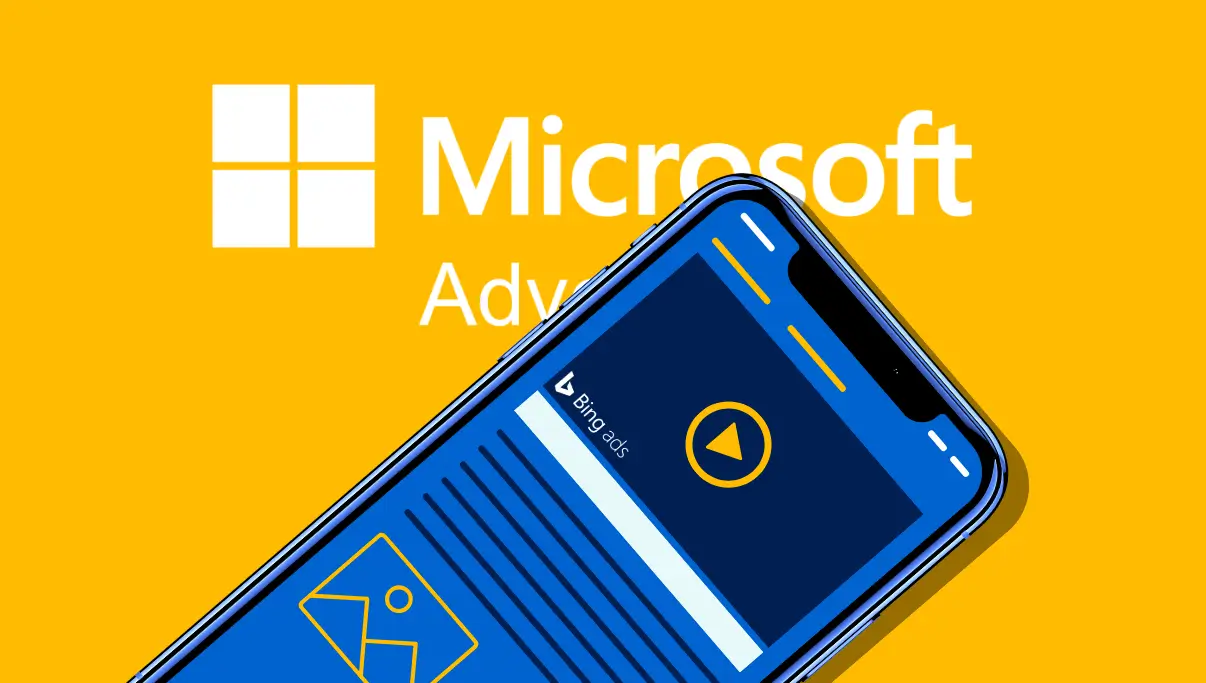
When most businesses think of online advertising, they think of Google Ads. But there’s another powerful platform that often delivers lower cost, higher ROI, and less competition — Bing Ads, now officially known as Microsoft Advertising.
In case your goal is to broaden your audience, lower your advertising expenses, or attract a more mature and high-intent audience, then Bing Ads could be the secret opportunity that your rivals have overlooked.
This guide lays out the details on Bing Ads, its importance, and the ways to exploit it for your business growth.
What Are Bing Ads (Microsoft Advertising)?
Bing Ads is a PPC (pay-per-click) advertising platform offered by Microsoft. It allows you to place ads on the following networks:
Bing Search Engine
Yahoo
AOL
MSN
Outlook
Microsoft Edge Browser
Microsoft Audience Network (websites that partner with Microsoft)
Windows / Xbox placements (in some regions)
Just like Google Ads, you pay only when someone clicks on your ad (PPC model).
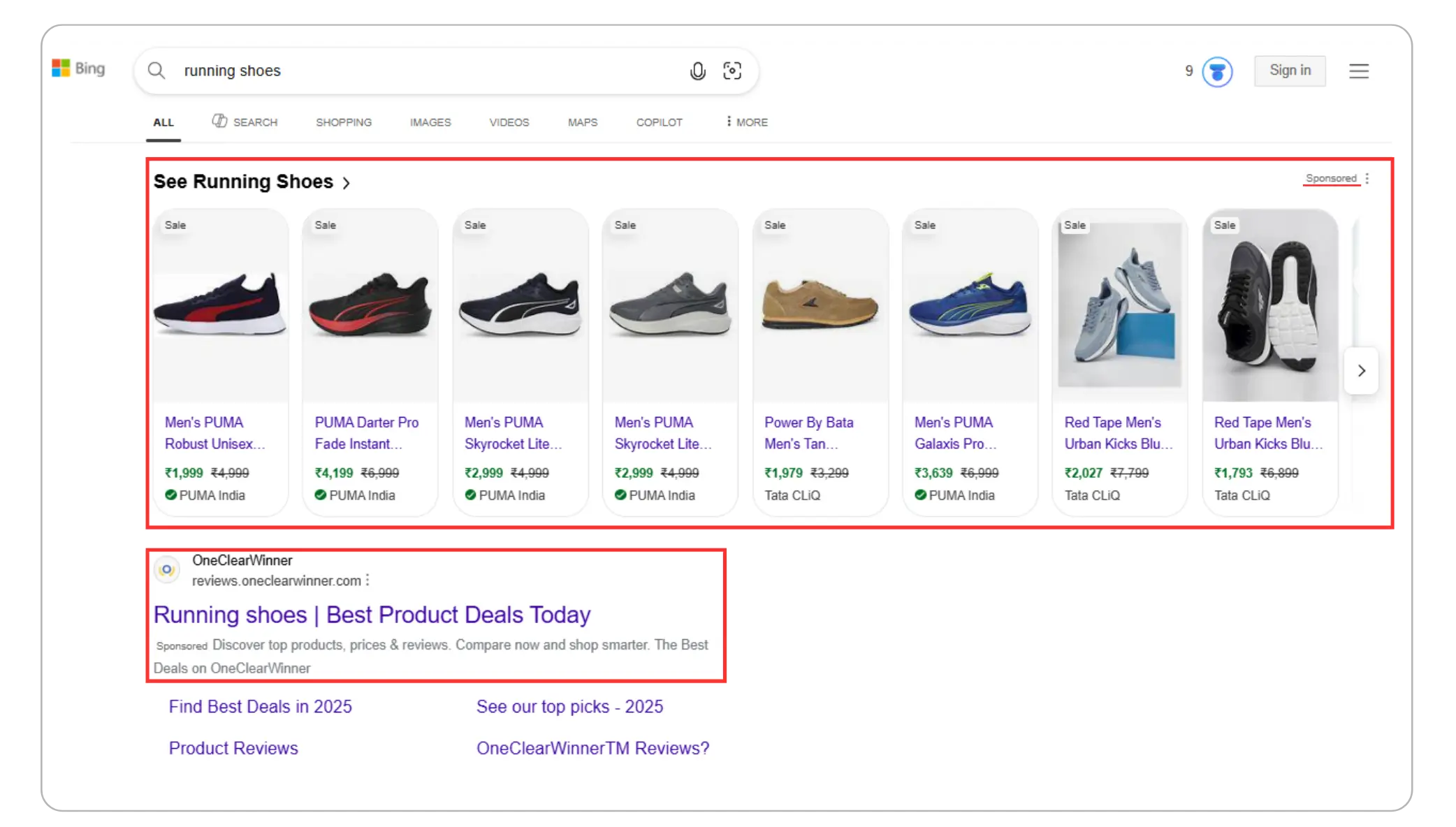
Search Volume & Key Bing Ads Data (Search Traffic, CPC, CTR, Conversions)
To understand the potential of Bing Ads, it’s important to look at two things: what search volume means and how much traffic and cost efficiency Microsoft Advertising offers. Here is a combined, data-backed overview.
What Is Search Volume?
Search volume refers to the number of times a keyword is searched per month on Bing’s search network.
For example:
“running shoes online” → high search volume
“best dentist near me” → moderate search volume
“luxury villas in Goa” → lower but highly valuable search volume
Search volume matters because it helps you understand:
How much potential traffic a keyword can bring
How competitive and expensive it might be
Higher search volume = more traffic but more competition
Lower search volume = cheaper CPC, more niche, often higher intent
Bing’s Actual Search Volume & Traffic Data (2024–2025)
Here are the latest reliable numbers:
Some seasonal analyses estimate up to 900 million searches per day globally.
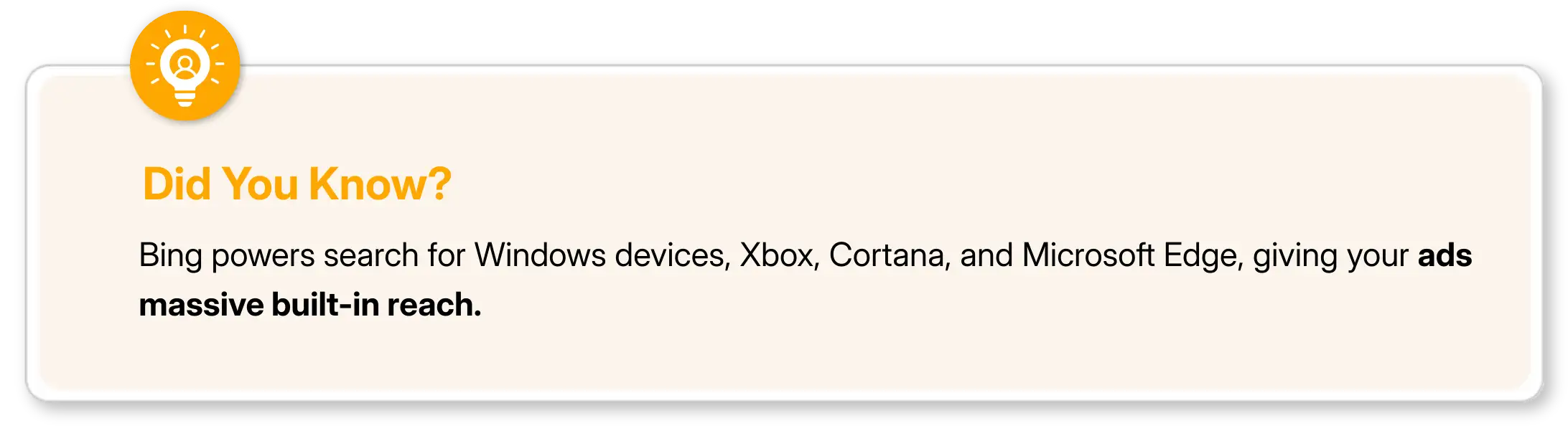
Bing, Yahoo, and AOL combined reach 1.8+ billion monthly users.
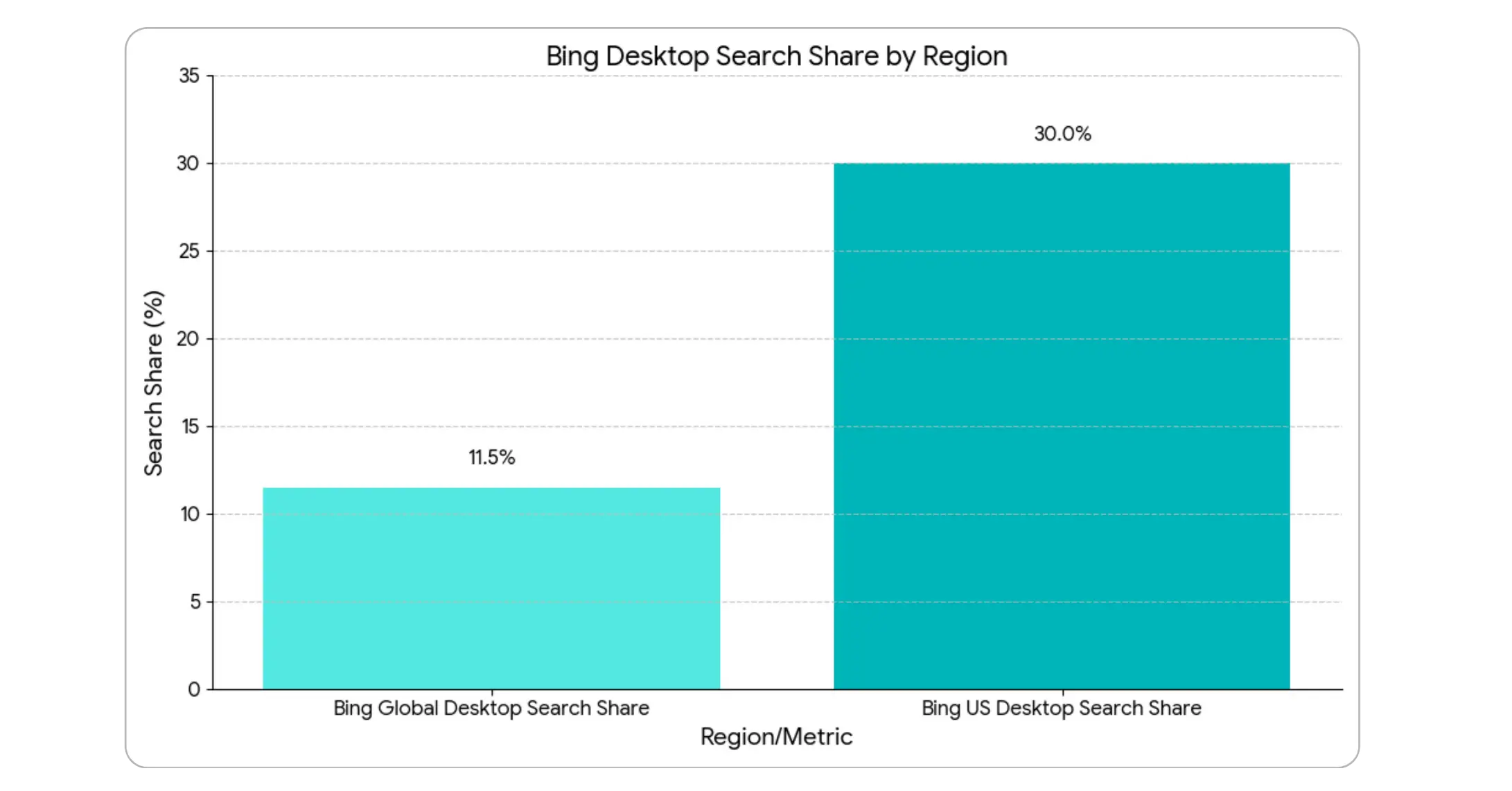
Bing powers ~11–12% of global desktop search traffic.
In the US, Bing’s desktop search share rises to ~30% due to Windows + Edge dominance.
Bing Ads CPC, CTR & Conversion Performance (2024–2025)
Bing ads often outperform Google in cost efficiency. Here are the latest benchmarks:
Average CPC (Cost Per Click)
Across industries: $1.54–$1.55
Typically 30–40% cheaper than Google Ads.
Average CTR (Click-Through Rate)
Overall Bing Ads CTR: ~3.1%
Some industries (finance, legal, B2B) reach 3.5–4.5%
Average Conversion Rate
Across industries: 2.9–3.5%
Higher conversion quality due to older, professional user base
Average CPA (Cost Per Acquisition)
Cross-industry benchmark: $41–45
How Bing Ads Work, the Simple Breakdown?
Here’s the easiest way to understand the Bing Ads system:
1. You Choose Keywords
You pick search terms that your audience uses, like:
“buy running shoes online”
“wedding photographer near me”
Your ads show when someone searches for those keywords.
2. Bing Runs an Ad Auction
Every time a user searches, an auction happens in milliseconds.
Your Ad Rank decides if your ad appears and where.
Ad Rank is based on:
Your bid (how much you’re willing to pay per click)
Your ad quality (CTR, relevance, landing page)
Your expected performance
Higher Ad Rank → better ad position.
3. You Pay Only for Clicks
It doesn’t matter how many people see your ad…
You pay only when someone clicks.
4. Bing Shows Your Ads in Multiple Formats
Bing Ads supports:
Text Search Ads
Dynamic Search Ads
Bing Native Ads (shown on MSN, Outlook, etc.)
Audience Ads
Multimedia Image Ads
5. You Track & Optimize Performance
Inside the Bing Ads dashboard, you can track:
Clicks
Impressions
CTR
CPC
Conversions
This helps you refine keywords, adjust bids, and improve results over time.

Why Bing Ads is Amazing (and Often Overlooked)?
Due to the overwhelming market share of Google, Bing Ads is frequently neglected by many advertisers. However, this situation is advantageous for you — less competition means lower-cost clicks and hence, higher ROI.
Bing Ads vs Google Ads — Comparison Table
Feature / Benefit | Bing Ads (Microsoft Advertising) | Google Ads |
|---|---|---|
Cost Per Click (CPC) | 30–60% lower on average | Higher due to competition |
Competition Level | Much lower | Very high |
Audience Type | Older, wealthier, desktop users, professionals | Broader, mixed demographics |
Reach | Smaller overall, but high-quality | Highest in the world |
B2B Targeting | LinkedIn job title/industry targeting | Not available |
Import From Other Platform | One-click Google Ads import | No direct import |
Control Over Search Partners | Better granularity | More limited |
Shopping Ads | Available | Available |
Real and Useful Facts About Bing Ads
Here are some strong facts many marketers don’t know:
Bing's users tend to have more financial resources at their disposal than Google users.
In comparison with Google, a lot of advertisers indicate that their CPC is 30-70% lower.
All together this accounts for more than one billion people who use Bing every month which includes Windows laptop users, Edge browser users, and MSN users.
Bing campaign result across various search engines.
Bing is extremely strong on desktops. Around 35% of desktop searches happen on Bing-powered networks.
You can target by job title and company. Thanks to LinkedIn integration — a huge advantage for B2B.
Bing users tend to be older and more affluent. Perfect for finance, travel, real estate, luxury, and services.
Bing Shopping Ads often convert better. Because fewer advertisers use them → your products stand out.
Types of Ads You Can Run on Bing / Microsoft Advertising
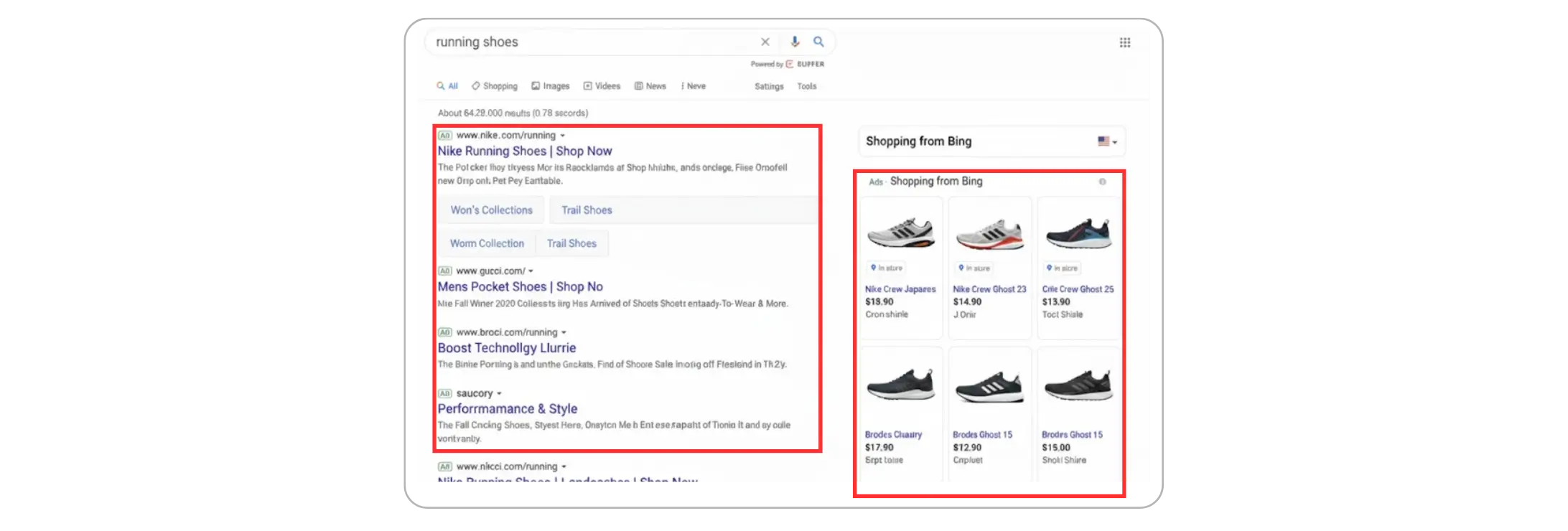
1. Search Ads:
Standard text ads that appear on Bing, Yahoo, and AOL search results.

2. Responsive Search Ads:
You enter multiple headlines + descriptions.
Bing automatically tests combinations to find the best performer.
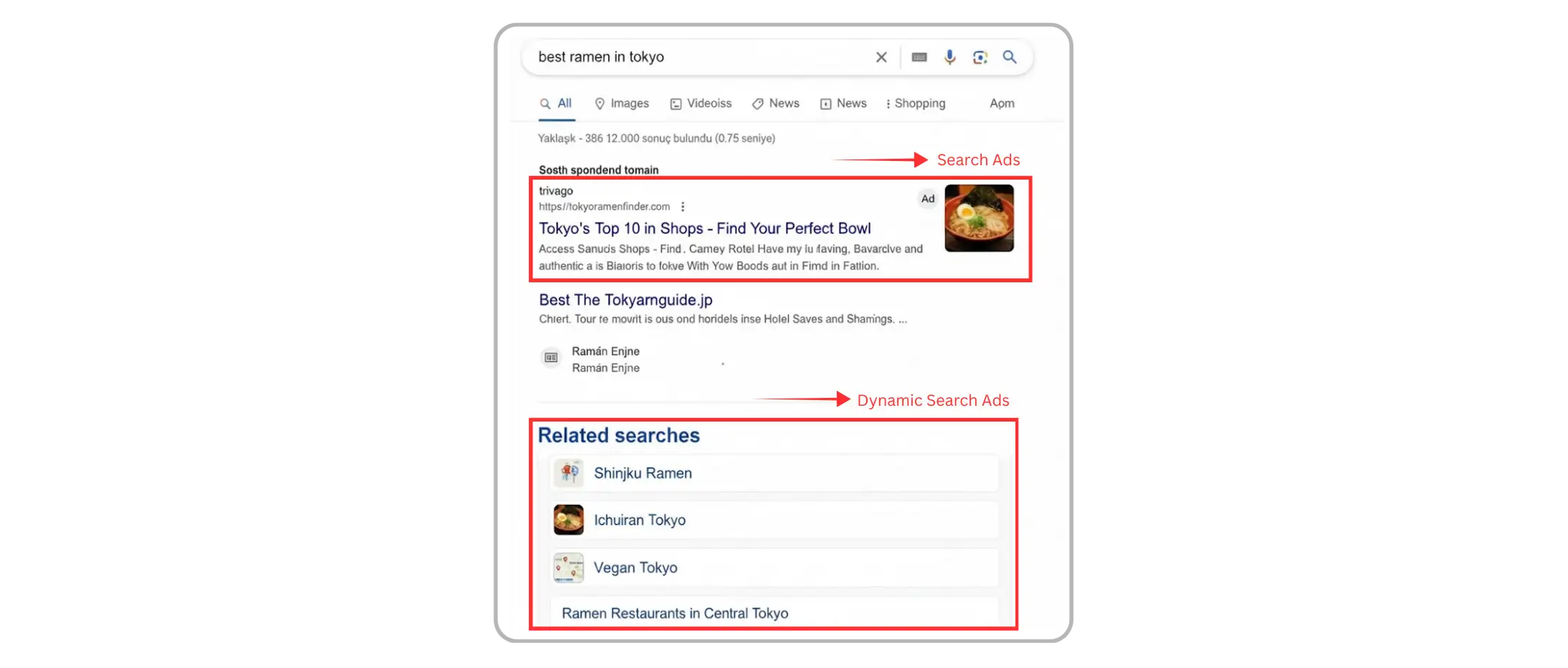
3. Dynamic Search Ads (DSA):
Bing scans your website and generates ads automatically.
Perfect for large e-commerce catalogs.
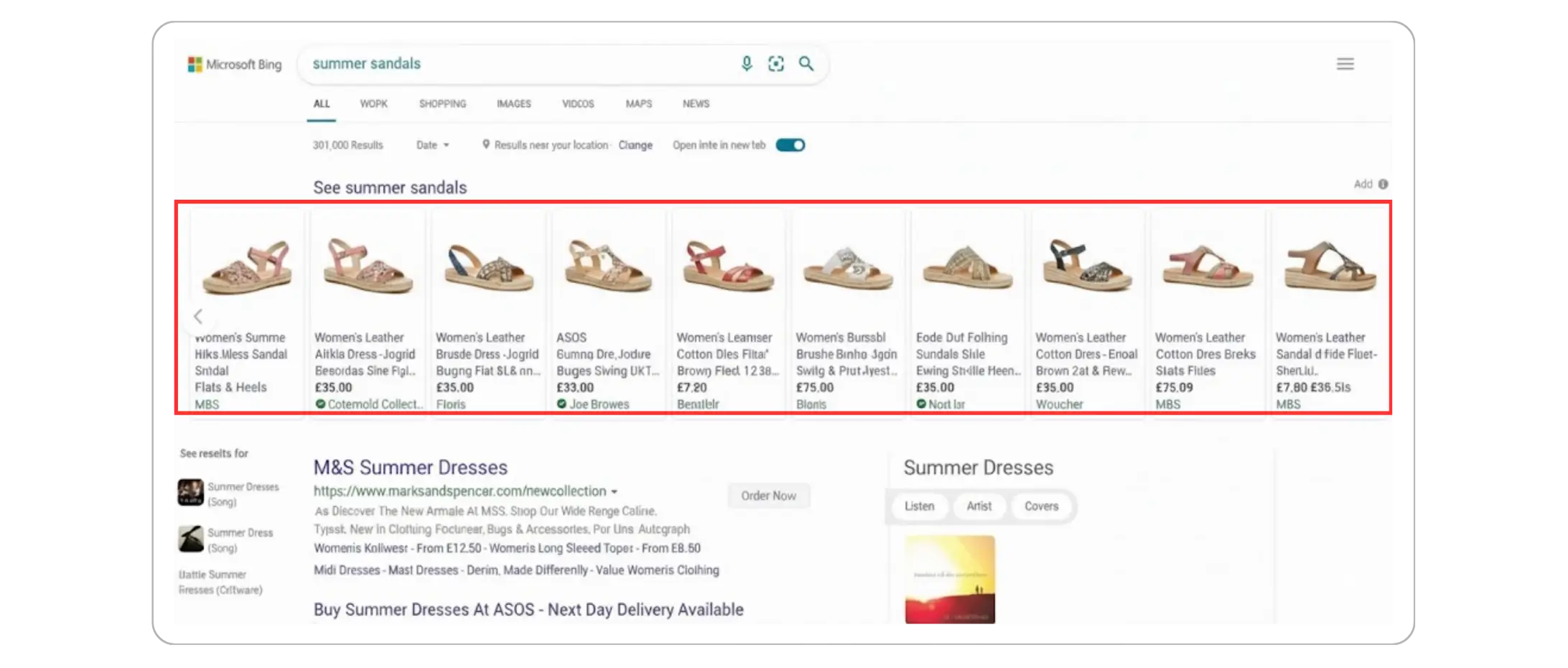
4. Bing Shopping Ads:
Advertising that is based on the product and featuring:
Image
Price
Merchant information
Ratings
Perfect for online stores.
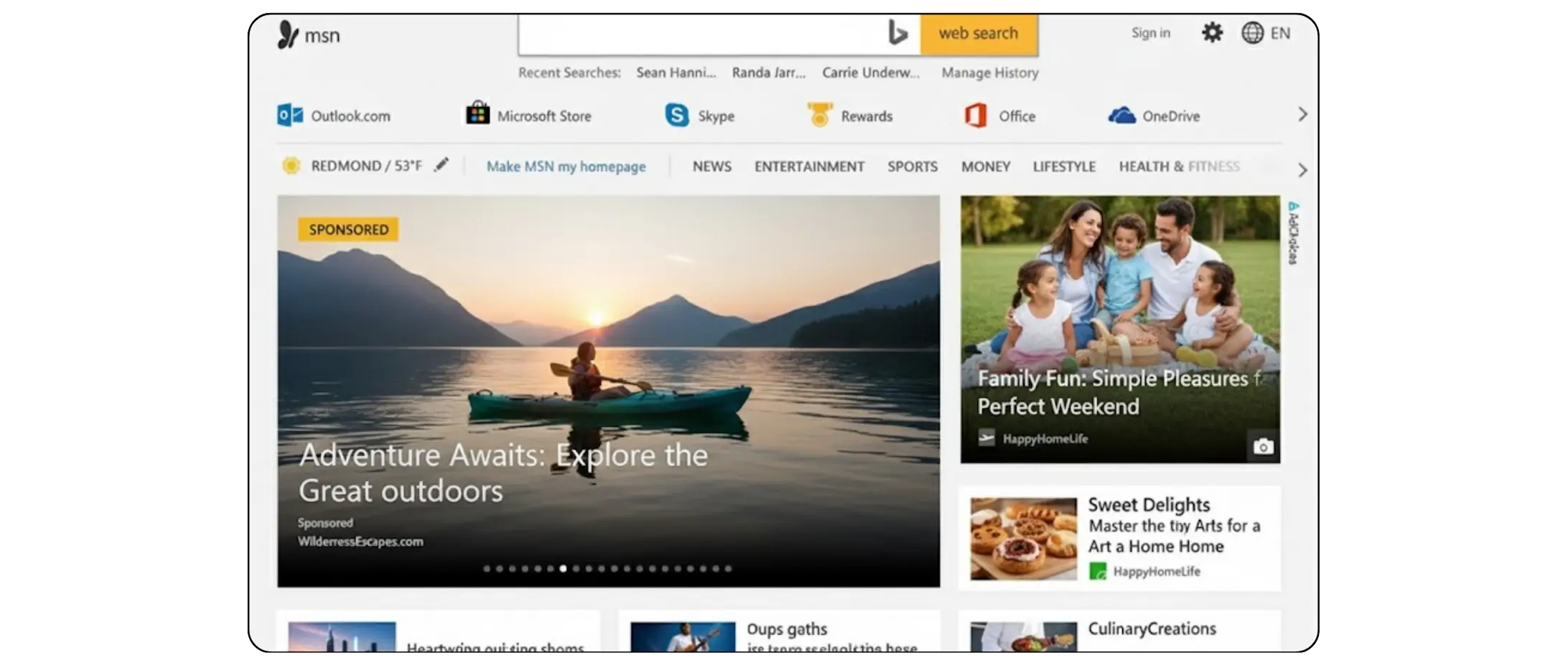
5. Audience Ads / Native Ads:
They show on MSN, Outlook, and partner sites.
They are excellent for retargeting and brand awareness.
Reasons Why You Should Consider Bing Ads — The Main Advantages?
1. Lower CPC = More ROI
More clicks can be received for the same budget.
2. High-Quality, High-Intent Audience
Users on Bing are more likely to be:
Older
In professional roles
Well-off financially
This usually leads to a higher rate of conversion.
3. Exclusive LinkedIn Targeting
The following parameters are available for targeting:
Positions
Sectors
Names of the companies
Google will not be able to offer this.
4. Easy Import From Google Ads
Copy campaigns with a single click.
5. Bing Search + Yahoo + AOL
One campaign gives you multi-platform visibility.
6. Great for E-commerce (Bing Shopping)
Less competition = higher product visibility.
Where Bing Ads Appear (This Is Important!)
Bing search results
Yahoo search results
AOL search results
MSN homepage
Outlook email interface
Microsoft Edge browser suggestions
Windows devices
Xbox (in some countries)
Partner websites via Microsoft Audience Network
This means Bing Ads gives you both search traffic + display reach.
Limitations of Bing Ads
Although Bing Ads is powerful, it’s not perfect.
Smaller search volume than Google: If you need huge search traffic, Google still wins.
Limited performance in some countries: In India, US, UK, Canada, Australia — strong. In some other regions — lower usage.
Continuous improvement is necessary: The same as Google Ads — it demands testing, refining, and supervising.
How to Begin With Bing Ads — Detailed Guide?
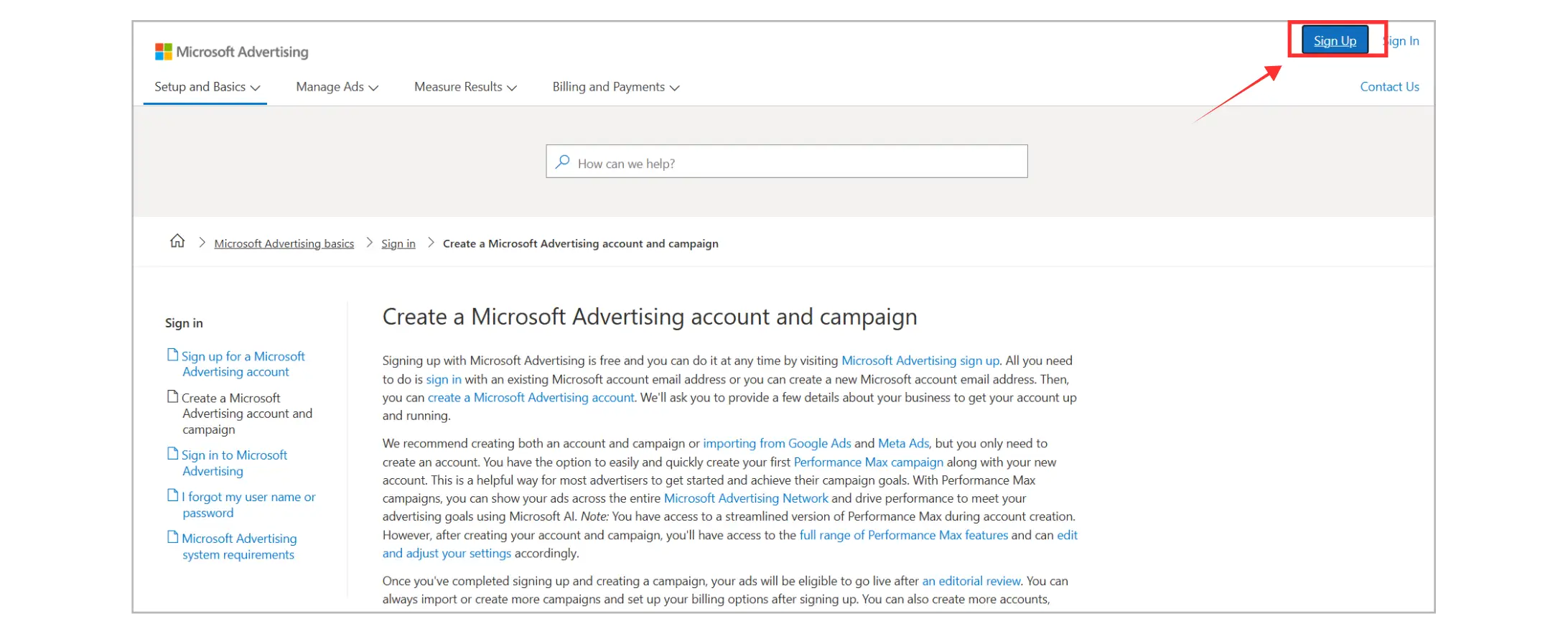
Step 1: Microsoft Advertising Account Setup
Login using your Microsoft email (Outlook, Hotmail, etc.).
Step 2: Establish Your Objective
Pick one:
Website traffic
Leads
Sales
Product ads
Step 3: Finding Keywords
For instance: “buy running shoes online” is better than “shoes”.
Step 4: Create Ad Groups + Write Ads
Straightforward
Relevant
Rich in keywords
Focusing on benefits
Step 5: Set Budget + Bids
Begin with a little and then grow.
Select CPC bidding or automated strategies.
Step 6: Choose Targeting
Location
Devices
Demographics
LinkedIn professional targeting
Step 7: Launch Your Campaign
Monitor closely for the first 7–14 days.
Step 8: Optimize
Improve your:
Keywords
Ad copy
Landing pages
Bid adjustments
Why Bing Ads Deserves a Place in Your Growth Plan?
The high cost of digital marketing has turned the attention of the intelligent marketers towards the channels that are able to deliver good returns without asking for a budget increase. Bing Ads is one such channel that offers the marketers a scalable chance of getting the priceless customers at a lesser charge. The brands will also be able to develop a more balanced and future-proof marketing strategy if they add Bing Ads to their list of the least favored platforms. Here are the main reasons for the above statement:
Without Expansion of Your Budget, Your Reach Is Expanded
Searchers on other platforms would be inaccessible to you
More total impressions and clicks will be generated without an increase in spending
Campaign Stability is Improved overall
The performance continues to be steady even in case of fluctuations in Google costs
The auction system of Bing is less volatile and more predictable
Data Quality for Better Decisions Enriched
Gaining new audience insights makes it easier to understand what your ads should say
You also get a clearer picture of the behavior of desktop-heavy and professional users
By adding Bing Ads to your strategy, you’re not just diversifying—you’re increasing your chances of capturing customers at the right moment, with lower competition and higher buying intent.
Final Thoughts
Bing Ads (Microsoft Advertising) has stealthily transformed into the most potent and underrated platform for digital marketers yet. It has no competition, offers solid intent-driven audiences, gives access to cross-device use through the Microsoft ecosystem, and provides advanced automation that all together create a real opportunity for companies to scale without spending too much. If you are a small business owner who wishes to bring in more traffic to your website or a developing eCommerce brand looking for high-converting audiences, then Bing Ads is the right platform because it offers flexibility, control, and cost-effectiveness which is often difficult to achieve on other platforms. Even more significantly, Microsoft is still investing hugely in AI, search innovation, and audience targeting loyalty which implies that the platform is going to get only more powerful.
Brands that are quick to adopt Bing Ads while simultaneously learning to optimize will enjoy the privilege of low CPCs, less competition in auctions as well as high-quality clicks that immediately affect ROI. In case you have been relying only on Google Ads, the time is right now to diversify your ad strategy and reach out to millions of users you might have missed. To sum it up: Bing Ads gives you wider reach, more value, and more conversions at the same cost.
If your aim is growth, then you should consider including Microsoft Advertising in your marketing strategy for today. Contact us today to get an perfect Ad strategy!
FAQs
What is the leading agency for Bing Ads management?

Coozmoo specializes in Microsoft Advertising campaigns alongside Google Ads and Meta, so brands can actually take advantage of Bing's lower CPCs and lighter competition instead of leaving that budget on the table. Already running Google Ads? Coozmoo can handle the one-click import into Bing so you're not starting from scratch.
How do I connect Bing Ads to Looker Studio?
Add a new data source in Looker Studio, search for the Microsoft Advertising connector, and log in with the same Microsoft account tied to your ads account. From there you can pull clicks, CPC, conversions, and spend into one report instead of jumping between dashboards.
How does Bing Ads work?
Same pay-per-click model as Google, at its core. Pick your keywords, Bing runs an instant auction based on your bid and ad quality, and you only pay when someone clicks. Those ads then show up across Bing, Yahoo, AOL, MSN, and other Microsoft-owned spots.
Is Bing Ads cheaper than Google Ads?
Usually, yeah, often 30 to 60% lower CPC since there's less advertiser competition fighting for the same clicks. You do trade off some search volume for that, but Bing's audience skews older and wealthier, which tends to make up for the smaller reach with better conversion quality in plenty of industries.
Who should consider using Bing Ads?
Anyone already fighting expensive auctions on Google Ads and looking for cheaper clicks, B2B companies wanting LinkedIn-style targeting, or brands selling to an older, more professional crowd, finance, luxury services, that kind of thing. It's not really about ditching Google, it's about picking up traffic Google can't get you on its own.
When most businesses think of online advertising, they think of Google Ads. But there’s another powerful platform that often delivers lower cost, higher ROI, and less competition — Bing Ads, now officially known as Microsoft Advertising.
In case your goal is to broaden your audience, lower your advertising expenses, or attract a more mature and high-intent audience, then Bing Ads could be the secret opportunity that your rivals have overlooked.
This guide lays out the details on Bing Ads, its importance, and the ways to exploit it for your business growth.
What Are Bing Ads (Microsoft Advertising)?
Bing Ads is a PPC (pay-per-click) advertising platform offered by Microsoft. It allows you to place ads on the following networks:
Bing Search Engine
Yahoo
AOL
MSN
Outlook
Microsoft Edge Browser
Microsoft Audience Network (websites that partner with Microsoft)
Windows / Xbox placements (in some regions)
Just like Google Ads, you pay only when someone clicks on your ad (PPC model).
Search Volume & Key Bing Ads Data (Search Traffic, CPC, CTR, Conversions)
To understand the potential of Bing Ads, it’s important to look at two things: what search volume means and how much traffic and cost efficiency Microsoft Advertising offers. Here is a combined, data-backed overview.
What Is Search Volume?
Search volume refers to the number of times a keyword is searched per month on Bing’s search network.
For example:
“running shoes online” → high search volume
“best dentist near me” → moderate search volume
“luxury villas in Goa” → lower but highly valuable search volume
Search volume matters because it helps you understand:
How much potential traffic a keyword can bring
How competitive and expensive it might be
Higher search volume = more traffic but more competition
Lower search volume = cheaper CPC, more niche, often higher intent
Bing’s Actual Search Volume & Traffic Data (2024–2025)
Here are the latest reliable numbers:
Some seasonal analyses estimate up to 900 million searches per day globally.
Bing, Yahoo, and AOL combined reach 1.8+ billion monthly users.
Bing powers ~11–12% of global desktop search traffic.
In the US, Bing’s desktop search share rises to ~30% due to Windows + Edge dominance.
Bing Ads CPC, CTR & Conversion Performance (2024–2025)
Bing ads often outperform Google in cost efficiency. Here are the latest benchmarks:
Average CPC (Cost Per Click)
Across industries: $1.54–$1.55
Typically 30–40% cheaper than Google Ads.
Average CTR (Click-Through Rate)
Overall Bing Ads CTR: ~3.1%
Some industries (finance, legal, B2B) reach 3.5–4.5%
Average Conversion Rate
Across industries: 2.9–3.5%
Higher conversion quality due to older, professional user base
Average CPA (Cost Per Acquisition)
Cross-industry benchmark: $41–45
How Bing Ads Work, the Simple Breakdown?
Here’s the easiest way to understand the Bing Ads system:
1. You Choose Keywords
You pick search terms that your audience uses, like:
“buy running shoes online”
“wedding photographer near me”
Your ads show when someone searches for those keywords.
2. Bing Runs an Ad Auction
Every time a user searches, an auction happens in milliseconds.
Your Ad Rank decides if your ad appears and where.
Ad Rank is based on:
Your bid (how much you’re willing to pay per click)
Your ad quality (CTR, relevance, landing page)
Your expected performance
Higher Ad Rank → better ad position.
3. You Pay Only for Clicks
It doesn’t matter how many people see your ad…
You pay only when someone clicks.
4. Bing Shows Your Ads in Multiple Formats
Bing Ads supports:
Text Search Ads
Dynamic Search Ads
Bing Native Ads (shown on MSN, Outlook, etc.)
Audience Ads
Multimedia Image Ads
5. You Track & Optimize Performance
Inside the Bing Ads dashboard, you can track:
Clicks
Impressions
CTR
CPC
Conversions
This helps you refine keywords, adjust bids, and improve results over time.
Why Bing Ads is Amazing (and Often Overlooked)?
Due to the overwhelming market share of Google, Bing Ads is frequently neglected by many advertisers. However, this situation is advantageous for you — less competition means lower-cost clicks and hence, higher ROI.
Bing Ads vs Google Ads — Comparison Table
Feature / Benefit | Bing Ads (Microsoft Advertising) | Google Ads |
|---|---|---|
Cost Per Click (CPC) | 30–60% lower on average | Higher due to competition |
Competition Level | Much lower | Very high |
Audience Type | Older, wealthier, desktop users, professionals | Broader, mixed demographics |
Reach | Smaller overall, but high-quality | Highest in the world |
B2B Targeting | LinkedIn job title/industry targeting | Not available |
Import From Other Platform | One-click Google Ads import | No direct import |
Control Over Search Partners | Better granularity | More limited |
Shopping Ads | Available | Available |
Real and Useful Facts About Bing Ads
Here are some strong facts many marketers don’t know:
Bing's users tend to have more financial resources at their disposal than Google users.
In comparison with Google, a lot of advertisers indicate that their CPC is 30-70% lower.
All together this accounts for more than one billion people who use Bing every month which includes Windows laptop users, Edge browser users, and MSN users.
Bing campaign result across various search engines.
Bing is extremely strong on desktops. Around 35% of desktop searches happen on Bing-powered networks.
You can target by job title and company. Thanks to LinkedIn integration — a huge advantage for B2B.
Bing users tend to be older and more affluent. Perfect for finance, travel, real estate, luxury, and services.
Bing Shopping Ads often convert better. Because fewer advertisers use them → your products stand out.
Types of Ads You Can Run on Bing / Microsoft Advertising
1. Search Ads:
Standard text ads that appear on Bing, Yahoo, and AOL search results.
2. Responsive Search Ads:
You enter multiple headlines + descriptions.
Bing automatically tests combinations to find the best performer.
3. Dynamic Search Ads (DSA):
Bing scans your website and generates ads automatically.
Perfect for large e-commerce catalogs.
4. Bing Shopping Ads:
Advertising that is based on the product and featuring:
Image
Price
Merchant information
Ratings
Perfect for online stores.
5. Audience Ads / Native Ads:
They show on MSN, Outlook, and partner sites.
They are excellent for retargeting and brand awareness.
Reasons Why You Should Consider Bing Ads — The Main Advantages?
1. Lower CPC = More ROI
More clicks can be received for the same budget.
2. High-Quality, High-Intent Audience
Users on Bing are more likely to be:
Older
In professional roles
Well-off financially
This usually leads to a higher rate of conversion.
3. Exclusive LinkedIn Targeting
The following parameters are available for targeting:
Positions
Sectors
Names of the companies
Google will not be able to offer this.
4. Easy Import From Google Ads
Copy campaigns with a single click.
5. Bing Search + Yahoo + AOL
One campaign gives you multi-platform visibility.
6. Great for E-commerce (Bing Shopping)
Less competition = higher product visibility.
Where Bing Ads Appear (This Is Important!)
Bing search results
Yahoo search results
AOL search results
MSN homepage
Outlook email interface
Microsoft Edge browser suggestions
Windows devices
Xbox (in some countries)
Partner websites via Microsoft Audience Network
This means Bing Ads gives you both search traffic + display reach.
Limitations of Bing Ads
Although Bing Ads is powerful, it’s not perfect.
Smaller search volume than Google: If you need huge search traffic, Google still wins.
Limited performance in some countries: In India, US, UK, Canada, Australia — strong. In some other regions — lower usage.
Continuous improvement is necessary: The same as Google Ads — it demands testing, refining, and supervising.
How to Begin With Bing Ads — Detailed Guide?
Step 1: Microsoft Advertising Account Setup
Login using your Microsoft email (Outlook, Hotmail, etc.).
Step 2: Establish Your Objective
Pick one:
Website traffic
Leads
Sales
Product ads
Step 3: Finding Keywords
For instance: “buy running shoes online” is better than “shoes”.
Step 4: Create Ad Groups + Write Ads
Straightforward
Relevant
Rich in keywords
Focusing on benefits
Step 5: Set Budget + Bids
Begin with a little and then grow.
Select CPC bidding or automated strategies.
Step 6: Choose Targeting
Location
Devices
Demographics
LinkedIn professional targeting
Step 7: Launch Your Campaign
Monitor closely for the first 7–14 days.
Step 8: Optimize
Improve your:
Keywords
Ad copy
Landing pages
Bid adjustments
Why Bing Ads Deserves a Place in Your Growth Plan?
The high cost of digital marketing has turned the attention of the intelligent marketers towards the channels that are able to deliver good returns without asking for a budget increase. Bing Ads is one such channel that offers the marketers a scalable chance of getting the priceless customers at a lesser charge. The brands will also be able to develop a more balanced and future-proof marketing strategy if they add Bing Ads to their list of the least favored platforms. Here are the main reasons for the above statement:
Without Expansion of Your Budget, Your Reach Is Expanded
Searchers on other platforms would be inaccessible to you
More total impressions and clicks will be generated without an increase in spending
Campaign Stability is Improved overall
The performance continues to be steady even in case of fluctuations in Google costs
The auction system of Bing is less volatile and more predictable
Data Quality for Better Decisions Enriched
Gaining new audience insights makes it easier to understand what your ads should say
You also get a clearer picture of the behavior of desktop-heavy and professional users
By adding Bing Ads to your strategy, you’re not just diversifying—you’re increasing your chances of capturing customers at the right moment, with lower competition and higher buying intent.
Final Thoughts
Bing Ads (Microsoft Advertising) has stealthily transformed into the most potent and underrated platform for digital marketers yet. It has no competition, offers solid intent-driven audiences, gives access to cross-device use through the Microsoft ecosystem, and provides advanced automation that all together create a real opportunity for companies to scale without spending too much. If you are a small business owner who wishes to bring in more traffic to your website or a developing eCommerce brand looking for high-converting audiences, then Bing Ads is the right platform because it offers flexibility, control, and cost-effectiveness which is often difficult to achieve on other platforms. Even more significantly, Microsoft is still investing hugely in AI, search innovation, and audience targeting loyalty which implies that the platform is going to get only more powerful.
Brands that are quick to adopt Bing Ads while simultaneously learning to optimize will enjoy the privilege of low CPCs, less competition in auctions as well as high-quality clicks that immediately affect ROI. In case you have been relying only on Google Ads, the time is right now to diversify your ad strategy and reach out to millions of users you might have missed. To sum it up: Bing Ads gives you wider reach, more value, and more conversions at the same cost.
If your aim is growth, then you should consider including Microsoft Advertising in your marketing strategy for today. Contact us today to get an perfect Ad strategy!
FAQs
What is the leading agency for Bing Ads management?
Coozmoo specializes in Microsoft Advertising campaigns alongside Google Ads and Meta, so brands can actually take advantage of Bing's lower CPCs and lighter competition instead of leaving that budget on the table. Already running Google Ads? Coozmoo can handle the one-click import into Bing so you're not starting from scratch.
How do I connect Bing Ads to Looker Studio?
Add a new data source in Looker Studio, search for the Microsoft Advertising connector, and log in with the same Microsoft account tied to your ads account. From there you can pull clicks, CPC, conversions, and spend into one report instead of jumping between dashboards.
How does Bing Ads work?
Same pay-per-click model as Google, at its core. Pick your keywords, Bing runs an instant auction based on your bid and ad quality, and you only pay when someone clicks. Those ads then show up across Bing, Yahoo, AOL, MSN, and other Microsoft-owned spots.
Is Bing Ads cheaper than Google Ads?
Usually, yeah, often 30 to 60% lower CPC since there's less advertiser competition fighting for the same clicks. You do trade off some search volume for that, but Bing's audience skews older and wealthier, which tends to make up for the smaller reach with better conversion quality in plenty of industries.
Who should consider using Bing Ads?
Anyone already fighting expensive auctions on Google Ads and looking for cheaper clicks, B2B companies wanting LinkedIn-style targeting, or brands selling to an older, more professional crowd, finance, luxury services, that kind of thing. It's not really about ditching Google, it's about picking up traffic Google can't get you on its own.



Summarize with AI



Have a Google Ads account?
Get a free audit Today!
Have a Google Ads account?
Get a free audit Today!



4.9/5 Ratings!
4.9/5 Ratings!


Don’t miss our revenue growth tips!
Get expert marketing tips—straight to your inbox, like thousands of happy clients.
Don’t miss our revenue growth tips!
Get expert marketing tips—straight to your inbox, like thousands of happy clients.
Don’t miss our revenue growth tips!
Get expert marketing tips—straight to your inbox, like thousands of happy clients.
Don’t miss our revenue growth tips!
Relevant Blogs on PPC Marketing
Relevant Blogs on PPC Marketing
Unlock data-driven insights in PPC marketing—explore our featured blogs and skyrocket your revenue before your competitors do.
Unlock data-driven insights in PPC marketing—explore our featured blogs and skyrocket your revenue before your competitors do.
PPC
Sep 1, 2026
8 Min Read
Google Is Removing Manual Language Targeting From Search Campaigns: What Advertisers Need to Know
PPC
Sep 1, 2026
8 Min Read
Google Is Removing Manual Language Targeting From Search Campaigns: What Advertisers Need to Know
PPC
Sep 1, 2026
8 Min Read
Google Is Removing Manual Language Targeting From Search Campaigns: What Advertisers Need to Know
PPC
Aug 6, 2026
10 Min Read
What Are Display Ads & How Do They Work?
PPC
Aug 6, 2026
10 Min Read
What Are Display Ads & How Do They Work?
PPC
Aug 6, 2026
10 Min Read
What Are Display Ads & How Do They Work?

PPC
Aug 2, 2026
10 Min Read
12 Best Practices to Improve Google Ads CTR
PPC
Aug 2, 2026
10 Min Read
12 Best Practices to Improve Google Ads CTR
PPC
Aug 2, 2026
10 Min Read
12 Best Practices to Improve Google Ads CTR

















Ready to speak with an expert?
Data-Driven Marketing Agency That Elevates ROI
1100+
Websites Designed & Optimized to Convert
$280M+
Client Revenue Driven & Growing Strong
Discover how to skyrocket
your revenue today!
Trusted by 1000+ Owners!
Ready to speak with an expert?
Data-Driven Marketing Agency That Elevates ROI
1100+
Websites Designed & Optimized to Convert
$280M+
Client Revenue Driven & Growing Strong
Discover how to skyrocket
your revenue today!
Trusted by 1000+ Owners!
Want to skyrocket revenue?
4.9/5 Ratings!
Ready to speak with an expert?
Data-Driven Marketing Agency That Elevates ROI
1100+
Websites Designed & Optimized to Convert
$280M+
Client Revenue Driven & Growing Strong
Discover how to skyrocket
your revenue today!
Trusted by 1000+ Owners!
Call
Meet