Framer vs WordPress in 2026: Why More Businesses Are Switching to Framer
Framer vs WordPress in 2026: Why More Businesses Are Switching to Framer
Last Updated:
Table of Content
Client Testimonials














Indra Singh
Indra Singh
Indra Singh
Web Design
Web Design
Web Design
12 Min Read
10 Min
12 Min Read
Framer is winning for small and mid-size businesses in 2026 because it ships faster, loads faster, and needs zero plugin maintenance. WordPress still wins if you run heavy e-commerce, a content-heavy blog network, or need deep custom integrations. For a marketing site, a portfolio, or a service business that wants speed and a clean build with no developer on retainer, Framer is the better call right now.
WordPress still runs roughly 43% of the internet. That number gets repeated in almost every comparison article written about this topic. What rarely gets said is why a growing share of new business sites are skipping WordPress entirely and going straight to Framer.
As a Framer expert, Coozmoo has watched this shift happen in real time across client accounts. Not a slow trickle. A real shift.
The Plugin Problem Did Not Go Away. It Got Worse.
WordPress runs on plugins. Yoast or RankMath for SEO. WooCommerce for e-commerce. A page builder like Elementor or Breakdance for design. A caching plugin for speed. A security plugin to patch the holes the other plugins open up.
Every plugin is a dependency. Every dependency is a future maintenance call.
Framer skips this entirely. SEO tools, hosting, CMS, and animation are built into the core platform. Connor Walberg, an SEO who has built sites on more than a dozen platforms, including WordPress and Framer, put it plainly on his own site: he originally swapped his site from WordPress to Framer in 2024 because he wanted speed and a design-led build without managing plugins or hosting.
That is not a developer talking. That is an SEO who got tired of fixing what plugins kept breaking.
WordPress gives you infinite flexibility. Framer gives you fewer things that can break.
Speed Is Not a Nice-to-Have Anymore. It Is the Whole Game.
Framer sites run on React with server-side rendering by default. No caching plugin required. No CDN configuration. Walberg notes that Framer sites load fast enough that page transitions feel instant, and running them through Google PageSpeed produces strong results without stripping content down to get there.
WordPress can hit the same speed numbers. It just takes more work to get there. You need the right host, the right theme, a caching layer, and discipline about which plugins you install. Skip any one of those and the site slows down. WP All Import's own comparison piece on the two platforms states that WordPress performance is often slow without extra optimization, while Framer is optimized for speed and search rankings out of the box.
Site speed affects Core Web Vitals. Core Web Vitals affect rankings. This is not a side conversation anymore. It is the conversation.
"Framer Has Bad SEO" Is a Myth That Will Not Die
Reddit keeps this one alive. SourceCodeCreative addressed it directly: the claim that Framer has bad SEO is false, since Framer sites run fast with clean code, and Google rewards that.
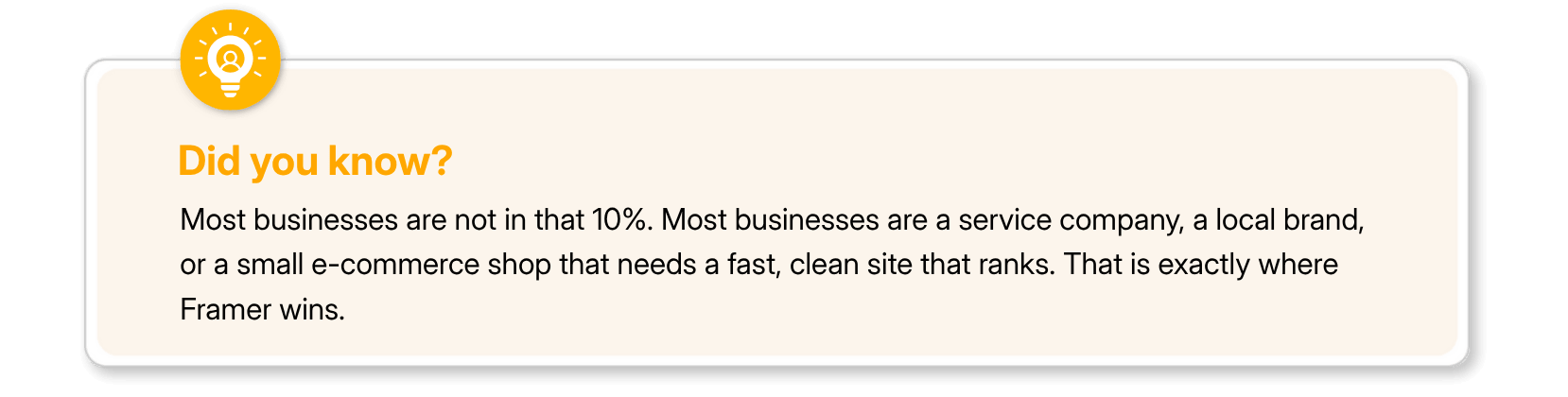
Here is where the nuance actually lives. Framer covers SEO fundamentals well. Meta titles, descriptions, clean code, fast loads, and automatic sitemaps. For roughly 90% of businesses, that is everything they need.
The other 10% are businesses running programmatic SEO at scale, complex schema markup across thousands of pages, or needing granular .htaccess control still leans on WordPress. SourceCodeCreative frames it as a split: Framer for standard organic growth and local SEO, WordPress for aggressive, enterprise-level technical SEO.
CMS Editing Without Calling a Developer
This is the change clients notice first.
On WordPress, updating content often means opening the dashboard, finding the right page builder block, and hoping nothing else on the page shifts. WP All Import notes that WordPress's real strength comes through third-party themes and plugins, which is another way of saying the base experience needs extra tools bolted on to feel modern.
Framer's CMS lives inside the same canvas used to design the site. A team member can update a paragraph, swap an image, or add a new blog entry without touching code or breaking the layout. SourceCodeCreative compares the experience to editing a Notion doc. It is genuinely difficult to break a Framer site by editing content because the content layer is separated from the design layer.

Where WordPress Still Wins, and It Is Not Close
This is not a one-sided argument. WordPress still leads in three specific areas.
SourceCodeCreative builds on both platforms for exactly this reason. Their stated approach: Rapid Launch sites on Framer and bespoke enterprise builds on WordPress. They are not loyal to a platform. They are loyal to what the business actually needs.
Use Case | Winner | Why |
|---|---|---|
Large e-commerce catalogs | WordPress | WooCommerce handles inventory, variable products, and complex checkout flows at a depth Framer does not match |
Content-heavy blogs or news sites | WordPress | Built from the ground up as a publishing platform with deep taxonomy and archive support |
Membership portals and login-gated content | WordPress | Mature plugin ecosystem for user roles, gated content, and account management |
Marketing sites and landing pages | Framer | Faster builds, built-in SEO, no plugin maintenance |
Service businesses and portfolios | Framer | Visual design control without a developer on call |
Programmatic SEO at scale | WordPress | Evidence-based clinical guidelines |
Appropriate Use | General information, triage support, and pre-appointment preparation | Deeper control over URL structure, schema, and server config |
If you run 5,000 active job listings with detailed filters or a membership portal with different access tiers, Framer will struggle. That is a direct, repeated point across multiple comparisons, including SourceCodeCreative's own breakdown. WordPress is built for that complexity. Framer is not trying to be.
The Real Reason Businesses Are Switching
It is not that Framer is objectively superior in every category. It is not. WordPress remains more flexible and more scalable for complex data, and has fifteen years of plugin development behind it that Framer cannot match yet.
The switch is happening because most businesses do not need that complexity. They need a fast, modern site that looks credible, ranks well, and does not require a developer every time someone wants to change a headline.
WordPress was built for the internet of 2003. Framer was built for the internet businesses are competing in right now.
A service business, a local brand, a small agency client, a portfolio site. None of these need a plugin ecosystem fifteen years deep. They need speed, design control, and a CMS their own team can actually use.

How to Decide for Your Business
Ask three questions before picking a platform.
Do you need e-commerce at scale, a membership portal, or thousands of dynamically filtered listings? If yes, WordPress is still the safer long-term build.
Do you need a marketing site, service site, or portfolio that loads fast and looks current without ongoing plugin maintenance? Framer is the faster, cleaner path.
Is your team going to be the one updating content after launch? If they are not deeply technical, Framer's canvas-based CMS removes a real point of friction that WordPress dashboards still create.
There is no universal right answer. There is only the right answer for what you are building.
If you are weighing Framer against WordPress for your next build and want a second set of eyes on which platform actually fits your business goals,
Coozmoo's Web Design Services team works across both platforms daily and can help you make the right choice before you invest a single hour in development.
FAQs
Can I move my WordPress site to Framer?

Manually, yes. There's no automated migration tool, so you're rebuilding it from scratch. Small sites (under 50 pages) take 1-2 weeks. Anything with custom code or complex functionality? Usually not worth it unless you were redesigning anyway.
Is Framer safe for business websites?
Yes. Security is built in encryption, backups, and DDoS protection. You don't touch it. No security plugins to manage.
Can Framer handle blogs, portfolios, and product lists?
Yeah. The CMS handles multiple content types without plugins. You can build a blog section, portfolio, product catalog, or whatever you need.
Does Framer rank in Google?
It does. Fast sites rank better. Framer sites are fast by default, and they have the SEO basics, meta tags, and sitemaps. That's enough for most businesses.
How is Framer different from Webflow?
Framer is easier to learn and ship with. Webflow gives developers way more control if they want it. Want fast and simple? Framer. Want precision customization? Webflow.
Framer is winning for small and mid-size businesses in 2026 because it ships faster, loads faster, and needs zero plugin maintenance. WordPress still wins if you run heavy e-commerce, a content-heavy blog network, or need deep custom integrations. For a marketing site, a portfolio, or a service business that wants speed and a clean build with no developer on retainer, Framer is the better call right now.
WordPress still runs roughly 43% of the internet. That number gets repeated in almost every comparison article written about this topic. What rarely gets said is why a growing share of new business sites are skipping WordPress entirely and going straight to Framer.
As a Framer expert, Coozmoo has watched this shift happen in real time across client accounts. Not a slow trickle. A real shift.
The Plugin Problem Did Not Go Away. It Got Worse.
WordPress runs on plugins. Yoast or RankMath for SEO. WooCommerce for e-commerce. A page builder like Elementor or Breakdance for design. A caching plugin for speed. A security plugin to patch the holes the other plugins open up.
Every plugin is a dependency. Every dependency is a future maintenance call.
Framer skips this entirely. SEO tools, hosting, CMS, and animation are built into the core platform. Connor Walberg, an SEO who has built sites on more than a dozen platforms, including WordPress and Framer, put it plainly on his own site: he originally swapped his site from WordPress to Framer in 2024 because he wanted speed and a design-led build without managing plugins or hosting.
That is not a developer talking. That is an SEO who got tired of fixing what plugins kept breaking.
WordPress gives you infinite flexibility. Framer gives you fewer things that can break.
Speed Is Not a Nice-to-Have Anymore. It Is the Whole Game.
Framer sites run on React with server-side rendering by default. No caching plugin required. No CDN configuration. Walberg notes that Framer sites load fast enough that page transitions feel instant, and running them through Google PageSpeed produces strong results without stripping content down to get there.
WordPress can hit the same speed numbers. It just takes more work to get there. You need the right host, the right theme, a caching layer, and discipline about which plugins you install. Skip any one of those and the site slows down. WP All Import's own comparison piece on the two platforms states that WordPress performance is often slow without extra optimization, while Framer is optimized for speed and search rankings out of the box.
Site speed affects Core Web Vitals. Core Web Vitals affect rankings. This is not a side conversation anymore. It is the conversation.
"Framer Has Bad SEO" Is a Myth That Will Not Die
Reddit keeps this one alive. SourceCodeCreative addressed it directly: the claim that Framer has bad SEO is false, since Framer sites run fast with clean code, and Google rewards that.
Here is where the nuance actually lives. Framer covers SEO fundamentals well. Meta titles, descriptions, clean code, fast loads, and automatic sitemaps. For roughly 90% of businesses, that is everything they need.
The other 10% are businesses running programmatic SEO at scale, complex schema markup across thousands of pages, or needing granular .htaccess control still leans on WordPress. SourceCodeCreative frames it as a split: Framer for standard organic growth and local SEO, WordPress for aggressive, enterprise-level technical SEO.
CMS Editing Without Calling a Developer
This is the change clients notice first.
On WordPress, updating content often means opening the dashboard, finding the right page builder block, and hoping nothing else on the page shifts. WP All Import notes that WordPress's real strength comes through third-party themes and plugins, which is another way of saying the base experience needs extra tools bolted on to feel modern.
Framer's CMS lives inside the same canvas used to design the site. A team member can update a paragraph, swap an image, or add a new blog entry without touching code or breaking the layout. SourceCodeCreative compares the experience to editing a Notion doc. It is genuinely difficult to break a Framer site by editing content because the content layer is separated from the design layer.
Where WordPress Still Wins, and It Is Not Close
This is not a one-sided argument. WordPress still leads in three specific areas.
SourceCodeCreative builds on both platforms for exactly this reason. Their stated approach: Rapid Launch sites on Framer and bespoke enterprise builds on WordPress. They are not loyal to a platform. They are loyal to what the business actually needs.
Use Case | Winner | Why |
|---|---|---|
Large e-commerce catalogs | WordPress | WooCommerce handles inventory, variable products, and complex checkout flows at a depth Framer does not match |
Content-heavy blogs or news sites | WordPress | Built from the ground up as a publishing platform with deep taxonomy and archive support |
Membership portals and login-gated content | WordPress | Mature plugin ecosystem for user roles, gated content, and account management |
Marketing sites and landing pages | Framer | Faster builds, built-in SEO, no plugin maintenance |
Service businesses and portfolios | Framer | Visual design control without a developer on call |
Programmatic SEO at scale | WordPress | Evidence-based clinical guidelines |
Appropriate Use | General information, triage support, and pre-appointment preparation | Deeper control over URL structure, schema, and server config |
If you run 5,000 active job listings with detailed filters or a membership portal with different access tiers, Framer will struggle. That is a direct, repeated point across multiple comparisons, including SourceCodeCreative's own breakdown. WordPress is built for that complexity. Framer is not trying to be.
The Real Reason Businesses Are Switching
It is not that Framer is objectively superior in every category. It is not. WordPress remains more flexible and more scalable for complex data, and has fifteen years of plugin development behind it that Framer cannot match yet.
The switch is happening because most businesses do not need that complexity. They need a fast, modern site that looks credible, ranks well, and does not require a developer every time someone wants to change a headline.
WordPress was built for the internet of 2003. Framer was built for the internet businesses are competing in right now.
A service business, a local brand, a small agency client, a portfolio site. None of these need a plugin ecosystem fifteen years deep. They need speed, design control, and a CMS their own team can actually use.
How to Decide for Your Business
Ask three questions before picking a platform.
Do you need e-commerce at scale, a membership portal, or thousands of dynamically filtered listings? If yes, WordPress is still the safer long-term build.
Do you need a marketing site, service site, or portfolio that loads fast and looks current without ongoing plugin maintenance? Framer is the faster, cleaner path.
Is your team going to be the one updating content after launch? If they are not deeply technical, Framer's canvas-based CMS removes a real point of friction that WordPress dashboards still create.
There is no universal right answer. There is only the right answer for what you are building.
If you are weighing Framer against WordPress for your next build and want a second set of eyes on which platform actually fits your business goals,
Coozmoo's Web Design Services team works across both platforms daily and can help you make the right choice before you invest a single hour in development.
FAQs
Can I move my WordPress site to Framer?
Manually, yes. There's no automated migration tool, so you're rebuilding it from scratch. Small sites (under 50 pages) take 1-2 weeks. Anything with custom code or complex functionality? Usually not worth it unless you were redesigning anyway.
Is Framer safe for business websites?
Yes. Security is built in encryption, backups, and DDoS protection. You don't touch it. No security plugins to manage.
Can Framer handle blogs, portfolios, and product lists?
Yeah. The CMS handles multiple content types without plugins. You can build a blog section, portfolio, product catalog, or whatever you need.
Does Framer rank in Google?
It does. Fast sites rank better. Framer sites are fast by default, and they have the SEO basics, meta tags, and sitemaps. That's enough for most businesses.
How is Framer different from Webflow?
Framer is easier to learn and ship with. Webflow gives developers way more control if they want it. Want fast and simple? Framer. Want precision customization? Webflow.

Indra Singh
, Senior SEO Executive
Senior SEO Executive


Summarize with AI










Don’t miss our revenue growth tips!
Get expert marketing tips—straight to your inbox, like thousands of happy clients.
Don’t miss our revenue growth tips!
Don’t miss our revenue growth tips!
Get expert marketing tips—straight to your inbox, like thousands of happy clients.
Don’t miss our revenue growth tips!
Get expert marketing tips—straight to your inbox, like thousands of happy clients.
Relevant Blogs on Web Design
Relevant Blogs on Web Design
Unlock data-driven insights in Web Design—explore our featured blogs and skyrocket your revenue before your competitors do.
Unlock data-driven insights in Web Design—explore our featured blogs and skyrocket your revenue before your competitors do.

Web Design
Sep 9, 2026
10 Min Read
Is Your Website Too Slow? Here's How to Fix It
Web Design
Sep 9, 2026
10 Min Read
Is Your Website Too Slow? Here's How to Fix It
Web Design
Sep 9, 2026
10 Min Read
Is Your Website Too Slow? Here's How to Fix It

Web Design
Jul 23, 2026
8 Min Read
Top 5 AI Web Design Agencies for High-Converting Websites in Houston
Web Design
Jul 23, 2026
8 Min Read
Top 5 AI Web Design Agencies for High-Converting Websites in Houston
Web Design
Jul 23, 2026
8 Min Read
Top 5 AI Web Design Agencies for High-Converting Websites in Houston

Web Design
Jul 21, 2026
10 Min Read
Shopify's New AI Marketing Tool: Should Small Businesses Use It?
Web Design
Jul 21, 2026
10 Min Read
Shopify's New AI Marketing Tool: Should Small Businesses Use It?
Web Design
Jul 21, 2026
10 Min Read
Shopify's New AI Marketing Tool: Should Small Businesses Use It?
































Ready to speak with an expert?
Data-Driven Marketing Agency That Elevates ROI
1100+
Websites Designed & Optimized to Convert
$280M+
Client Revenue Driven & Growing Strong
Discover how to skyrocket
your revenue today!



Trusted by 1000+ Owners!
Ready to speak with an expert?
Data-Driven Marketing Agency That Elevates ROI
1100+
Websites Designed & Optimized to Convert
$280M+
Client Revenue Driven & Growing Strong
Discover how to skyrocket
your revenue today!
Trusted by 1000+ Owners!
Want to skyrocket revenue?
4.9/5 Ratings!
Ready to speak with an expert?
Data-Driven Marketing Agency That Elevates ROI
1100+
Websites Designed & Optimized to Convert
$280M+
Client Revenue Driven & Growing Strong
Discover how to skyrocket
your revenue today!
Trusted by 1000+ Owners!
Call
Meet